
$49.90
Free delivery · 7–14 days
Tablet Stand with Dual Arms — Perfect Posture & 360° Rotation




Find switch controllers and mobile gamepads for handheld, docked, cloud, and competitive play. This range includes left-and-right wireless Joy-Con-style controllers, wired USB-C gamepads, mobile trigger controllers, and accessories that support a more comfortable setup.
Start with the device and games you plan to use. For Nintendo Switch play, the Switch Wireless Controllers — Left & Right, Neon Joy-Con are the closest fit for games that use separate left and right controllers or handheld attachment. For a phone or tablet, choose a mobile-focused option such as the GameSir X2 Wired USB-C Gamepad or the Mobile Gamepad with Metal Triggers, and confirm your phone has the required USB-C port and enough clearance for its case. If you play cloud games, a wired USB-C connection can reduce the need for pairing and charging. A Keyboard Mouse Converter is better suited to supported mobile games that accept keyboard-and-mouse input, rather than standard console controls. Check game, device, and connection compatibility before ordering.
The main choices are Joy-Con-style pairs, traditional wireless gamepads, wired mobile controllers, and phone trigger accessories. Joy-Con-style controllers are compact and can be used separately, attached to a console, or used as a pair when the game supports those layouts. A Nintendo Switch wireless controller is convenient for sofa play because it avoids a cable between you and the console, but it requires pairing and battery management. Wired USB-C gamepads connect directly to compatible phones for cloud gaming and do not need a separate wireless pairing step. Mobile gamepads with metal triggers are designed around touchscreen games such as PUBG Mobile, while the keyboard mouse converter targets supported games that benefit from mouse-style aiming. Match the controller type to your screen and control scheme.
Prioritize connection type, layout, comfort, and portability. For Switch controllers, check whether the product is a left-and-right pair, whether each side can be used independently, and whether the listing states support for your Switch model. A wireless controller is useful when you want fewer cables, while the GameSir X2 Wired USB-C Gamepad is designed for direct phone connection and cloud gaming. For mobile shooters, trigger placement and phone fit may matter more than a traditional console layout. Look for clear information about charging, included cables, button arrangement, and case clearance. If you are shopping for a Nintendo Switch 1 controller or a Nintendo Switch 1 controller wireless option, verify model compatibility rather than relying only on a marketplace title.
For a wired USB-C gamepad, connect the controller to a compatible phone, open the game or cloud-gaming app, and confirm that the buttons are mapped correctly. Remove a thick phone case if the connector or holder cannot seat fully. With a wireless controller, charge it first, place it in pairing mode, then select it in the device's Bluetooth settings if the game supports that input. Mobile games do not all accept external controllers, so check the game's control settings before troubleshooting the hardware. The Mobile Gamepad with Metal Triggers is aimed at touchscreen play, while the Keyboard Mouse Converter requires a game and device that support its input method. A Tablet Stand with Dual Arms can hold a larger screen during play; it is a stand, not a controller.
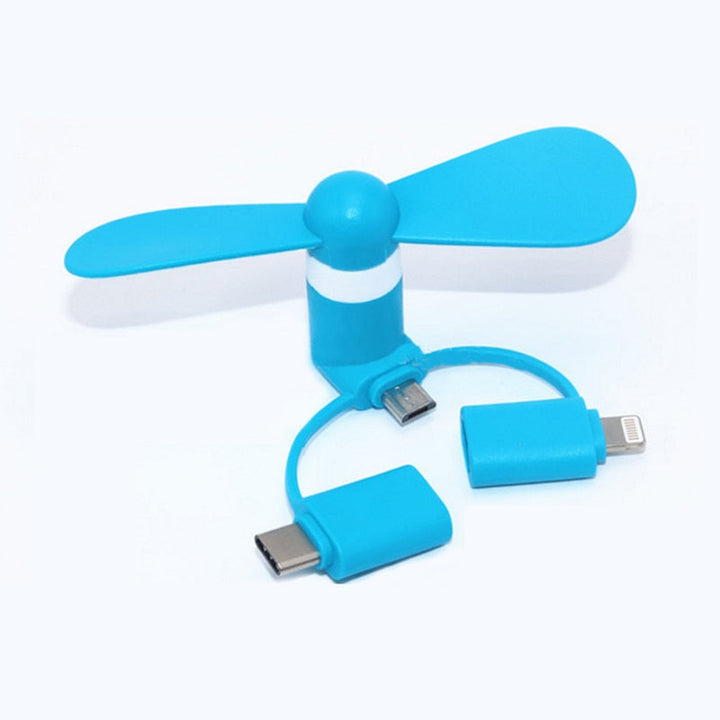
Do not assume every wireless gamepad works with every Switch model, phone, or game. Product titles can use phrases such as switch controllers, Nintendo Switch controllers Walmart, switch controllers Target, or switch controllers Amazon, but the retailer wording does not confirm compatibility. Check the connection method, supported platform, controller count, and whether charging equipment is included. Another common mistake is buying a USB-C controller for a phone with a different port or a case that blocks the plug. Do not confuse a phone cooler or Turbo Handheld Fan with a control accessory: the Mini Phone Cooling Fan and Turbo Handheld Fan are cooling products, not input devices. Finally, confirm whether you need a pair of Joy-Con-style controllers or one full-size gamepad before ordering.
These products suit different play styles rather than one universal setup. The Switch Wireless Controllers — Left & Right, Neon Joy-Con are suited to Switch owners who want compact left-and-right controls for handheld or multiplayer-compatible play. The GameSir X2 Wired USB-C Gamepad fits players using compatible Android phones for cloud gaming or other controller-supported titles. The Mobile Gamepad with Metal Triggers is aimed at mobile shooter players who prefer physical trigger inputs, while the Keyboard Mouse Converter suits supported mobile games designed around keyboard-and-mouse control. A tablet player may pair a compatible controller with the Tablet Stand with Dual Arms for a raised viewing position. The Wireless Audio Sensing Phone Stand adds synced lighting and phone support, but it should not be selected as a game controller.
Yes. Controllers can be purchased separately from the console, including left-and-right Joy-Con-style pairs and other compatible gamepads. Check whether the listing includes one controller, a left-and-right pair, or a complete accessory set before ordering.
A Joy-Con-style pair contains two separate controllers with their own controls and wireless functionality, so a pair is more than a single basic gamepad. Prices also vary with design, features, condition, and included accessories; compare the exact contents of each listing.
Replacement policies can depend on your region, purchase details, controller condition, and the issue reported. Check the current official support information for your country rather than assuming every controller qualifies or that a third-party product is covered.
Common types include left-and-right Joy-Con-style pairs, traditional wireless gamepads, and wired controllers. This category also includes mobile gamepads with triggers and USB-C models for phone or cloud gaming, but those may not support Nintendo Switch.
Joy-Con-style controllers are more compact and can support separate left-and-right play, while a traditional full-size controller is often preferred for a conventional grip during docked sessions. The better choice depends on portability, multiplayer needs, game layout, and confirmed compatibility.
The best option is the one that matches your console model, game controls, and preferred connection. Choose the Switch Wireless Controllers — Left & Right, Neon Joy-Con for compact paired controls, and consider a full-size wireless gamepad if you prefer a traditional layout; for mobile, select a compatible USB-C or trigger-based gamepad instead.