
$49.90
Free delivery · 7–14 days
Tablet Stand with Dual Arms — Perfect Posture & 360° Rotation




Mobile gaming is more comfortable and responsive with the right accessories for your phone or tablet. This category includes Bluetooth and wired gamepads, trigger controls, cooling tools, stands, audio-reactive lighting, and retro handhelds for different play styles.
Start with the games you play most and the phone you use. A wired USB-C gamepad is a practical choice for Android cloud gaming and fast response, while a Bluetooth gamepad keeps your phone free from cables. If you mainly play competitive shooters such as PUBG Mobile, a controller with metal triggers or a keyboard-and-mouse converter can provide more direct controls. Check your phone’s port, case clearance, operating-system compatibility, and whether the controller supports your preferred game. For longer sessions, pair the controller with a phone cooling fan or a tablet stand with dual arms. Shoppers searching for a mobile gaming gadget often want one useful upgrade, so choose the accessory that solves your biggest problem first.
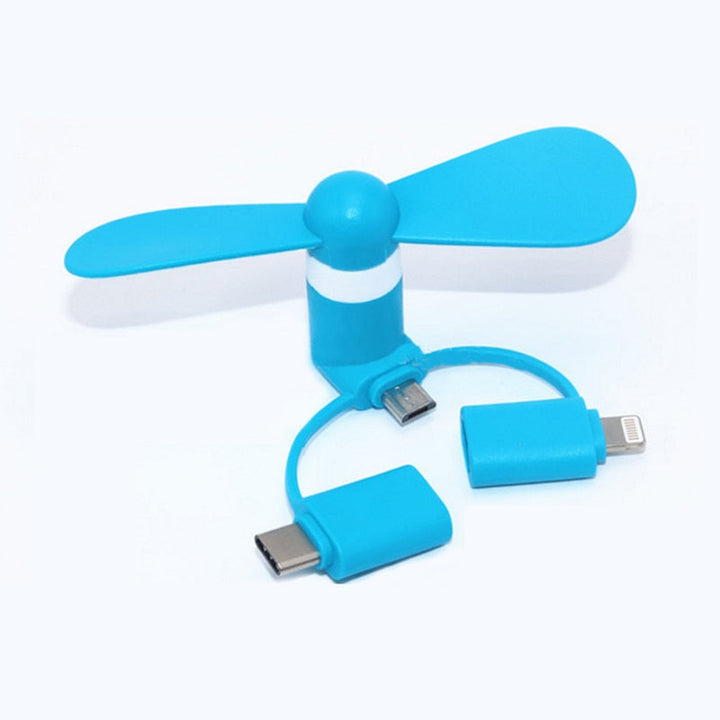
Gamepads are best for racing, platformers, action games, and cloud services that support controllers. The GameSir X2 wired USB-C gamepad is designed for a direct connection, while a wireless Bluetooth pad offers a cable-free setup when supported by your device. Shooter-focused players may prefer the mobile gamepad with metal triggers or a keyboard mouse converter for more familiar aiming and movement. A plug-in phone cooler helps manage heat during demanding play, and a handheld fan provides portable airflow. For a larger screen, the tablet stand supports viewing and hands-free play. A retro console is different from a phone controller: it is a self-contained option for classic gaming rather than an accessory for a mobile gaming app.
Compare connection type, layout, grip, trigger design, and portability before buying. USB-C models generally offer a simple plug-in setup, but they require a compatible port and may not fit with a thick case. Bluetooth models reduce cable clutter, though you should confirm pairing support for your phone, tablet, and game. Look for familiar thumbstick placement, responsive buttons, and a phone mount or secure fit when the design includes one. For shooters, evaluate trigger travel and button access rather than choosing by appearance alone. Cooling accessories should match the phone’s size and connection position. If you browse mobile gaming websites or research accessories before purchase, check the product dimensions and connection details against your device.
Remove a bulky phone case if the controller’s clamp or USB-C plug needs extra clearance. For a wired gamepad, connect it directly to the phone, then open a compatible game or cloud gaming service and test each button. For Bluetooth models, charge the controller, switch it to pairing mode, select it in the phone’s Bluetooth menu, and check the game’s controller settings. A keyboard mouse converter may require separate connections for the keyboard and mouse, so test movement, aiming, and button mapping before starting a match. Position a tablet stand at a comfortable viewing angle, and place a phone cooler where it can make steady contact with the device. Keep airflow openings clear during extended mobile gaming.
One common mistake is buying a controller without checking the phone port. A USB-C gamepad will not suit every device, and a thick case can prevent a secure connection. Another is assuming every mobile gaming app supports every controller; confirm support in the game or service before relying on a new layout. Do not confuse a fan with a controller: a cooling accessory improves the setup but does not add buttons or controls. Competitive players can also overlook trigger placement, grip comfort, and the time needed to learn new inputs. Finally, avoid blocking vents or pressing a phone cooler against an incompatible case. Test the complete setup at home before taking it to a mobile gaming truck, bus, or event.
A Bluetooth or wired gamepad suits players who want console-style controls on Android phones, tablets, or supported cloud gaming services. Shooter players may benefit most from metal triggers or a keyboard mouse converter, while commuters may prefer a compact controller or retro handheld. A phone cooler is useful for players whose devices become uncomfortable during demanding sessions, and a dual-arm stand suits desk, bedside, or tablet play. Families looking for simple entertainment may enjoy the portable retro console with classic games, while content creators or party hosts may prefer the wireless audio-sensing stand for atmosphere. These accessories can support mobile gaming at home, while travelling, or at a mobile gaming event without requiring a dedicated console.
Mobile gaming means playing games on a smartphone or tablet. It can include touch-controlled games, controller-supported titles, cloud gaming, retro games, and competitive apps such as mobile shooters.
There is no single permanent top 10 because rankings change by country, platform, genre, and time period. Popular categories include action, racing, strategy, multiplayer, puzzle, and battle royale games; choose a controller based on the games you actually play.
The answer depends on whether you mean downloads, revenue, active players, or a particular region. Rankings change frequently, so a current app-store chart or gaming report is more reliable than a fixed list.
There is no universally agreed best mobile gamer because performance depends on the game, region, tournament, and ranking system. For your own setup, the best controller is the one that matches your device, supported games, preferred controls, and comfort.
The best device is one that supports your games, has a compatible operating system and port, and offers enough screen space and battery for your sessions. A phone works well for portability, while a tablet can provide a larger view when paired with a stand or gamepad.
There is no single world number one across all mobile games. Each title and competition uses its own rankings, and results can change; check the official leaderboard for the specific game you mean.