
$35.90
Free delivery · 7–14 days
DJI Mini 2 Gimbal Shock Absorber Replacement Set of 10
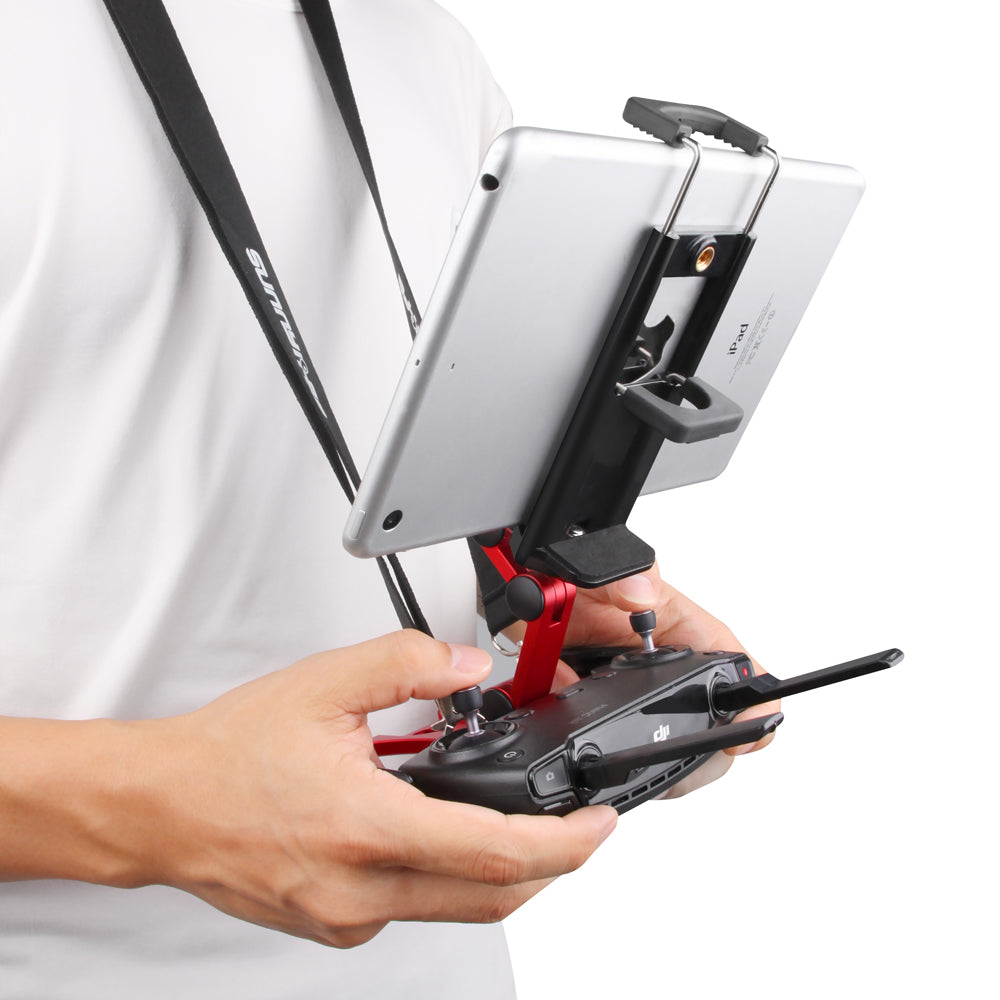


Fly with both hands on the sticks and the live feed at eye level. The machined aluminium holder cradles your controller, clamps your tablet or phone and folds into one kit that travels without loose parts.
Read the full descriptionFly with both hands on the sticks and the live feed at eye level. The machined aluminium holder cradles your controller, clamps your tablet or phone and folds into one kit that travels without loose parts.
Hands-free tablet and phone viewing for your drone controller
Stop balancing a tablet on your knees between flights. Cradle your controller, clamp your screen at eye level, and keep your attention in the air.

The hinged aluminium arm lifts the tablet to a height you can read without tipping your head. Set it once for your stance and it holds that angle through the flight. You stop chasing the screen and start watching the drone.

The spring clamp has rubber-tipped jaws that grip the tablet edge firmly without marking the screen. Open the jaws just enough to slide the device in, then let the spring do the work. A phone sits on the 1/4-inch screw mount if you fly with one instead.

Stick guards on the cradle keep the controller sticks from knocking against each other or your bag. The folding base seats the controller flat, and the lanyard attaches at the holder so the kit travels as one piece.
Fold the base flat and set the controller into the cradle. Check that the stick guards sit over the sticks.
Open the spring jaws just enough to slide the tablet in, then let the rubber tips grip the edge.
Angle the hinged arm until the screen sits at eye level for your stance, then lock the hinge.
Attach the lanyard before you pack or walk to the launch point, so the kit stays with you.
Anodized red finish with a folding base and stick guards on the controller cradle.
Hinged aluminium arm with rubber-tipped jaws and a 1/4-inch screw mount for phones.
Black strap that clips to the holder for shoulder carry.
The base is built to cradle a DJI-style controller and the stick guards sit over the sticks when it is seated. Check the controller size against the cradle before your first flight, since the fit is designed around the controller shape shown in the photos.
The spring clamp takes a tablet with rubber-tipped jaws that grip the edge. A phone attaches to the 1/4-inch screw mount on the back. Measure your device before you buy if you use a very large tablet or a thick case.
The clamp grips the tablet edge with spring force and the arm locks at the angle you set. Seat the tablet fully, check the grip before each take, and keep the lanyard clipped in windy conditions.
A tablet on a bag slides, sits at the wrong height, and leaves the controller loose in transit. The holder locks both devices together, puts the screen at eye level and keeps the sticks guarded. If you already own a adjustable phone stand, this does the same job for the controller and the tablet in one unit.
If you carry a controller and a tablet to the field, the value is in one unit that protects the sticks and keeps the screen steady. Compared with replacing scratched controller parts or a dropped tablet, a metal holder that folds flat is a small cost for a lot of protection.


 Drone Controller Tablet Mount with Aluminium Holder