
$94.90
Free delivery · 7–14 days
Drone Controller Tablet Mount with Aluminium Holder
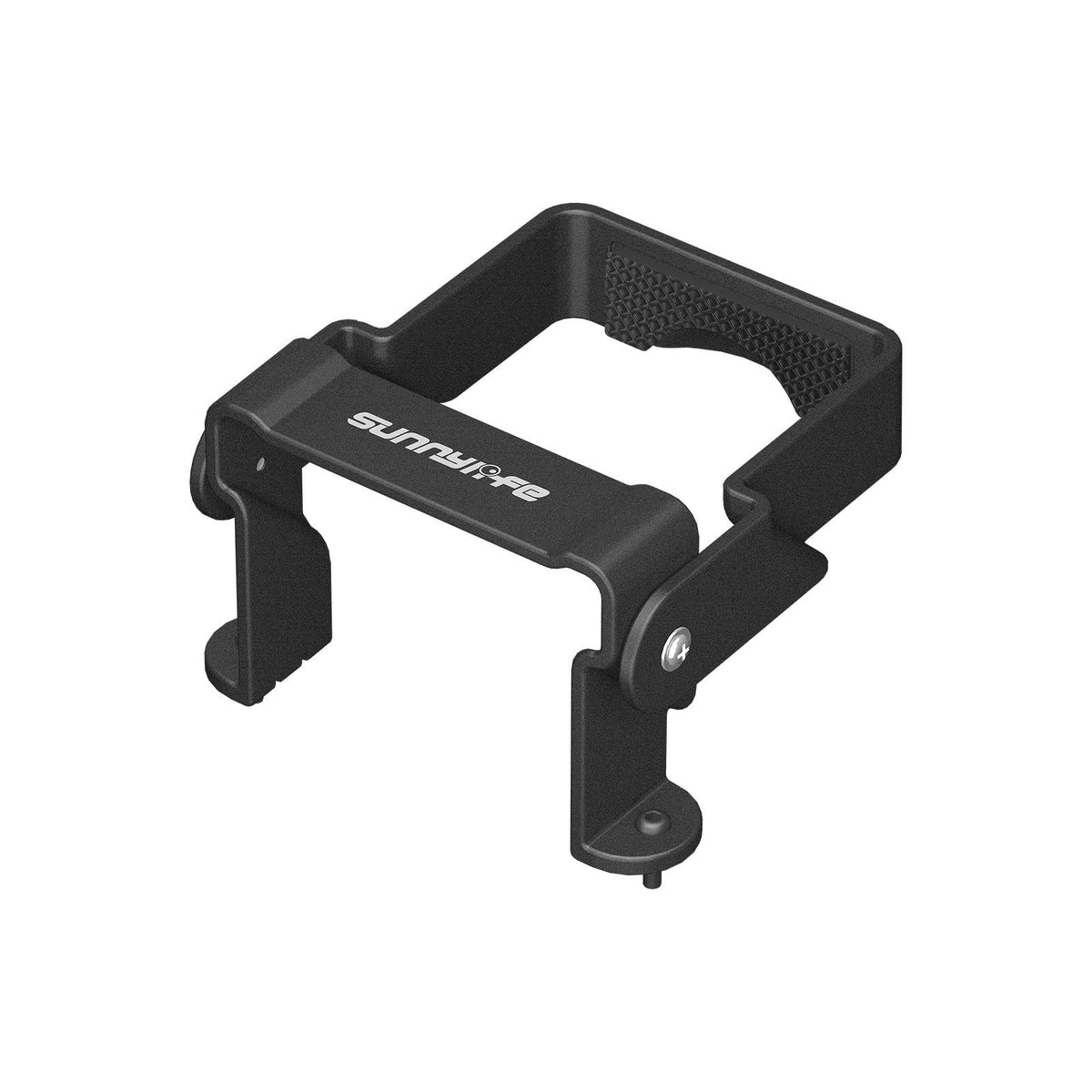
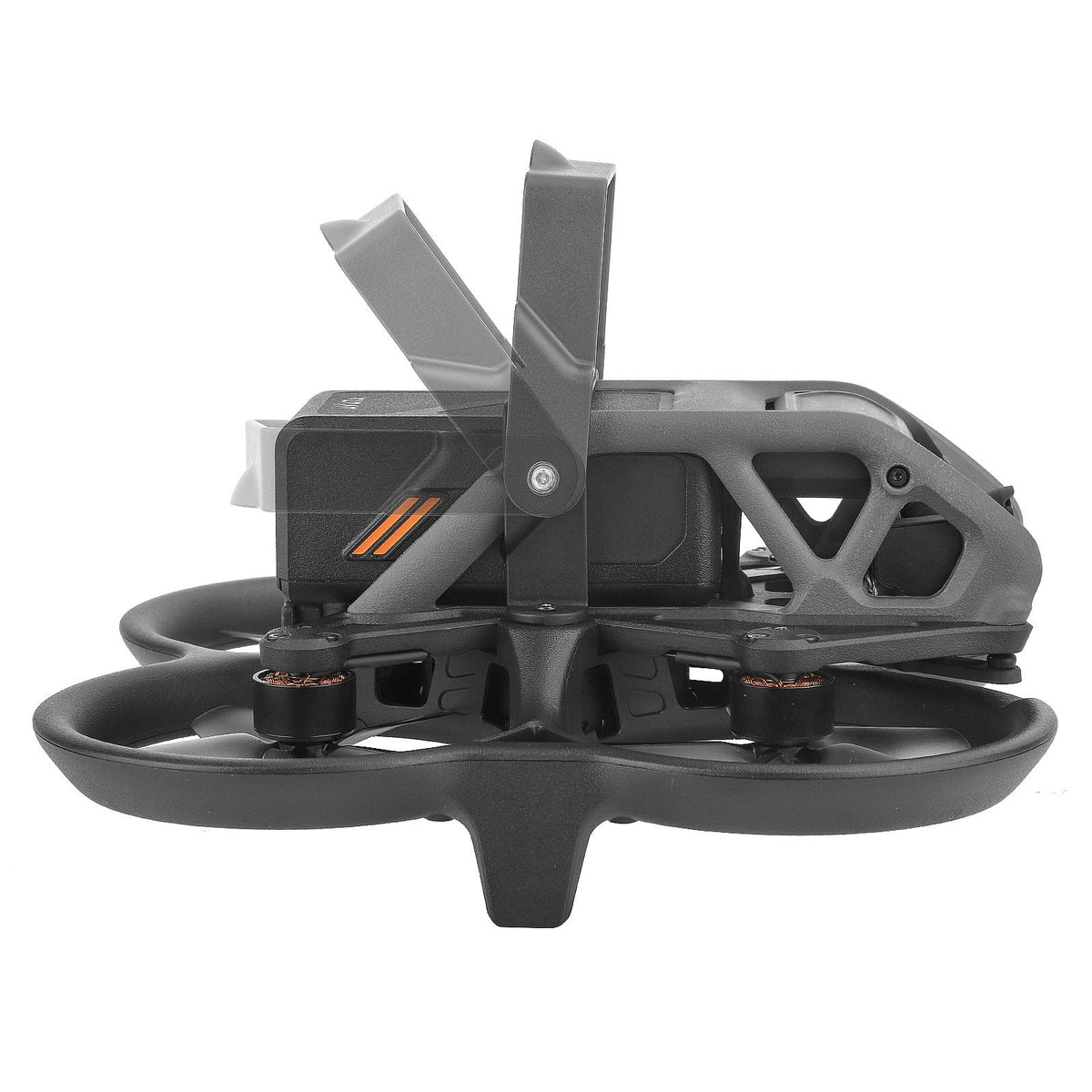


Keep the battery where you put it. This anodized aluminum buckle clamps over the DJI Avata pack, holds it steady through takeoff and rough landings, and swings open for a quick swap. Two screws mount it, and nothing else is needed.
Read the full descriptionKeep the battery where you put it. This anodized aluminum buckle clamps over the DJI Avata pack, holds it steady through takeoff and rough landings, and swings open for a quick swap. Two screws mount it, and nothing else is needed.
Keeps your battery locked in for safer flights, even with stronger batteries
Before: a battery that shifts on takeoff and might not stay put after a hard landing. After: a machined metal buckle that holds it firmly in place, flight after flight.

The anodized aluminum body and the screw-pivot clamp arm lock the battery in place. The textured grip pad on the inner frame adds friction against the pack, so it sits still on takeoff and after a rough touchdown.

The box holds the buckle and two mounting screws, so there is nothing else to source. Mount it once, and a battery swap becomes a matter of opening the arm and closing it again.

The hinged arms fold flat, so the buckle adds bulk only where the battery already sits. The arm swings open for swaps and locks closed with the thumb screw.
Swing the hinged arm fully open before you touch the battery.
Set the pack into the drone so it rests against the grip pad.
Turn the clamp arm over the battery and tighten the thumb screw.
Press the pack gently. If it moves, loosen the thumb screw, reseat the battery, and tighten again.
Anodized aluminum body with hinged arms, rotating clamp and inner grip pad.
Silver screws sized for the single mounting step.
The buckle is made for the DJI Avata battery, and the listing photos show it clamped over the pack on the drone. Check your Avata model and the battery you fly before you order, especially if you run an extended or heavier pack.
It is a compact metal part that sits where the battery already sits, so the extra mass stays close to the pack. No weight figure is listed for the buckle, so weigh it on your own scale if flight weight is a concern.
Open the hinged arm fully, lift out the pack, and seat the new one. Rotate the clamp back over it and snug the thumb screw. After the first swap, it takes seconds.
For a part that gets clamped and opened on every session, yes. Aluminum keeps its shape under repeated use, and the anodized finish resists wear. The hinge runs on a screw pivot, not a flexing plastic tab.
One hard landing that shifts a pack can cost a prop, a gimbal, or a full crash. Against that, one metal buckle that locks the battery the same way on every flight is cheap insurance. The premium materials are what make it hold.


 DJI Avata Battery Buckle, Secure Anti-Detachment Clip