
$35.90
Free delivery · 7–14 days
SATA to USB 3.0 Adapter for 2.5 and 3.5 Inch Drives
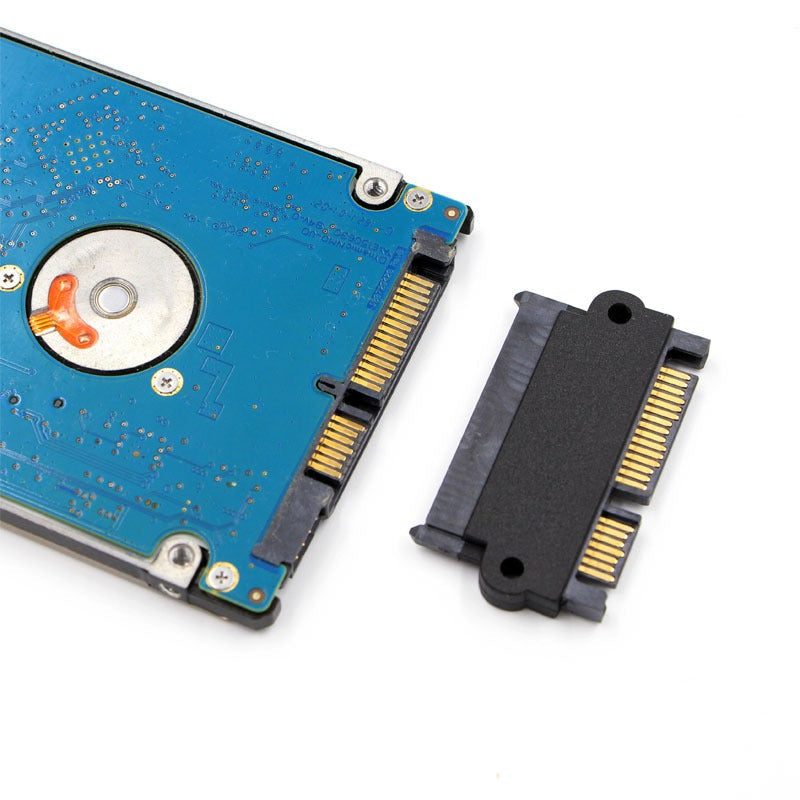
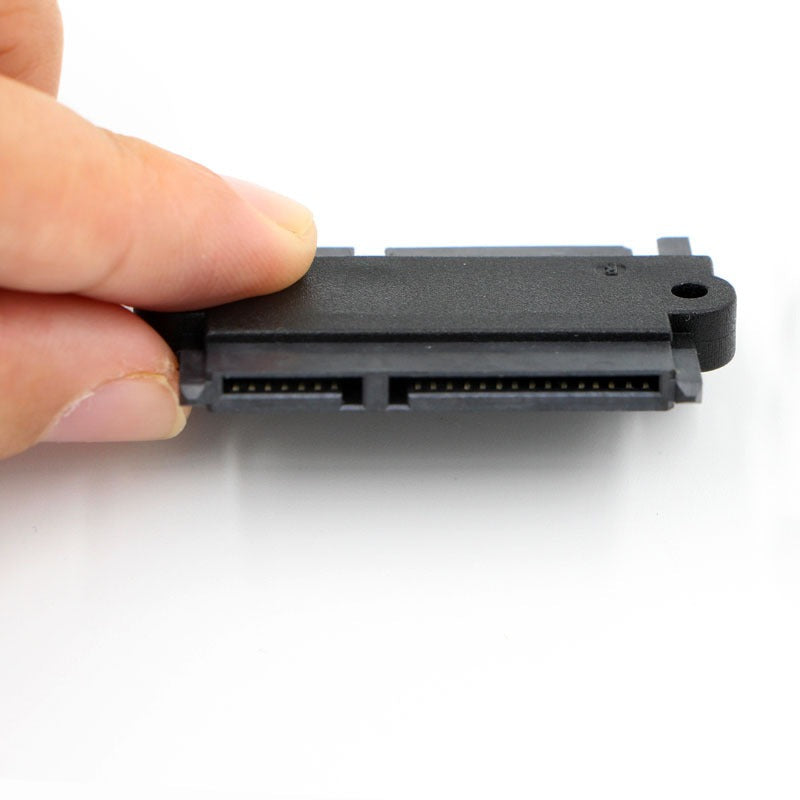


Upgrading a 2.5-inch drive should not turn into a rewiring job. This compact 22-pin male to female adapter bridges the connector so the drive seats directly and holds firm. Gold-plated contacts and two mounting holes keep the link steady, so the build or repair moves on the same afternoon.
Read the full descriptionUpgrading a 2.5-inch drive should not turn into a rewiring job. This compact 22-pin male to female adapter bridges the connector so the drive seats directly and holds firm. Gold-plated contacts and two mounting holes keep the link steady, so the build or repair moves on the same afternoon.
Compact SATA male-to-female adapter with gold-plated contacts for a direct, secure drive connection
Stalled on a drive that won't seat? This compact 22-pin adapter bridges male and female SATA connectors for a direct, secure connection.
Both ends carry gold-plated pins, and the contacts are laid out in neat rows. Gold holds up better than bare metal when the adapter gets connected and disconnected over and over, so the link stays consistent from one swap to the next.
Two mounting holes give the adapter a fixed point in the bay. It stays where you seated it instead of wobbling while you close the case or move the machine across the bench.
The flat black body is thin enough for tight spaces. Molded latch tabs on each end give your fingers a grip, so you can seat and release the adapter without a tool.
Hold the adapter so the 22-pin male end faces the bay connector and the female end faces the drive. Check that the pin rows match before you move on.
Push straight in with even pressure until the connector seats fully. Do not rock it side to side or push at an angle.
Secure the adapter through the mounting holes, then power up and check that the drive shows in the BIOS or the operating system.

You open the bay, line up the drive, and the connector stops short. The cable is where it has always been, and the drive is not going anywhere until something bridges the gap. Forcing it risks the port, the drive, and the rest of your evening.

This adapter sits between the drive and the connector as a straight bridge. Gold-plated pins carry the signal across both ends, and the two mounting holes keep the adapter from shifting once it is seated. Clip it into the bay, and the drive stays put. If you keep a cable organizer on the bench, the adapter tucks in with the rest of the spare parts.
| This adapter | Unplated generic adapter | Rewiring the cable | |
|---|---|---|---|
| Gold-plated contacts | — | — | |
| Mounting holes for a fixed seat | Varies | — | |
| Drive connects without rewiring | — | ||
| Low-profile housing | Varies | Varies |
It is built for 2.5-inch SATA hard drives and SSDs. Check that your drive uses a 22-pin SATA connector and that the bay or cable on the machine is the mismatch you need to bridge. If the drive connector and port already match, you do not need an adapter.
Yes. One end is a 22-pin SATA male connector and the other is a 22-pin SATA female connector, so it sits between a drive and a port that do not line up.
Gold resists corrosion better than bare metal, so the contacts keep a cleaner link across repeated connections. If you swap drives every week, that difference shows up. Unplated adapters are cheaper upfront, but plated contacts are the better choice when the adapter lives on a bench.
Think of it as one part that replaces a rewire, a return, or a damaged port. A single failed connection can cost more time than the adapter does, and the plated contacts are built to be reused across many drive swaps.
No. It is a passive connector bridge, so it draws no power and needs no software. The drive is detected by the system once the connection is seated.
Yes. The adapter works with any 2.5-inch SATA drive that uses a 22-pin connector, whether it is a hard drive or an SSD.


 SATA 22-Pin Male to Female Adapter for 2.5-Inch Drives