
$42.90
Free delivery · 7–14 days
Ultra-Thin Bluetooth Keyboard for iPad and Phone


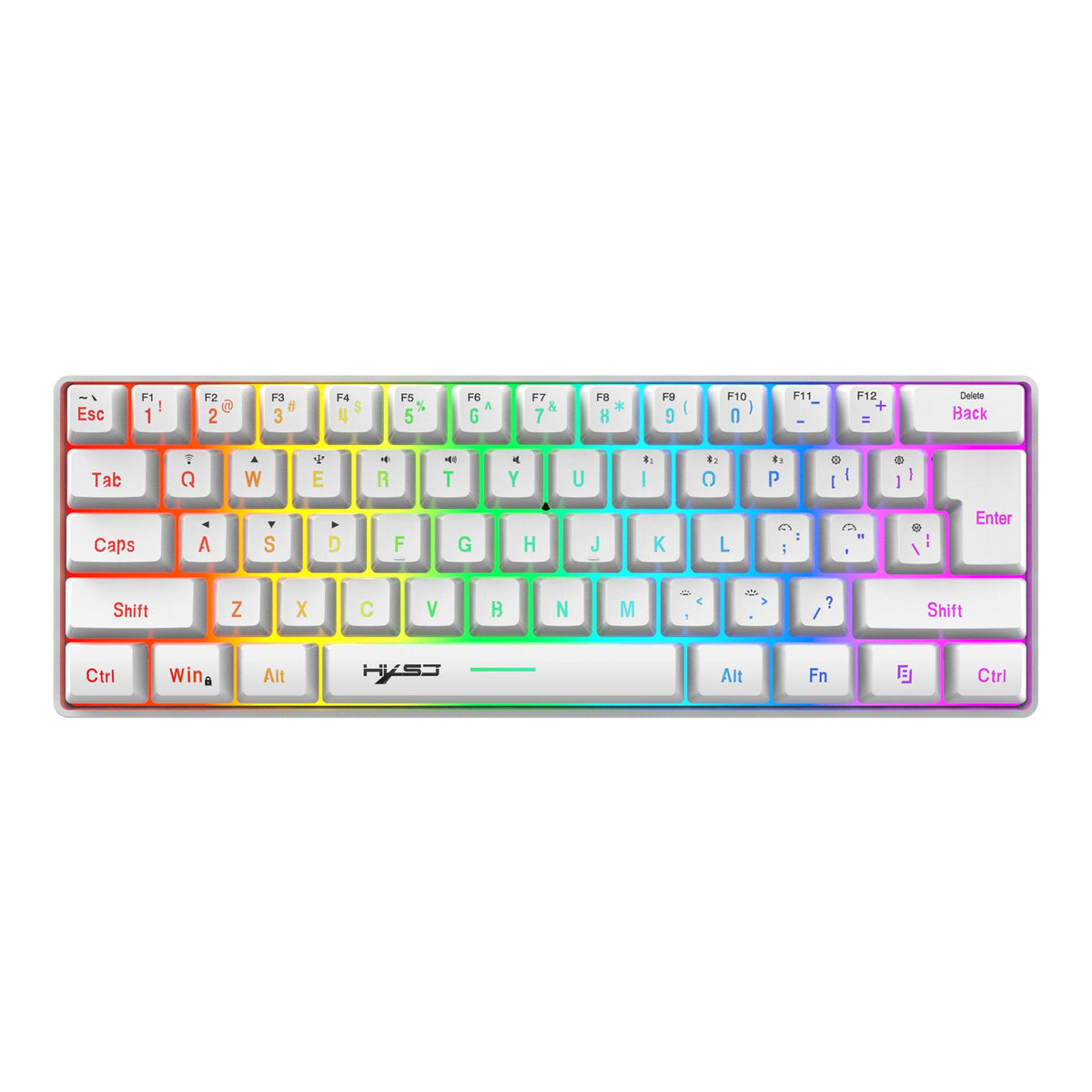

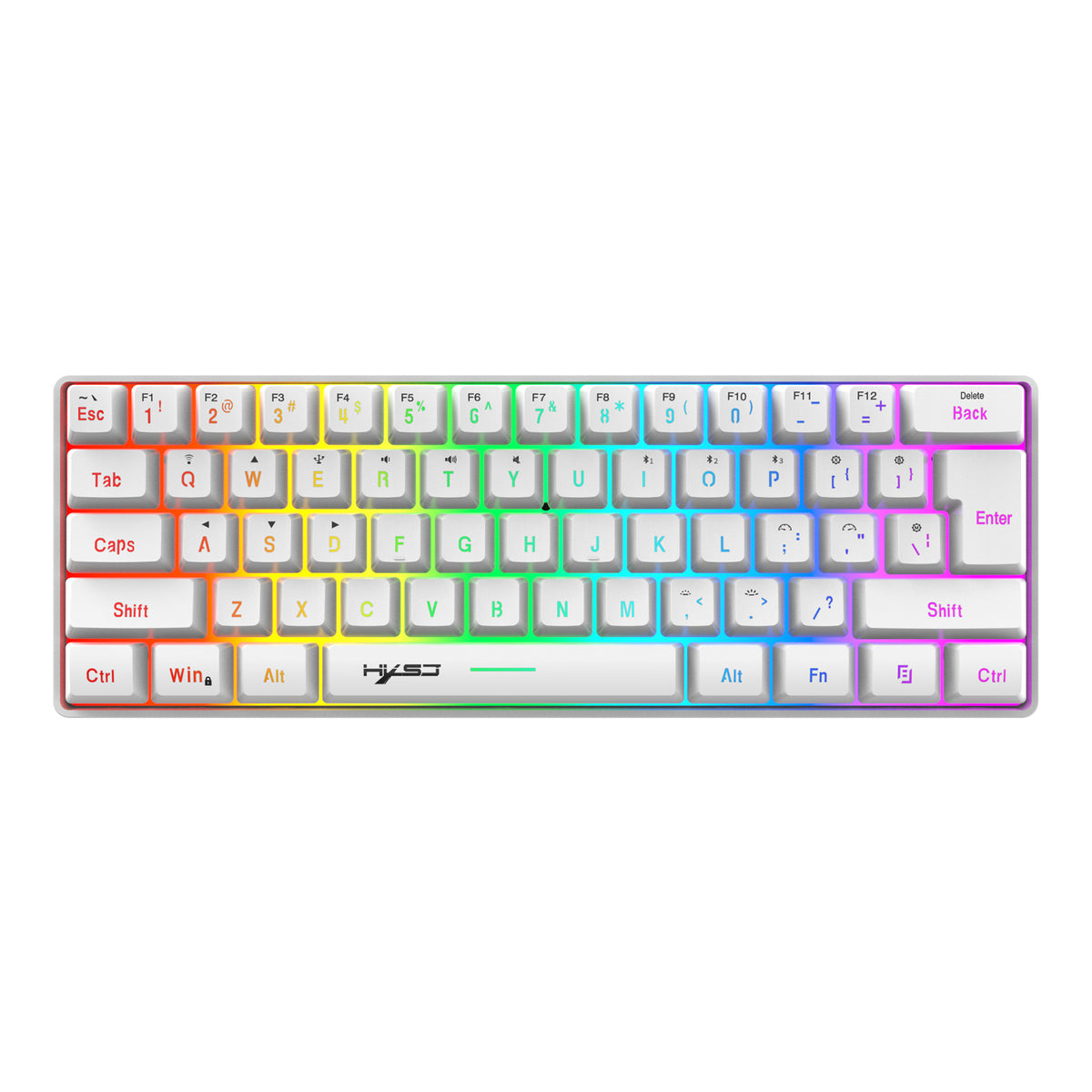

One compact board for the desk, the tablet and the phone on the couch. It runs on Bluetooth 5.0 or 2.4G, pairs with three devices and glows in RGB, so the setup looks as good as it types. Swap screens without the cable hunt.
Read the full descriptionOne compact board for the desk, the tablet and the phone on the couch. It runs on Bluetooth 5.0 or 2.4G, pairs with three devices and glows in RGB, so the setup looks as good as it types. Swap screens without the cable hunt.
Compact 61-key wireless keyboard with Bluetooth 5.0 and 2.4G dual-mode, RGB backlight, works across multiple devices
Tired of re-plugging and re-pairing your way between laptop, tablet, and phone? This compact 61-key board switches between Bluetooth 5.0 and 2.4G so your desk stays clear and your typing keeps going.

Wireless mode connects three devices at once. Pair each one a single time, then move between your PC, tablet and phone with the device keys. No re-pairing on a busy Tuesday morning.

The layout keeps the letter block, arrows, the Fn key and the Win lock key. What goes is the number row and numpad. Writing, chat and browsing feel natural fast, and a separate numpad covers the number-heavy work.

RGB backlit edges and glowing legends light up in magenta, cyan and lime green. The body comes in jet black or pearl white, so the glow is the fun part of a dark gaming desk.
Compact board with RGB backlight and Bluetooth 5.0 or 2.4G modes
Plug into a PC for a connection with no pairing step

A full-size keyboard takes the best part of the desk and spends its right side on a number pad you touch twice a week. Put a tablet beside it and there is nowhere left for the tablet, the mug or your elbow.

Laptop in the morning, tablet at lunch, phone on the couch at night. Each switch means unplugging a cable, hunting for the right pairing and losing the sentence you were halfway through. Multiply that by a week and it adds up.

This 61-key board drops the number row and numpad and keeps the letters, arrows, Fn and Win lock keys. It pairs with three devices, so a switch is one key press instead of a cable hunt. The desk clears and the typing keeps going.
Plug in the 2.4G receiver or press the Bluetooth pairing keys. Most setups connect within a minute, and you can start typing on your computer right away.
After a few days you reach for the device-switch keys without thinking, moving between laptop, tablet and phone with fewer interruptions.
With the compact board in daily use, your desk keeps more open space and fewer cables, and the setup feels calmer to work at.
| This | Full-size wireless | No-name mini board | |
|---|---|---|---|
| Fits a tight desk | — | ||
| Three-device connection | — | — | |
| Bluetooth 5.0 and 2.4G | Partial | — | |
| Number pad | — | — |
Most letters, arrows and symbols sit where a full-size board keeps them. The number row and numpad are gone, so long spreadsheet sessions feel slower until your fingers adjust. Writing, chat and browsing feel natural quickly, and a separate numpad covers number-heavy work.
Yes. The packaging lists compatibility with Windows 8 and 10, Mac OS, iOS and Android. Bluetooth 5.0 covers tablets and phones, and the 2.4G USB receiver is the route for a PC.
Pair each device once. After that, the device-switch keys move the board between them. Wireless mode supports three devices connected at the same time, so you keep them all linked and switch with a key press.
Bluetooth works for phones and tablets. The 2.4G USB receiver is in the box for PCs and older machines, and it plugs in with no pairing step. Use both if you want the widest reach.
You get the keyboard and the 2.4G receiver in one box, and one board covers your PC, tablet and phone. Compared with buying a second full-size keyboard for the tablet, you keep desk space and spend less on extra gear. The premium matte plastic body and the RGB build feel better than the box suggests.


 61 Key Wireless Keyboard: Bluetooth 5.0 & 2.4G