
$69.90
Free delivery · 7–14 days
Mobile Game Controller with Phone Clamp for Android


One controller that moves from the couch to the desk to the tablet without a cable in sight. The matte black pad uses the layout you already know, and the USB receiver and adapter are in the box.
Read the full descriptionOne controller that moves from the couch to the desk to the tablet without a cable in sight. The matte black pad uses the layout you already know, and the USB receiver and adapter are in the box.
Wireless 2.4GHz gamepad that works across Android, PC and PS3 games
Stop wrestling a wired pad across the living room. Plug in the USB receiver, pair, and play on your TV box, PC or tablet from the same controller.
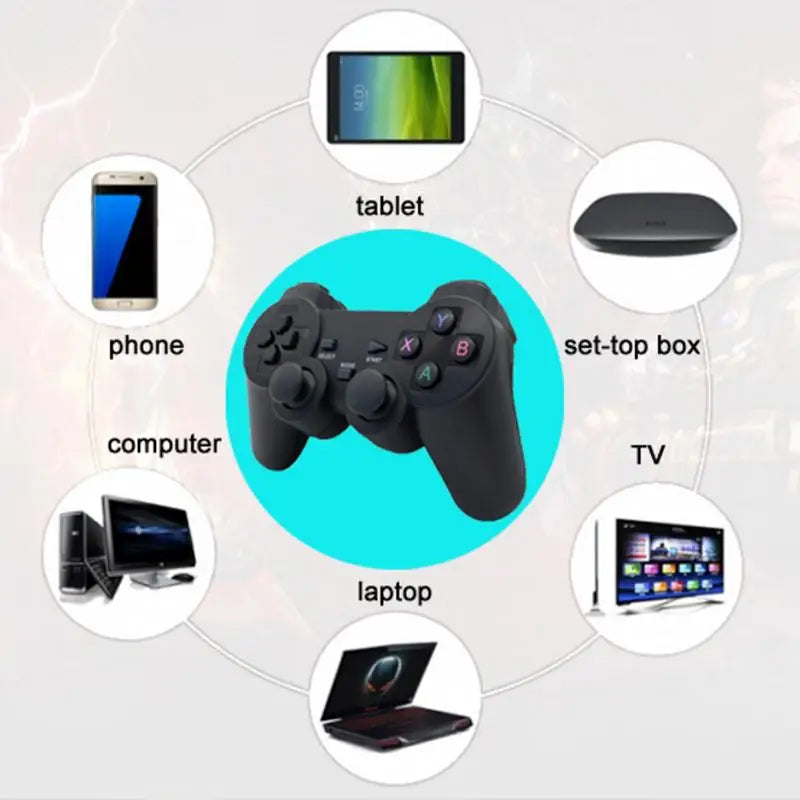
The 2.4GHz USB receiver links the pad to your TV box, PC and Android devices, and the packaging lists PS3 too. Take it from the couch to the desk without swapping controllers. game controllers pc are usually the first thing people end up buying twice, so one pad that covers several screens saves the second purchase.
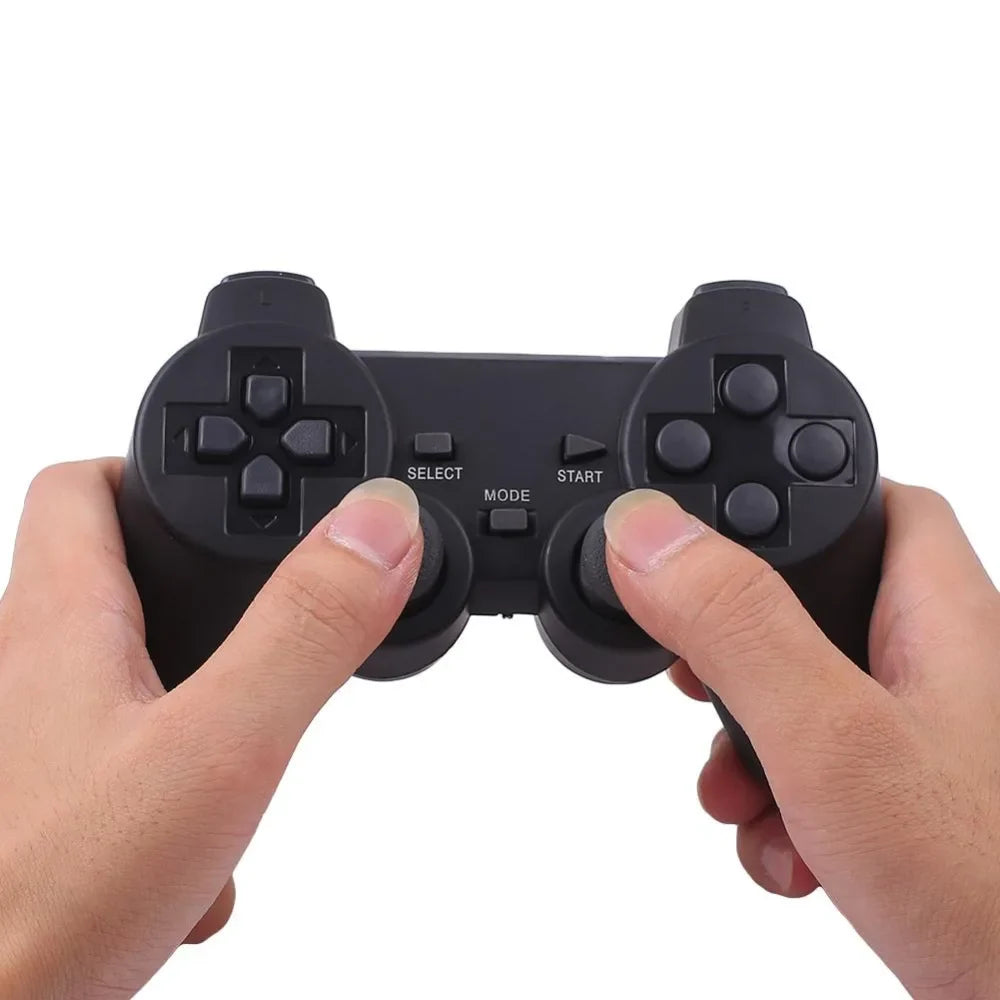
The D-pad, both analog sticks and the ABXY buttons sit where a standard pad puts them. SELECT, MODE and START sit in the centre. The colour-coded face buttons make it easy to tell them apart mid-game, and the matte plastic keeps your grip steady.
Insert the USB 2.4G receiver into a main USB port on your TV box or PC. For a phone or tablet, use the micro/USB-C adapter.
Turn the gamepad on and it links to the receiver over 2.4GHz. Keep it within range of the receiver while you play.
Open the game's controller settings and select the pad as the input device. Check the button mapping before the first match.
Matte black body with coloured ABXY buttons, D-pad and dual analog sticks.
Plugs into a TV box, PC or laptop USB port.
Lets the receiver fit a different port type for phones and tablets.
Plug the USB 2.4G receiver into the TV box, switch the pad on, and pick it in the game's controller menu. For phones and tablets, the micro/USB-C adapter connects the receiver to the port. Each game sets its own controller options, so check that menu before the first session.
The packaging lists Android, Windows PC and PS3, along with TV boxes, tablets, phones, laptops and computers. Each game still decides which controllers it accepts, so look at its controller settings.
Plug it straight into a main USB port rather than a hub, since weak hub power is the usual cause of dropped connections. The listing does not mention a separate driver, so start with a direct plug-in.
Most controller-supported games will take it, but not every title does. Some only accept touch or keyboard input. Check the game's controller menu before you start a session.
A USB 2.4G wireless receiver and a micro/USB-C adapter receiver. That is three items in total, so there is nothing else to buy for the setups on the listing.
A branded pad that only works with one platform means buying another controller for every other screen. This pad covers TV box, PC and tablet games at a budget price, so one controller does the work of several. Browse wireless controllers gamepads if you want to compare other options.


 Wireless 2.4GHz Gamepad for PC, Android & PS3 Games