
$69.90
Free delivery · 7–14 days
Mobile Game Controller with Phone Clamp for Android


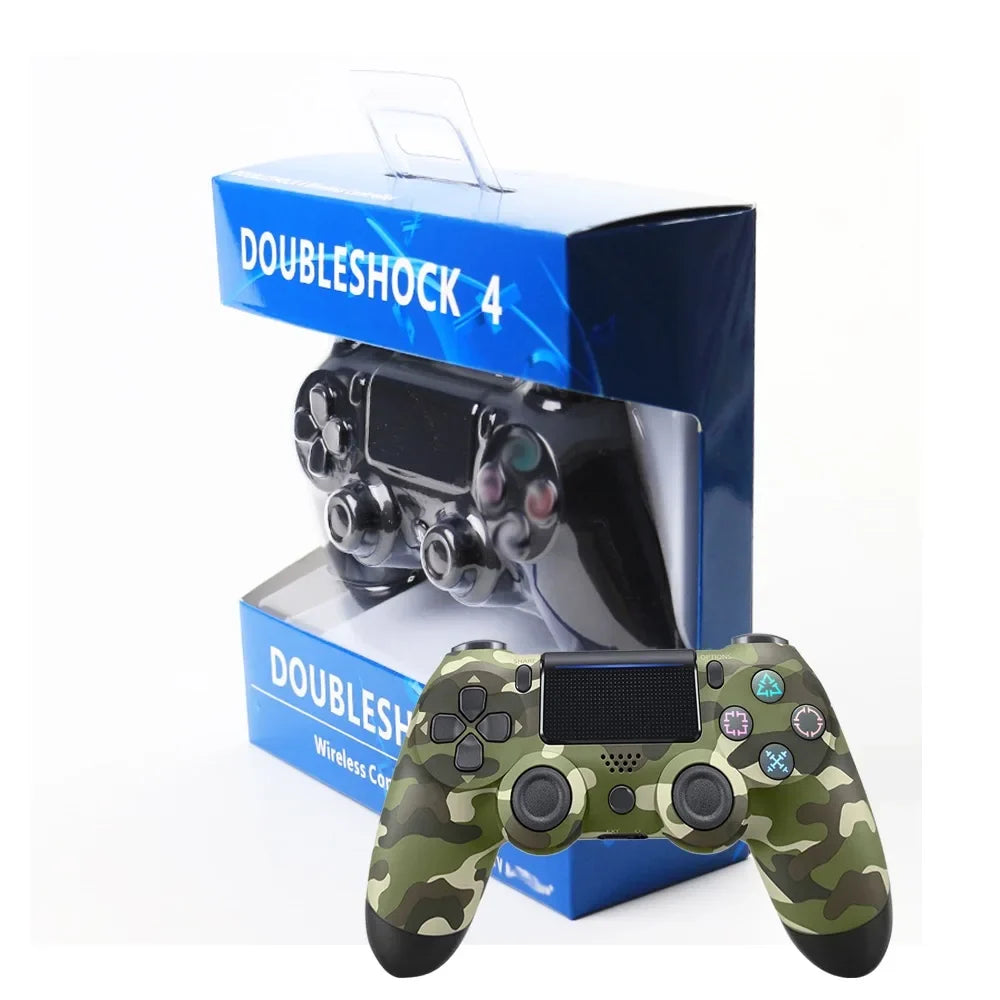




Cut the cord and game from the couch. This PS4-style wireless gamepad pairs over Bluetooth and keeps the full button layout, dual sticks, and Share and Options where you expect them. It is a practical spare for friends and family, with a touch panel for menus.
Read the full descriptionCut the cord and game from the couch. This PS4-style wireless gamepad pairs over Bluetooth and keeps the full button layout, dual sticks, and Share and Options where you expect them. It is a practical spare for friends and family, with a touch panel for menus.
Wireless Bluetooth gamepad for PS4 with a full touch-panel control layout
Tired of the cord yanking you back to the screen? Game wireless from the couch with a full PS4-style layout and a touch panel.

Bluetooth pairs the pad to your PS4 with no cable in the way. Stand up for a drink and the controller comes with you, with no wire wrapped around the sofa arm.

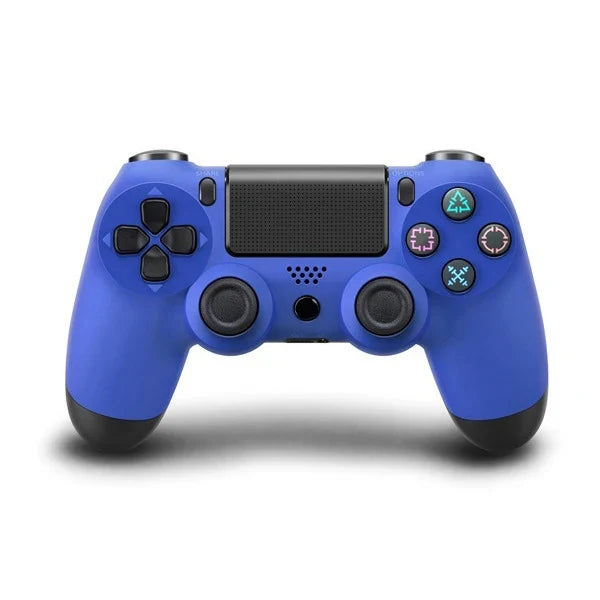
Dual analog sticks, a directional pad, four colour-coded face buttons, and Share and Options sit where PS4 players expect them. The grip is textured, so it holds steady through long matches. Colourways run from jet black and matte red to metallic gold, royal blue, camo grey and silver.

The glossy-edged touch panel gives you a second input surface for menus and for games that use it. A headset jack and built-in speaker grille round out the pad. Plug in a headset for party chat, and check out wireless computer gaming headset options if you want a wireless pairing.
Disconnect any other controller first. Two paired pads can confuse the console and cause the wrong pad to respond.
Follow the included pairing steps, then confirm the pad connects to the PS4.
Press each button, move both sticks, and tap the touch panel on the home screen before anyone else picks it up.
Keep a partial charge when you put it away. A flat battery left for weeks can cause pairing trouble later.
Every time you stand up for a snack, the cable drags the pad off the cushion. A snag mid-match costs a respawn, a fight over who holds the controller, or a paused game while you untangle the wire.
This wireless gamepad carries the full PS4-style layout: dual analog sticks, a directional pad, four colour-coded face buttons, and Share and Options. The Bluetooth link takes the cable off the carpet, so you pick it up and the controls are where your thumbs expect them. If you are shopping around, game controllers pc is a good place to compare options.
Once it is paired, it stays ready for the next player. A friend drops onto the couch, you hand over the spare, and the session keeps rolling. Keep a charged backup on hand so a dead main pad never ends the night early. A ps4 battery charger keeps the spare topped up.
Pair over Bluetooth, check each button and stick, and confirm the touch panel responds. Most players are gaming within a few minutes of unboxing.
After a few sessions the touch panel and button positions feel familiar. Early games may still feel a little different from your main pad.
With regular use it becomes a dependable second pad for friends and family. Watch the grip and buttons over time, since the budget finish can show wear.
Wipe the body and the touch panel with a dry cloth. Clean up sticky spots as they happen.
Tap the touch panel with dry fingertips. Hard presses and wet hands cause missed touches.
Charge it before a planned session and avoid leaving it flat for weeks.
| This pad | Official PS4 controller | |
|---|---|---|
| Wireless Bluetooth link | ||
| Touch panel | ||
| Headset jack | ||
| Price tier | Budget spare | Full price |
| Main role | Second pad for friends | Main pad |
It is a wireless PS4 gamepad with a Bluetooth link. Disconnect any other pads, follow the included pairing steps, and check each button on the home screen before a friend joins.
It works as a second input for menus and for games that use it. Use light, dry fingertip touches, since the panel is not built for hard presses.
The body is matte plastic with a textured grip, and it feels light in the hand, so it reads budget. A spare at this price costs far less than replacing your main pad at full price each time one wears out.
Yes. The pad has a headset jack, so you can plug in a wired headset for party chat.
The official pad is the full-price main controller. This one covers the same core layout with a touch panel and Bluetooth link at a lower price, which suits a second pad. Pick the official pad if you want the premium feel.


 PS4 Wireless Gamepad with Touch Panel and Bluetooth