
$69.90
Free delivery · 7–14 days
Mobile Game Controller with Phone Clamp for Android
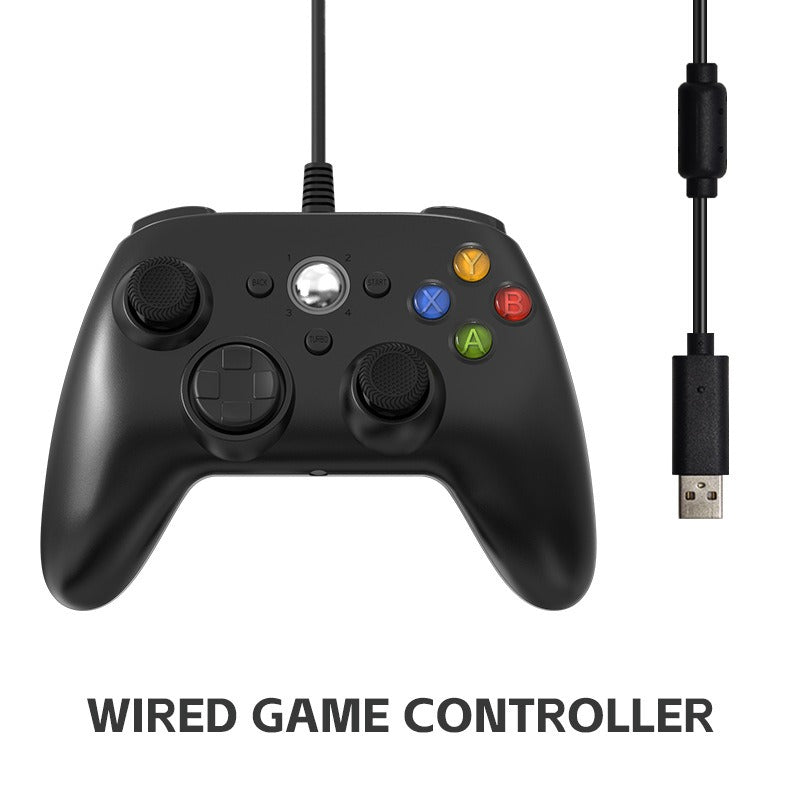


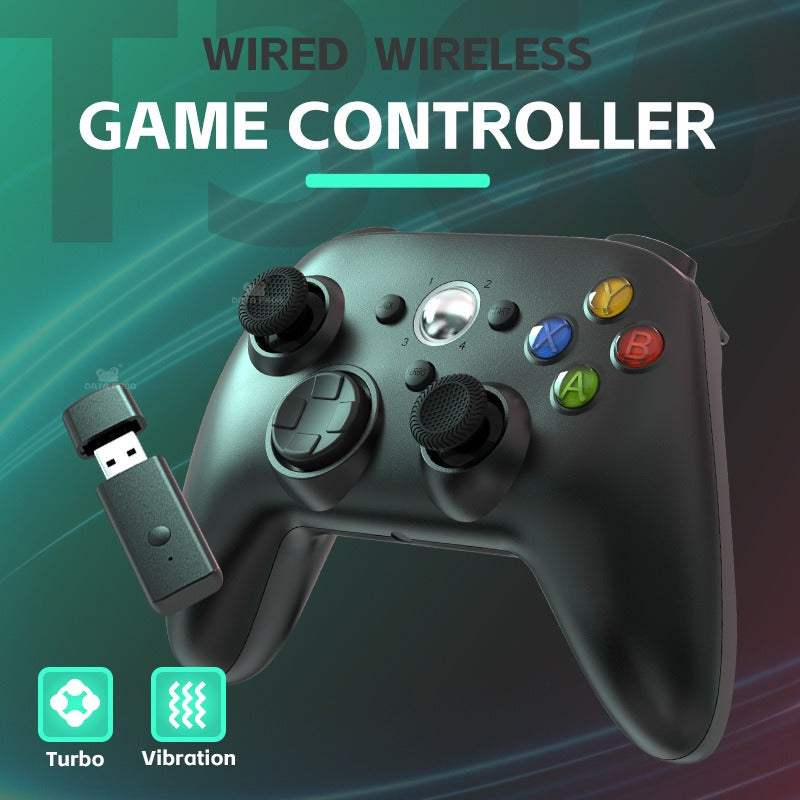
One press of Turbo plus X keeps the rapid fire going, so your thumb gets a break while you aim and move. It is an Xbox 360 style controller with a familiar layout, vibration feedback and a choice of wireless or wired connection for Xbox 360 and PC.
Read the full descriptionOne press of Turbo plus X keeps the rapid fire going, so your thumb gets a break while you aim and move. It is an Xbox 360 style controller with a familiar layout, vibration feedback and a choice of wireless or wired connection for Xbox 360 and PC.
Turbo continuous-fire function for effortless rapid-button play, in wireless or wired form
Tired of wearing out your thumb on every rapid-fire round? Set Turbo + X once and hold your ground while the controller handles the rapid presses.

Turbo plus X sets continuous fire on the X button, so a single press becomes the rapid presses your game needs. You decide when it runs, and your thumb stops doing the repetitive work.

The wireless version ships with a USB receiver dongle for couch play. The wired version comes with a USB cable for a direct connection. Both carry Turbo and vibration feedback, so the choice comes down to your setup.

The face buttons, D-pad and dual analog thumbsticks sit where an Xbox 360 pad puts them. The thumbstick caps are textured for grip, the grips are ergonomic, and the Back, Start and Home guide buttons are where you expect them.
For the wireless version, plug the USB receiver dongle into your console or PC. For the wired version, connect the USB cable to the controller and the port.
Turn on the controller and wait for it to link before you open a game.
Press the Turbo button together with X to set continuous fire on that button.
Try the setting in a menu or a simple game so you know how the rapid presses feel before a long session.
Wireless version
Wireless version
Wired version
Every firefight asks for the same press again and again. By the end of a long night your thumb is sore, your timing slips and the shots you wanted go to waste. A standard Xbox 360 pad leaves that entire job to your thumb.
Hold the Turbo button with X and the pad fires the rapid presses for you. Set it before the match, then keep the other buttons manual so precise moves stay in your hands.
With the mashing handled, your attention goes back to movement and aim. The familiar Xbox 360 layout and textured thumbstick caps keep the pad feeling like the one you already know. Browse game controllers pc if you want a second pad for the living room.
| This controller | Standard Xbox 360 pad | |
|---|---|---|
| Turbo continuous fire on X | — | |
| Manual X presses in rapid-fire moments | Not needed | Required |
| Wired or wireless choice | — |
Yes to both. This is an Xbox 360 style pad for Xbox 360 and PC. The wireless version connects through the included USB receiver dongle, and the wired version plugs in with its USB cable. Both support vibration feedback in games that use it.
The packaging does not list a driver download, so plug the controller in and check the controller settings in your game. If a title does not pick it up, look at its controller menu first. You can browse more game controllers pc if you want a backup pad.
Press the Turbo button together with X. The continuous fire setting runs on the X button, which is the one most rapid-fire weapons and repeated actions use. Keep the other buttons manual when a move needs precise timing.
The body is matte plastic with textured thumbstick caps and ergonomic grips. It is built for everyday play at a budget price, not as a premium pad with metal parts. The matte finish shows fingerprints, so a dry cloth keeps it clean.
The wireless version comes with a USB receiver dongle and removes the cable from your play area. The wired version comes with a USB cable and plugs straight in. Turbo and vibration feedback work the same on both.
If you hold X through shooter fights for hours, Turbo takes over the repeated presses on a layout you already know. Dedicated turbo pads cost much more, so this is a budget route to the same feature. Fewer repeated presses means less thumb strain across a long session.


 Xbox 360 Controller with Turbo Fire, Wireless or Wired