
$69.90
Free delivery · 7–14 days
Switch Wireless Controller with Turbo and Macro Buttons


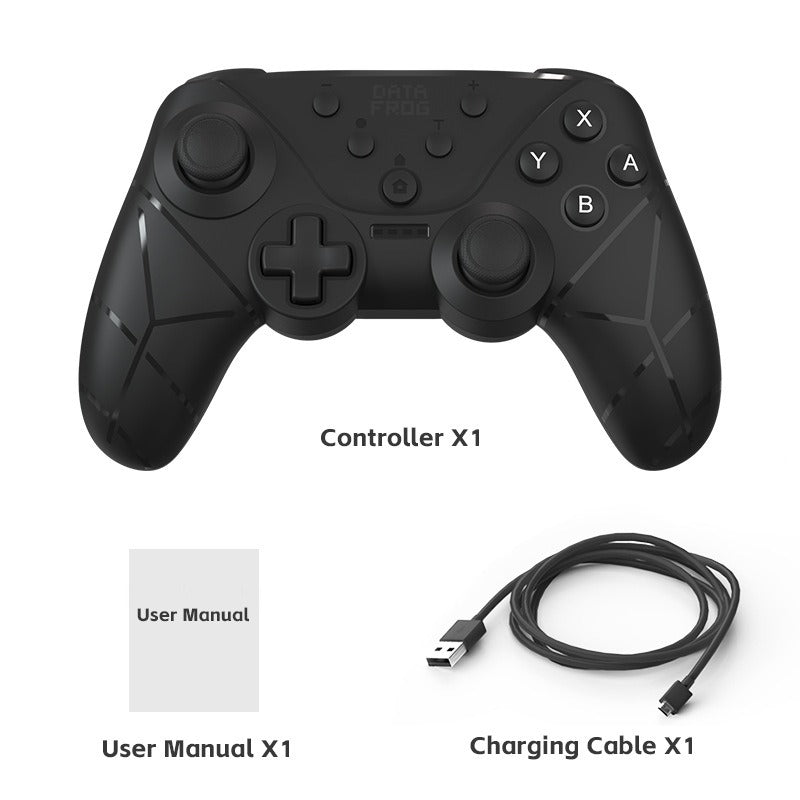

Hold one button and the controller does the rapid tapping for you. This wireless pad works with Switch, Switch OLED, Switch Lite and PC, with dual-motor vibration and four levels to match your games.
Read the full descriptionHold one button and the controller does the rapid tapping for you. This wireless pad works with Switch, Switch OLED, Switch Lite and PC, with dual-motor vibration and four levels to match your games.
Wireless Bluetooth controller with dual-motor vibration and Turbo continuous fire for Switch, Switch OLED, Switch Lite and PC
Tired of tapping the same button until your thumb gives up? Hold TURBO with any button, feel every hit through dual motors, and play Switch or PC with one controller.
Hold TURBO and the button you want to automate, and that button fires continuously. Long rapid-fire stretches in shooters and action games stop costing you thumb strain, and the manual shows the exact combination.
Dual motors sit in the grips and run four levels: None, Weak, Medium and Strong. Start on Medium for most games, or drop to Weak when the feedback gets busy.
Bluetooth pairs the controller with Nintendo Switch, Switch OLED, Switch Lite and PC. A couch session on the Switch and an action game on the desk use the same pad, so there is no second controller to charge or store.
Connect the USB to USB-C cable and charge the controller before the first session.
Pair the controller with your Switch, Switch OLED, Switch Lite or PC.
Press and hold TURBO together with the button you want to automate, such as X. That button now fires continuously.
Choose None, Weak, Medium or Strong. Medium is a comfortable starting point for most games.
Find a rapid-fire moment and check the feel before the next session.
Matte black with mint green accents
Covers turbo setup and vibration levels
USB to USB-C

Every firefight in a shooter turns into the same motion: one button, pressed again and again, until the thumb starts to ache. A standard pad gives nothing back, so the grind feels longer than it should.
Hold TURBO with the button you use most and the controller takes over the rapid tapping. Your thumb stays still while the fire keeps coming, and your attention goes back to aiming and dodging.

Dual motors in the grips put physical feedback under your hands, with four levels from None to Strong. The same full-size pad moves from the Switch on the couch to the PC at the desk.
| This controller | Standard Switch controller | |
|---|---|---|
| Turbo continuous fire | — | |
| Turbo set by button hold | — | |
| Dual-motor vibration | Partial | |
| Works on Switch and PC | Partial |
Yes. The controller is built for Nintendo Switch, Switch OLED, Switch Lite and PC. It connects over Bluetooth, so you pair it once per device and switch between them.
Setup is one hold. Press and hold TURBO together with the button you want, and that button fires continuously. Pick a button you hold in shooters, like fire or jump, rather than a menu button.
Yes. There are four levels: None, Weak, Medium and Strong. Choose None for quiet play, or Strong when you want every hit to come through your hands.
It charges by USB. The box includes a USB to USB-C charging cable, so a laptop port, a wall adapter or a USB-C power bank can top it up.
If you already own a Switch controller and a PC pad, this one replaces the second. A turbo adapter and a separate controller for each screen add up quickly, and one pad keeps your button layout the same on both. If you already keep a controller stand on the desk, this one fits the same spot.
Yes. It has full-size grips, analog sticks, a D-pad, a Home button and a dedicated Turbo button. It is built for long sessions on the couch or at the desk.


 Wireless Switch Controller with Turbo & Dual Vibration