
$84.90
Free delivery · 7–14 days
Wireless Switch Controller with Turbo & Dual Vibration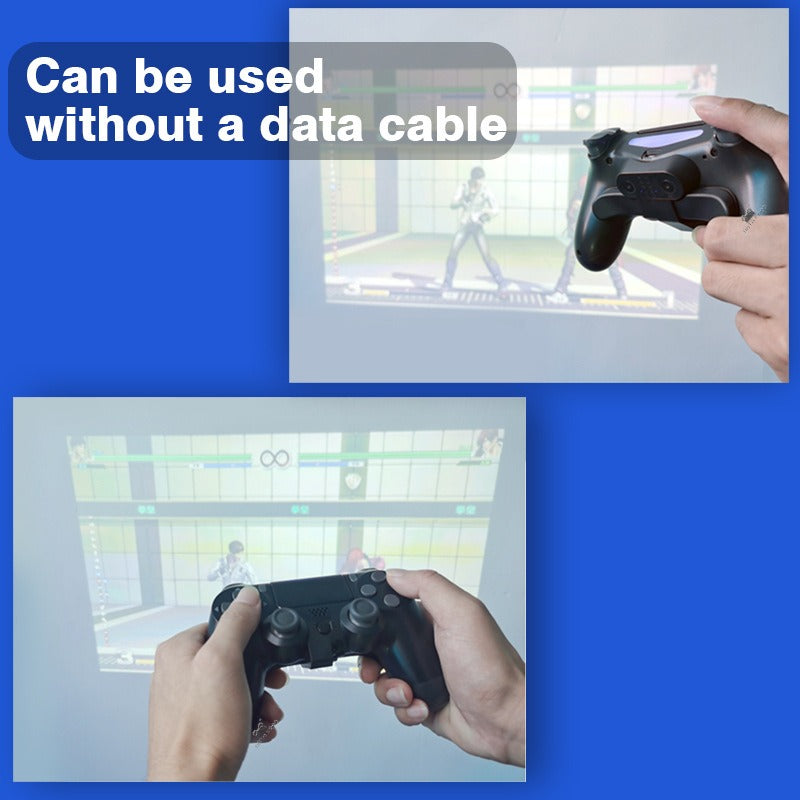


Two rear paddles give your PS4 controller ten more inputs without moving your thumbs off the sticks. Turbo and burst fire sit on the paddles, and the whole setup runs through the audio jack with no software or data cable.
Read the full descriptionTwo rear paddles give your PS4 controller ten more inputs without moving your thumbs off the sticks. Turbo and burst fire sit on the paddles, and the whole setup runs through the audio jack with no software or data cable.
Add extra programmable back buttons to your PS4 controller with turbo and burst functions, no software or data cable needed
Stuck thumbing the same face buttons while fights slip away? Clip on two rear paddles and map up to 10 functions, turbo included, so your fingers handle the extras and your thumbs stay on the sticks.
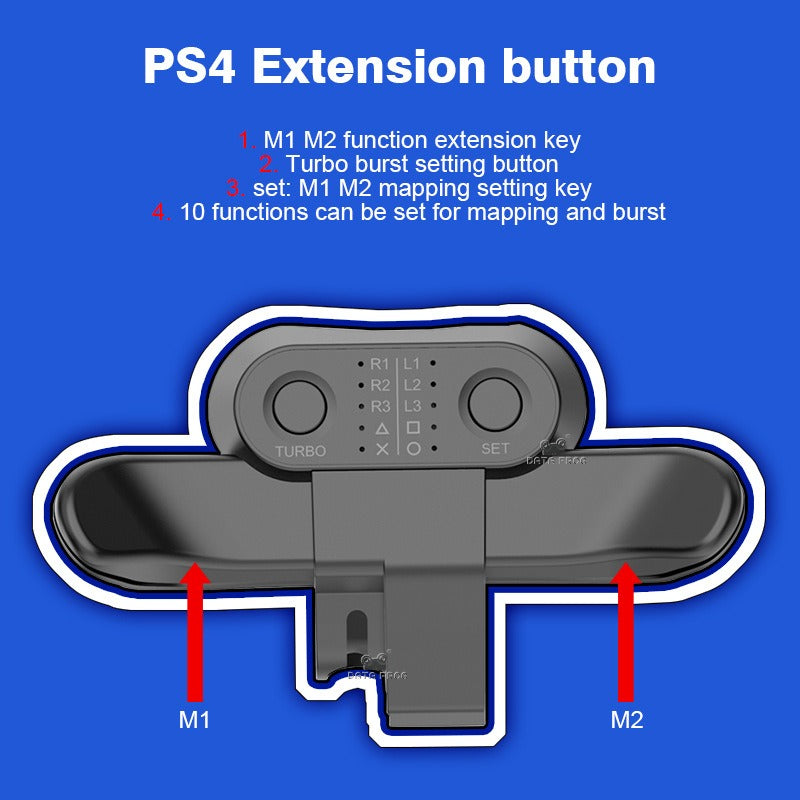
The kit maps ten functions across P1, P2, P3, R1, R2, R3, L1, L2, L3 and the face buttons. Put throws or a combo finisher on one paddle and a utility key on the other, then keep your thumbs on the sticks for movement and aim.
A dedicated TURBO button handles repeated presses, and burst mapping lets a single paddle press fire a short run of inputs. Weapons that need steady rapid fire stop depending on how fast your thumb can tap.
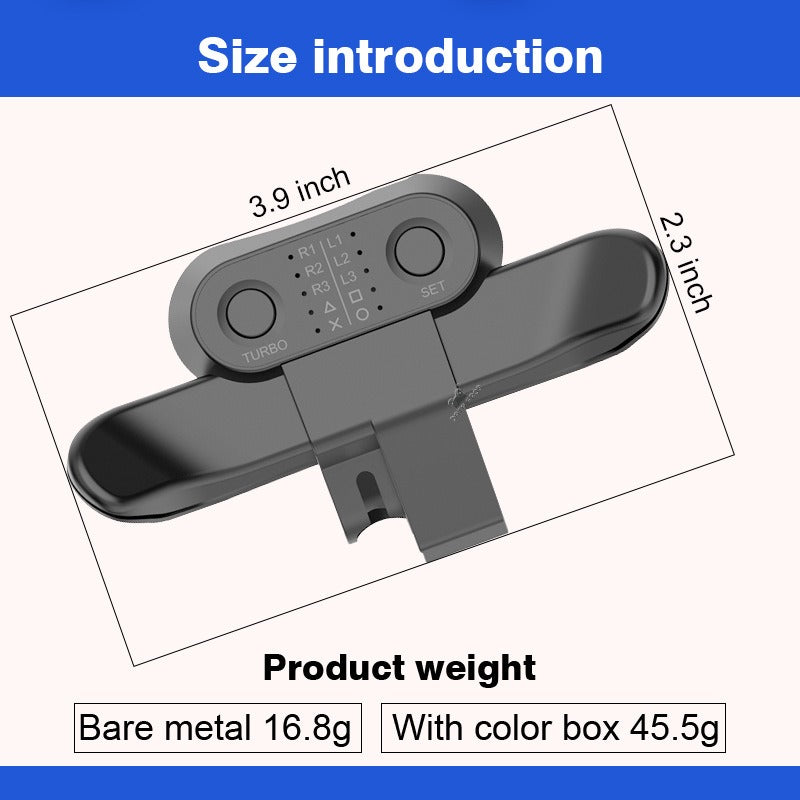
The unit connects through the controller's audio jack, so there is no data cable to route and no software to install. It is compact at 3.9 by 2.3 inches and weighs 16.8 g bare, so it sits on the controller without changing the balance much.
Clip the bracket on with the controller off so no buttons register during attachment.
Slide the bracket onto the back of the controller until it snaps firmly into place, then pull gently to confirm it holds.
Plug the unit into the controller's audio jack. No data cable is needed.
Press SET, then press the paddle or key you want to assign. Start with the one or two inputs you miss most.
Use the TURBO button for rapid fire, and set burst on any key you want to fire a short run of inputs.
Test the new layout in training mode for a few minutes before you queue. Remove the clip whenever you want the stock controller back.
Mid-combo, the button you need sits a thumb-stretch away. You either drop the input, break your grip to hit it, or let the opponent take the opening. Most players blame their timing. Usually it is the layout. Stock controllers put R3, L3 and turbo where your thumbs have to travel, and that travel is where fast inputs go missing.

The bracket clips onto the back of the controller and adds two rear paddles that map to 10 functions. Your thumbs stay on the sticks while your index and middle fingers handle the extras. The shell feels the same in hand, so there is no new grip to learn before the next match.

Setup is quick. Power the controller off, clip the bracket on, plug the audio jack in, then press SET and assign your keys. There is no software to install and no data cable in the way. Take the clip off whenever you want stock controls back, and the controller goes back to exactly how it was.
| Clip-on paddles | Full pro controller | PC remapper software | |
|---|---|---|---|
| Needs a new controller | No | Yes | No |
| Needs software or a PC | No | No | Yes |
| Rear paddles on your stock controller | Yes | Yes | No |
| Turbo and burst mapping | Yes | Partial | Partial |
| Removable in seconds | Yes | No | Yes |
Yes. The bracket is built for the back of a standard PS4 controller shell, and the listing covers PS4 Slim and Pro models as well. Check that your controller is a PS4 model before you press the clip on.
The bracket snaps into place on the controller back. After you seat it, pull gently to confirm it holds. Clip it on with the controller powered off so no buttons get pressed during attachment.
No driver and no software are involved. The unit connects through the audio jack and mapping happens on the unit itself with the SET button. You do not install anything on a PC or console.
The shell is plastic, so it is lighter and less premium-feeling than a metal-accented pro controller. For hours of ranked play it holds up as a clip-on accessory, but it is not a substitute for a full pro controller if you want a heavy, solid feel.
Yes. Turbo has its own dedicated button, and burst is set through the mapping process so a paddle press can fire a short run of inputs. Start with one or two high-value keys so the layout stays easy to remember in a live match.


 PS4 Controller Back Paddles with Turbo and Burst Fire