
$59.90
Free delivery · 7–14 days
Phone to TV HDMI Cable, Plug and Play Screen Mirroring


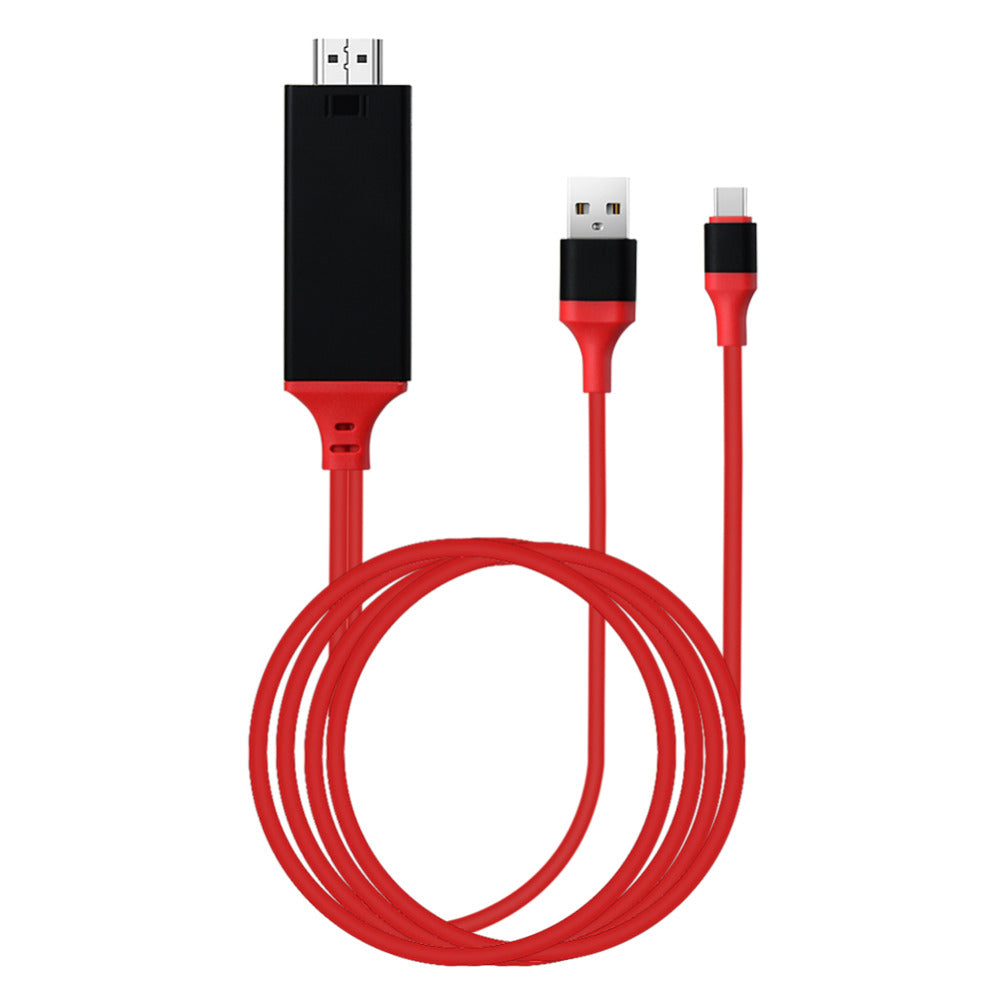


One 3-in-1 cable takes your phone's picture to the TV in 4K and keeps the battery charging while it runs. Movies, family photos and slides fill the big screen with one plug-in order and no second adapter to hunt for. Available in red, white, and black colorways.
Read the full descriptionOne 3-in-1 cable takes your phone's picture to the TV in 4K and keeps the battery charging while it runs. Movies, family photos and slides fill the big screen with one plug-in order and no second adapter to hunt for. Available in red, white, and black colorways.
Mirror your phone to a big screen in 4K with one 3-in-1 cable
Before: a cramped phone screen, a draining battery, and three adapters on the couch. After: one 3-in-1 cable mirrors your movies, photos, or slides to the TV in 4K while your phone charges.

The Type-C plug seats in the phone, the HDMI plug seats in the TV, and the USB-A port takes a standard charger. You make one plan instead of three, and the cable stays in one piece from start to finish.

A basic dongle leaves the phone losing charge as the screen runs at TV size. The USB-A port on this cable lets a charger keep the battery topped up through a full film or a long slideshow.

The cable is rated for 4K and 1080P output, so family photos and movies fill the TV without the soft, blown-up look of a cheap cable. The rubber jacket lies flat on the couch and resists kinks at the plugs.
Line the connector up straight and push until it seats fully.
Use any free HDMI input on the TV or monitor and note which number it is.
A standard USB charger keeps the battery topped up for long sessions.
Switch the TV to the matching HDMI input, then turn on mirroring on the phone. If nothing appears, check the phone's display output setting.
Plugs into the phone's Type-C port
Seats into the TV or monitor HDMI input
Takes a standard USB charger to power the phone
Soft-touch jacket with reinforced plug joints
| 3-in-1 cable | Dongle plus separate charger | |
|---|---|---|
| Parts to connect | 1 cable | 2 or more |
| Charging while mirroring | Only with the separate charger | |
| Rated 4K output | Varies by dongle | |
| Soft-touch rubber jacket | — | |
| Color-matched connector housings | — |
Phones that send video out over their Type-C port can mirror to a TV. Check your phone's display output or screen mirroring setting before you buy. Some models need that setting switched on before the picture appears.
Yes. Plug a standard USB charger into the USB-A port and the phone charges during the session. Most people already own a charger that fits, so there is no second adapter to buy.
The cable is rated for 4K output and supports 1080P. Photos and films fill the TV at the resolution your TV and phone agree on.
You need a USB charger for the power port, which most households already have. You do not need a dongle, because the video path and the charging port are built into the cable.
A basic cable leaves you with a second charger and often a second cable on the couch. This one replaces both, so the cost is one purchase for a setup that stays ready. The soft-touch jacket and color-matched housings add to the daily feel of the cable.
It is built for mirroring from a Type-C phone. Laptop use depends on whether the laptop sends video out of its USB-C port, so check your laptop model before you buy.


 Type-C to HDMI Cable 4K, 3-in-1 Phone TV Mirroring