
$59.90
Free delivery · 7–14 days
Phone to TV HDMI Cable, Plug and Play Screen Mirroring


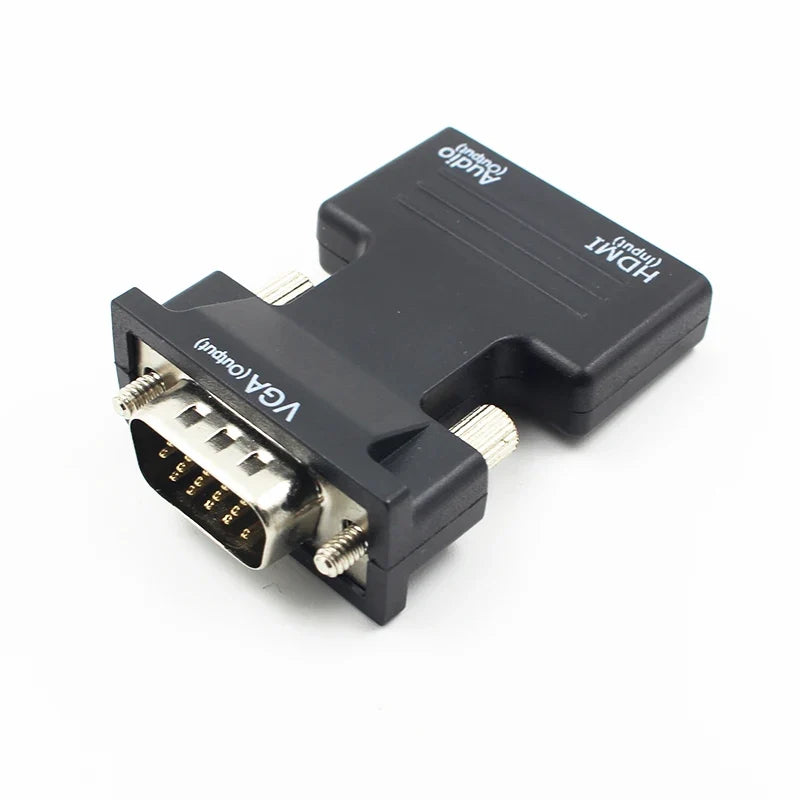
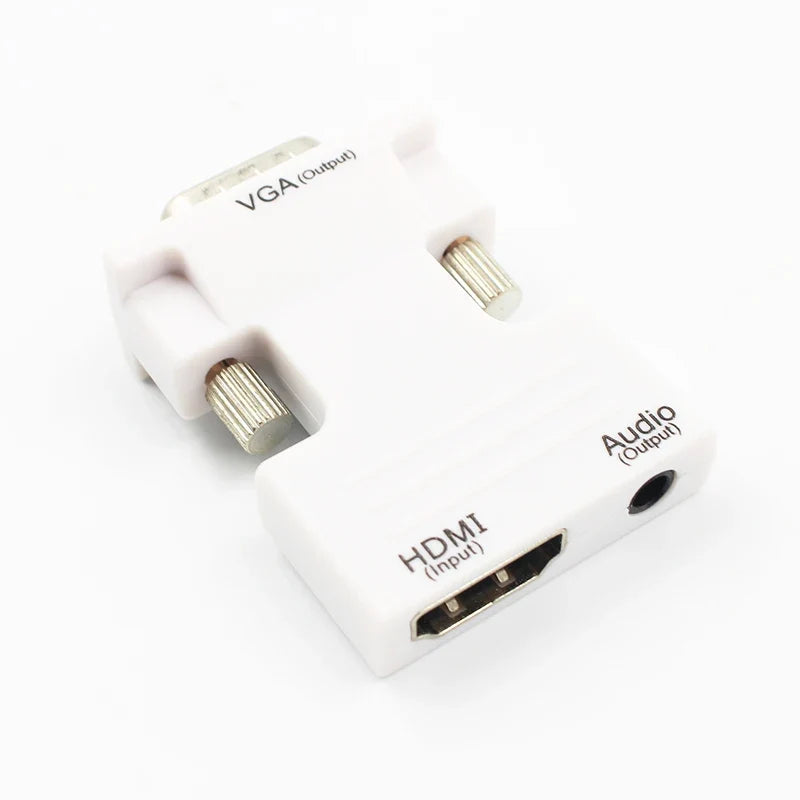
Your slides and your sound can arrive together, even on an older VGA projector. One compact adapter takes HDMI in, sends VGA out and gives you a 3.5mm audio path to the room speakers. Labeled ports and thumbscrews make the setup quick before a meeting starts.
Read the full descriptionYour slides and your sound can arrive together, even on an older VGA projector. One compact adapter takes HDMI in, sends VGA out and gives you a 3.5mm audio path to the room speakers. Labeled ports and thumbscrews make the setup quick before a meeting starts.
Connect an HDMI source to a VGA display with audio out, in one compact adapter
Your laptop has HDMI and the projector only has VGA. Stop scrambling for dongles and present with clear video and audio from one compact adapter.

The HDMI female input takes the signal from your laptop or set-top box and feeds a VGA male output on the other end. The matte black housing is compact enough to ride in a laptop bag, and the packaging lists 1080P signal output.

VGA carries video only. The 3.5mm audio output on the adapter takes the included 3.5mm cable to your speakers, so the video goes to the projector and the sound goes to the room at the same time.

Embedded labels read HDMI (Input), VGA (Output) and Audio (Output). Tighten the two VGA thumbscrews by hand and the connector stays put when someone bumps the table mid-slide.
Connect your laptop or set-top box to the HDMI female port marked HDMI (Input).
Connect the VGA male output marked VGA (Output) to the projector or monitor, then tighten both thumbscrews by hand.
Run the 3.5mm cable from the Audio (Output) jack to the room speakers or amplifier. Do not plug it into the VGA port.
Use the display's input button to switch to VGA before you start the presentation.
HDMI female input, VGA male output with thumbscrews, 3.5mm audio output jack
3.5mm plug on both ends, runs from the adapter audio output to speakers
Any source with an HDMI output can feed this adapter, and any display with a VGA input can receive it. Check that your projector or monitor has a VGA port, which is the only thing it needs on the output side.
No. VGA carries video only. Sound leaves through the adapter's 3.5mm Audio (Output) jack, and the included 3.5mm cable carries it to your speakers or amplifier.
Yes. The packaging lists 1080P signal output, which covers the common resolution of classroom and office projectors.
The listing does not confirm protected-content support over VGA, so do not count on it for subscription video. Play protected content on an HDMI display, or test your exact source and projector before the meeting.
One adapter and one audio cable cost far less than a new projector with HDMI, and they work with the VGA display already on the wall. For a room that stays on VGA, that is the cheapest path to video and sound that works on the first try.


 HDMI to VGA Converter with 3.5mm Audio, 1080P Output