
$59.90
Free delivery · 7–14 days
Phone to TV HDMI Cable, Plug and Play Screen Mirroring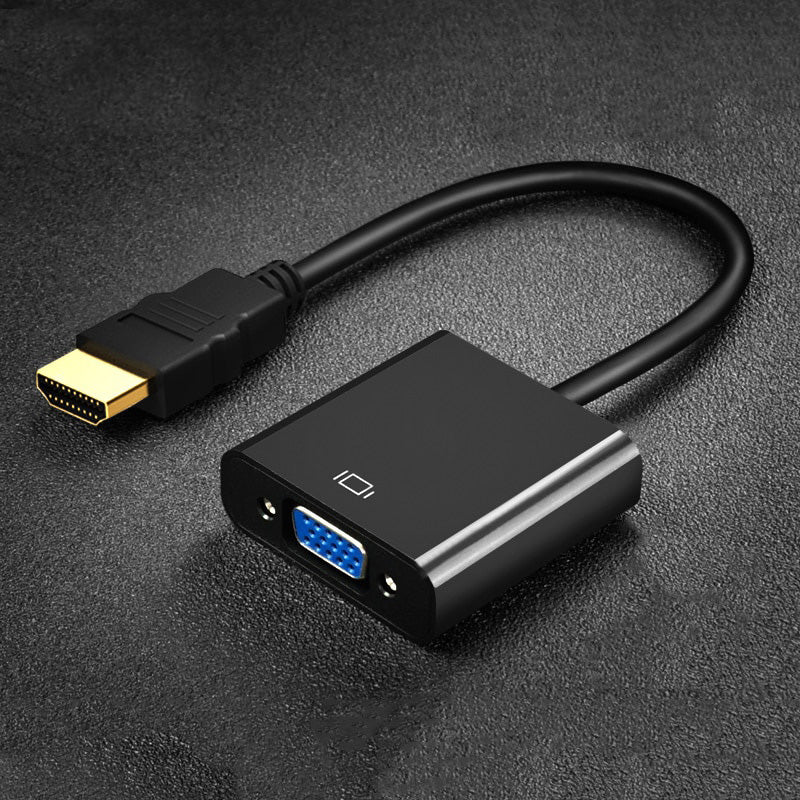






Walk into a room with a VGA-only projector and start on time. This compact HDMI to VGA adapter takes the output from your modern laptop and sends it to the old display in seconds. It is one-way, video only, and needs nothing beyond the two connections.
Read the full descriptionWalk into a room with a VGA-only projector and start on time. This compact HDMI to VGA adapter takes the output from your modern laptop and sends it to the old display in seconds. It is one-way, video only, and needs nothing beyond the two connections.
Connect your HDMI laptop or PC to a VGA monitor or projector with a simple compact adapter
Your modern HDMI laptop meets a VGA-only screen. This compact adapter connects them in seconds, so you start on time instead of hunting for a cable.

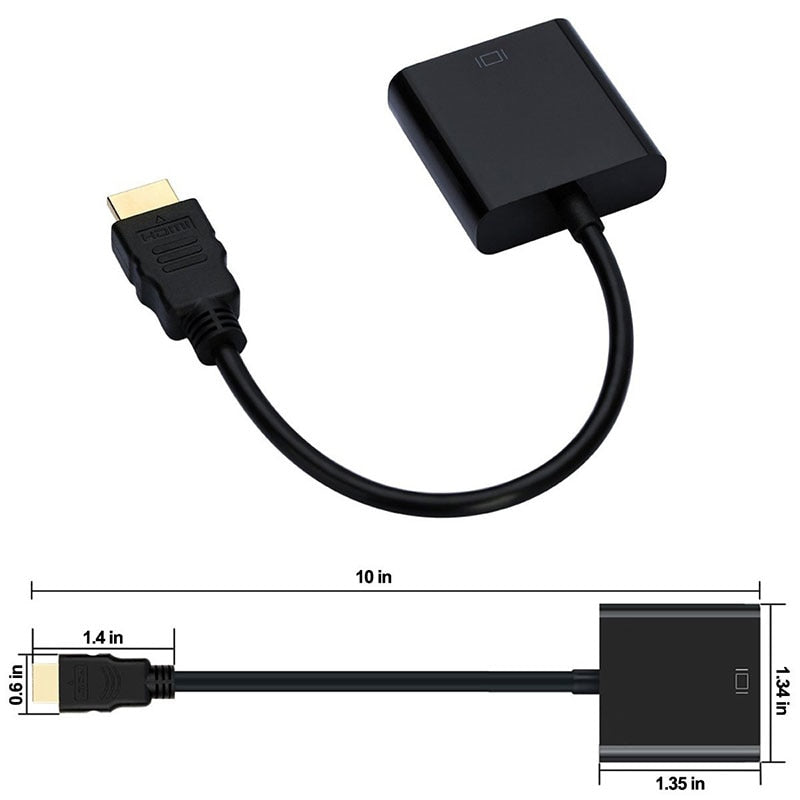
The HDMI male plug has gold-plated contacts, a finish that holds up to repeated plug-ins at laptops and docking stations. It seats firmly in the port, so the cable does not wobble during a presentation.

The adapter takes HDMI from your laptop and sends it out as VGA for the display. It does not run the other way, so VGA-to-HDMI setups need a different product. Plug in the HDMI end on the laptop side and the VGA end on the display side.

The body is a matte black plastic shell with a glossy gunmetal strip along one edge. It is small enough to sit in a laptop sleeve pocket and sturdy enough to stay in a bag between rooms.
Use the gold-plated male plug on the laptop's HDMI output port.
Connect the VGA female side to the projector or monitor with a standard VGA cable.
Press the input or source button on the projector and choose VGA. Until you do, most displays stay black.
Set your laptop to extend or duplicate the display if the slides do not appear, then open the presentation.
If your laptop has an HDMI output and your projector or monitor has a VGA input, yes. The base version runs with no external power, so there is nothing to plug in besides the two ends and a VGA cable.
Video only. VGA does not carry sound, so use your laptop speakers or a separate audio cable for sound in the room.
No. The adapter is one-way. It takes an HDMI signal from the laptop and outputs VGA to the display. A VGA laptop cannot feed an HDMI screen through it.
The listing states 1080P. The sharpness you see depends on what the projector or monitor supports over VGA, so an older unit may show a lower native resolution.
Select the VGA input on the display first. Then check your laptop display settings and set it to duplicate or extend. Most blank screens clear after one of these two steps.
A new projector or a loaner laptop costs far more time and money than one small adapter. Keep one in the bag and every VGA room becomes a five-second setup instead of a stalled meeting.


 HDMI to VGA Adapter for Laptop to Projector 1080P