
$59.90
Free delivery · 7–14 days
Wi-Fi Smart Wall Switch Module for Alexa Voice Control


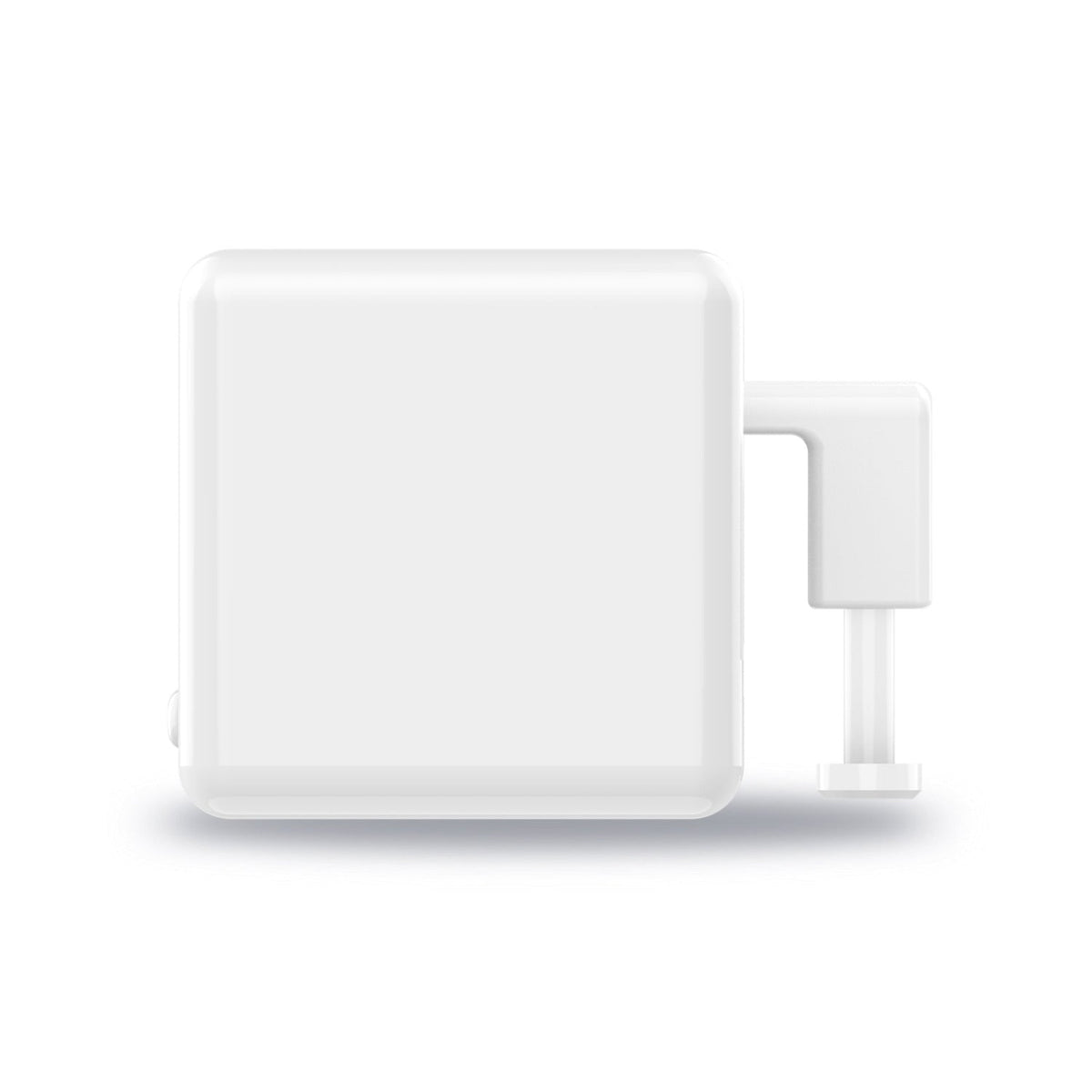
Walk less, press less. The Fingerbot is a compact white cube with a push arm that presses the switch, button or garage door opener you already have, and your phone takes it from there. No rewiring, no electrician, and one app for the coffee machine, the lights and the garage.
Read the full descriptionWalk less, press less. The Fingerbot is a compact white cube with a push arm that presses the switch, button or garage door opener you already have, and your phone takes it from there. No rewiring, no electrician, and one app for the coffee machine, the lights and the garage.
Turn any traditional switch, button, or garage door opener into a smart, app-controlled device without rewiring
Before: you walk across the room for every light, coffee and garage door. After: one app press handles them, and your old switches keep working as they always did.

The arm pushes the actual button on your wall, coffee machine or garage opener. The switch stays put, the opener keeps its own remote, and no wires change. Line the arm up with the center of the button and the cube handles every press after that.

Down movement and press time are adjustable in the app. A light switch needs a short, quick push. A stiffer garage button may need a longer one. Change the numbers from your phone until the press is clean, then leave it alone.

At home, the Fingerbot connects to your phone directly, so no hub is needed. The Bluetooth hub is the piece that unlocks remote control when you are out. If you want to open the garage from the driveway or from work, plan for the hub from the start.
Set the Fingerbot over the switch, button or garage opener button. Line the push arm up with the center of the button so it does not press off to one side.
Open the app, add the device over Bluetooth, and wait for the device settings screen to appear.
If the switch works backwards, turn on the invert switch option so a press in the app matches the way the switch should move.
Run a test press from the app. If the arm does not fully push the button, increase the press time. If it strains, shorten it. Adjust until the press is firm and clean.
For control away from home, pair the Bluetooth hub. At home you can skip it and use point-to-point control from your phone.
Compact matte white cube with a push arm and app control.
Shown in the product photos. Confirm it is in your order before you rely on remote control.

Every morning starts with the same trip. You get up, cross the kitchen, and press the coffee button by hand. The lights work the same way, and so does the garage door at the end of a long drive. None of these switches were built to be smart, so each one asks you to move.
The Fingerbot is a compact white cube with a push arm. You mount it on the button you already use, and the arm presses it when your phone asks. Your wall stays untouched and nothing gets rewired. The same app runs the vacuum, the lamp and the coffee machine from one screen.
Coffee is already brewing when your feet hit the floor. The garage is already rising when you turn into the driveway. Once the cube is in place, the routine runs from your phone, and the walk to the switch becomes a thing you no longer do.
The cube sits on your switch or opener, the app connects, and you run your first press from your phone. Adjust press time if the arm does not fully push the button.
After a few runs you will know whether the down movement and press time suit that switch. Small tweaks in the app usually fix it.
Coffee, lights and the garage run from your phone, and you stop walking over to press them by hand.
| Fingerbot | Smart switch | Smart plug | |
|---|---|---|---|
| Installs without rewiring | Yes | No | Yes |
| Keeps your existing wall switch | Yes | No | No |
| Presses garage door opener button | Yes | No | No |
| Needs an electrician | No | Yes | No |
| Works on manual coffee machine button | Yes | No | Partial |
It is built for traditional switches, buttons and garage door openers. The arm presses the center of the button, so line it up before the first test. Check that the button sits where the arm can reach it. Press time and down movement are adjustable in the app to suit different switches.
No hub is needed for control at home. The Fingerbot connects to your phone over Bluetooth and runs point-to-point. The hub is what unlocks remote control when you are away, so add it if you want to open the garage from the driveway or run devices from work.
Yes. The app includes an invert switch option, so a press runs in the direction your switch needs. Set it once during setup and test a press before you walk away.
Yes. It connects to your phone over Bluetooth, so at-home control does not depend on Wi-Fi. Stay within Bluetooth range of the cube. Remote control from outside the home is the part that needs the hub.
It mounts on the existing wall button, so the opener itself stays untouched. Keep hands and the arm clear of the door track during the first test press, and confirm the door is in view before you open it from the app.
A smart switch replaces the wall hardware and usually needs an electrician. The Fingerbot leaves your switch in place and presses it for you. Installation takes minutes, and the cost stays well below a switch replacement. Start with the one switch you touch most, then decide whether you want more.


 Smart Bluetooth Fingerbot: Press Any Switch From Your Phone