
$34.90
Free delivery · 7–14 days
Desktop Cable Organizer Clips with Strong Adhesive Backing




Clear the desk and find every cable in seconds. Ten soft silicone clips with four-slot grips hold USB, Ethernet and DC cables along the edge, each color marking one device. One set covers the whole setup and moves whenever the desk changes.
Read the full descriptionClear the desk and find every cable in seconds. Ten soft silicone clips with four-slot grips hold USB, Ethernet and DC cables along the edge, each color marking one device. One set covers the whole setup and moves whenever the desk changes.
Tidy, color-coded cable management with 10 flexible silicone clips
Tangled chargers and cables sliding off the desk waste your mornings. Ten color-coded silicone clips give each cable a fixed home, so your setup stays tidy.

Each clip has four slots arranged in a cross, so a USB plug, an Ethernet run and a DC cable can share one piece. The silicone grips cables of varying diameters and keeps them from sliding off the edge. Set the cable in once and it stays where you put it.

Sky blue, tangerine orange, hot pink, charcoal black, pearl white and sunny yellow give each device its own shade. Blue for the monitor, orange for the charger, pink for the phone. Reaching for the right plug becomes a glance instead of a hunt.

Mount the clip on top or underneath the desk, or on a monitor stand edge. The set uses adhesive-backed or clip-on mounting, so you choose the method that suits the surface. Nothing needs drilling, and a clip lifts off when the layout changes.
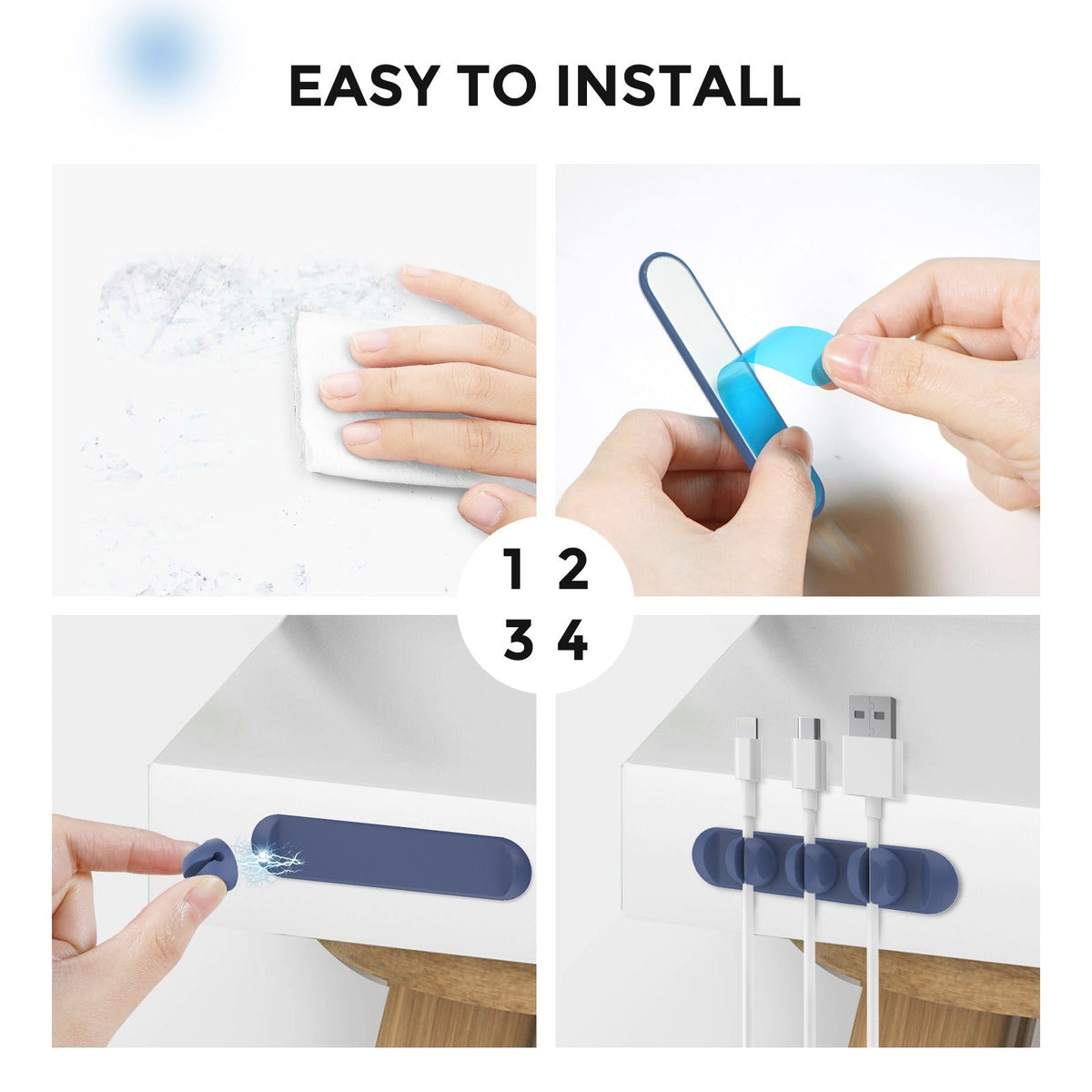
Wipe the desk edge or monitor stand dry. Silicone holds best on a clean surface.
Give the monitor, charger, dock and phone their own shade before you clip anything.
Clip on or stick each one on top or underneath the desk. Press an adhesive-backed clip firmly, once.
Push every cable into a cross-shaped slot. Thin cables sit most securely, and a bulky power brick is better resting on the desk.
Lift a clip off and move it without tools or residue. The layout can change as often as your desk does.
Flat silicone base with raised edges that holds the clips in place.
Round cable channels that lift off the base for repositioning.
Dust and desk grime are the main reason the base loses its grip, so a quick wipe keeps it sticking well.
Set the base on a clean, dry desk, then press down firmly with your palm.
Press the top of the clip to release it, then remove the cable by hand.
The four slots grip thin and mid-size cables best, including USB, Ethernet and DC plugs. A bulky power brick works better resting on the desk, because forcing an oversized plug into a slot can stretch the silicone and loosen the hold. Thicker runs like HDMI may need two clips to sit firmly.
The set uses adhesive-backed or clip-on mounting, so you pick the method per spot. Stick adhesive clips to a clean, dry surface and press firmly once. Clip-on mounting skips the adhesive entirely. Peeling and re-sticking the same clip over and over weakens the bond, so place each one where it will stay.
Yes. Six colors sort cables by device category rather than by individual cable. Give the monitor, charger, dock and phone their own shades, then group the rest by family. One set of ten covers a full desk, so you do not need a new bundle each time a device changes.
Yes. The clips mount on top or underneath a desk surface and hold both flat and round cables. Clip one to a monitor stand edge to route the monitor and charger cables down the back.
Yes. Clip the phone cable to the nightstand edge so the plug stays within reach and the cord stops sliding behind the bed. The soft matte silicone wipes clean, so the clips stay tidy on a bedside table. Pair them with charging cables you already own.


 Silicone Desk Cable Organizer Clips, 10 Pack Color-Coded