
$49.90
Free delivery · 7–14 days
Gold-Plated Replacement Cable for Bose QC35 QC25 OE2



Replacement headphone cable for Bose QC25 and QC35 owners who want volume and calls back on the cord. Gold-plated 3.5mm TRRS plugs and a matte rubber cable handle daily commutes and trips. Keep one in your bag before the next cable fails.
Read the full descriptionReplacement headphone cable for Bose QC25 and QC35 owners who want volume and calls back on the cord. Gold-plated 3.5mm TRRS plugs and a matte rubber cable handle daily commutes and trips. Keep one in your bag before the next cable fails.
Replacement audio cable with inline volume and mic control for Bose QC25 / QC35 headphones
A lost or frayed cable leaves your QC25 or QC35 stuck on the desk. This replacement brings back music, volume, and calls on every commute.

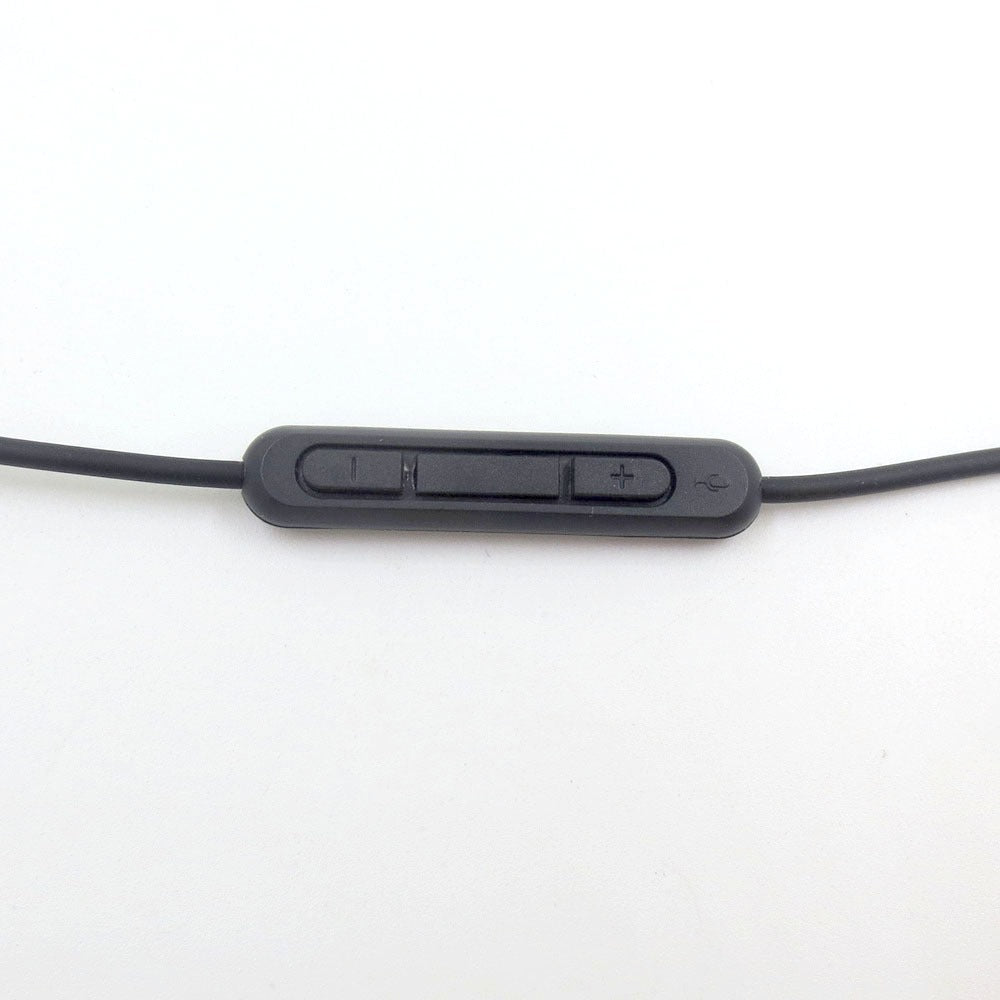
The inline remote carries volume plus, volume minus, and a microphone. Skip a track or answer a call with one press at your collar, without pulling the phone out of your pocket on the train.

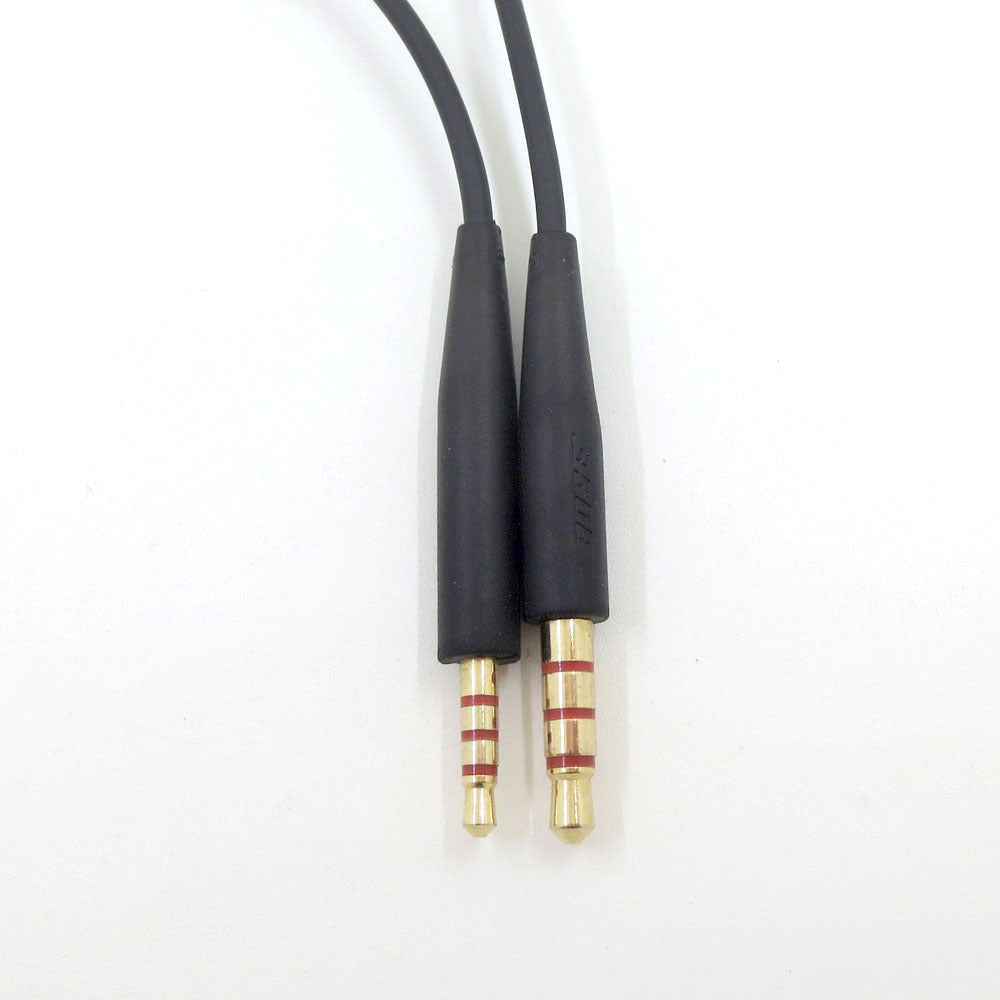
Both plugs are 3.5mm TRRS with gold-plated tips and a red or blue ring band, so you can tell the ends apart in a dark bag. The gold plating keeps the contact points clean and conductive every time you plug in.

The matte rubber coating grips instead of slides, so loops stay put in a bag. Strain-relief sleeves on both plugs take the bend at the connector, which is where cables usually give out.
Slide out the matte rubber cable. The surface is soft and grippy, with no sharp edges at the plugs.
The remote sits mid-cable with raised volume plus and minus buttons and a mic opening. Press each button and feel the firm click.
Both 3.5mm plugs have gold-plated tips and colored ring bands. Make sure the strain-relief sleeves sit firmly at each end.
Connect the plug to your QC25 or QC35 and play a track. Volume and mic should respond as you press the inline controls.
Use large loops and a gentle tie. Tight wraps around your fist or the headphones create kinks.
Grip the plug body to disconnect. Yanking the wire stresses the conductors near the connector.
The strain-relief sleeves guard each plug. Check them now and then for splits.
Press volume and run a short test call before you need the spare on a flight or train.
It is built as a direct replacement for QC25 and QC35 headphones with inline volume and mic control. Match the listing to your model before you order, then plug in and press each button once to confirm the controls respond.
The plug is the 3.5mm TRRS layout used by most headset-style mics, so the volume and mic buttons work with phones that support headset controls. Run a short test call on your own phone before you rely on it.
No. It is a third-party replacement built to match the QC25 and QC35 cable with inline control, not a Bose-branded part. You get the same control layout at a lower cost than a new set of headphones.
The cable length is not in the product data, so check the listing if length matters for your bag or desk. It carries audio and mic signal only, so it does not charge the headphones.
Gold plating keeps the plug contacts clean and conductive, which matters when you plug in and out every day. One durable spare costs less than a new headphone set and covers the cable you already own.


 Replacement Headphone Cable for Bose QC25 QC35 with Mic