
$39.90
Free delivery · 7–14 days
Wireless Emergency Call Button Watch for Seniors at Home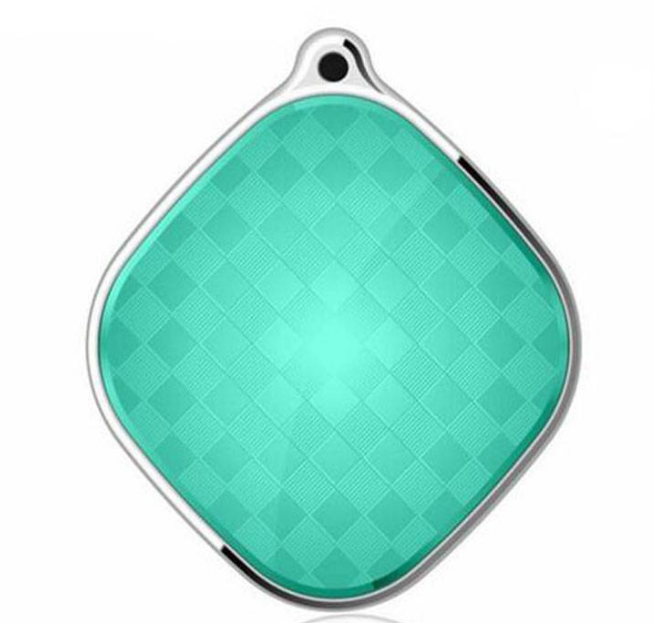


Find a relative, child or dog in seconds without waiting for anyone to pick up a phone. The A9 Mini clips to a keyring, bag or collar and reports its location on demand, with one-touch SOS and two-way talk for the moments that matter.
Read the full descriptionFind a relative, child or dog in seconds without waiting for anyone to pick up a phone. The A9 Mini clips to a keyring, bag or collar and reports its location on demand, with one-touch SOS and two-way talk for the moments that matter.
Compact Beidou GPS locator that keeps elderly relatives, children and pets easy to find with one-touch SOS
Stop checking your phone every hour wondering where your father, child or dog has wandered. Clip on a compact Beidou locator and see their location on demand, with one press of SOS when it matters most.

Ask for a fix and the A9 Mini reports its location through the Beidou satellite network. You see where your father, child or dog is from your own phone, without asking them to carry or check theirs. The power and SOS button and indicator light sit on the front, so the device is easy to read at a glance.

A dedicated SOS button sits on the body, so no menu stands between a worried moment and a call. Two-way talk lets the wearer speak to family, and the phone book holds the numbers you want reached first. Practise the press once together so it feels natural when it matters.
Draw an electronic fence around home or school and get an alert when the device leaves it. When you need the story of a walk, historical trajectory shows where the device has been. Together they turn a vague worry into a route you can follow.
Open the back cover with its screw and slide a SIM with an active data plan into the SIM slot. Close the cover and tighten the screw.
Connect the charging cable to the charging slot and charge the device fully before the first use.
Hold the power button until the indicator light responds. Keep it near a window for the first location check.
Draw the fence around the home or school and confirm the device reports inside it.
Add family numbers to the phone book, then press SOS once and check that the call connects.
The front door is open and the dog is gone, or your father has not come back from the corner shop. You call, you wait, you call again. Phone location only helps when the phone is with the person, and the people who wander are often the ones who leave it behind.
The A9 Mini is a teal locator about the size of a keyring. It reports its Beidou location when you ask, and the electronic fence warns you when it leaves the area you set. A single button sends an SOS, and two-way talk lets you speak to the person who is carrying it.
Charge it, set the fence around home or school, and clip it on before the next walk. Once it is running, a glance at the map tells you where things stand. The job you used to do by phone calls now takes a few seconds.
Charge the device fully through the slot, power it on and confirm the indicator light responds. Keep it near a window for the first location check.
Configure the electronic fence around home or school and add phone book contacts. Run a test SOS and a location check so everyone knows how it works.
Carry it in a pocket, bag or on a keyring and review trajectory when needed. Recharge on a regular schedule so it is ready for each outing.
| A9 Mini | Phone location sharing | |
|---|---|---|
| Works without the wearer carrying a phone | — | |
| Physical one-touch SOS button | — | |
| Two-way talk with the wearer | — | |
| Electronic fence alerts | — |
Yes. The A9 Mini reports through a SIM, so it needs a SIM with an active data plan. Without service it cannot send positions or alerts. Insert the SIM, confirm a location fix, and then hand it over.
Satellite signal is strongest with a clear view of the sky. Inside a house, a basement or dense cover, the fix can lag or drift. Test the spots you care about most, such as the kitchen or the school hallway, and step outside to confirm if a fix looks off.
Yes. The SOS button sits on the body and works with one press. Practise it once together so the press feels familiar. Add family numbers to the phone book so the call reaches the people you want first.
It is compact and keyring-sized, so it clips to a school bag, a jacket pocket or a collar. Check that the keyring loop sits snugly on the collar before a walk, since a thin strap may need a little adjusting.
Phone sharing needs the person to carry, charge and keep the phone switched on. Many people with dementia, young children and pets will not do that. The A9 Mini has a dedicated SOS button and two-way talk, and nothing for the wearer to manage.
The electronic fence sends an alert when the locator leaves an area you set, such as the home or the school gate. It catches a wander early, before it becomes a search. Historical trajectory then shows the route that was taken.


 Mini GPS Tracker for Elderly, Kids & Pets with SOS