
$89.90
Free delivery · 7–14 days
USB-C Docking Station with Dual 4K HDMI and Ethernet


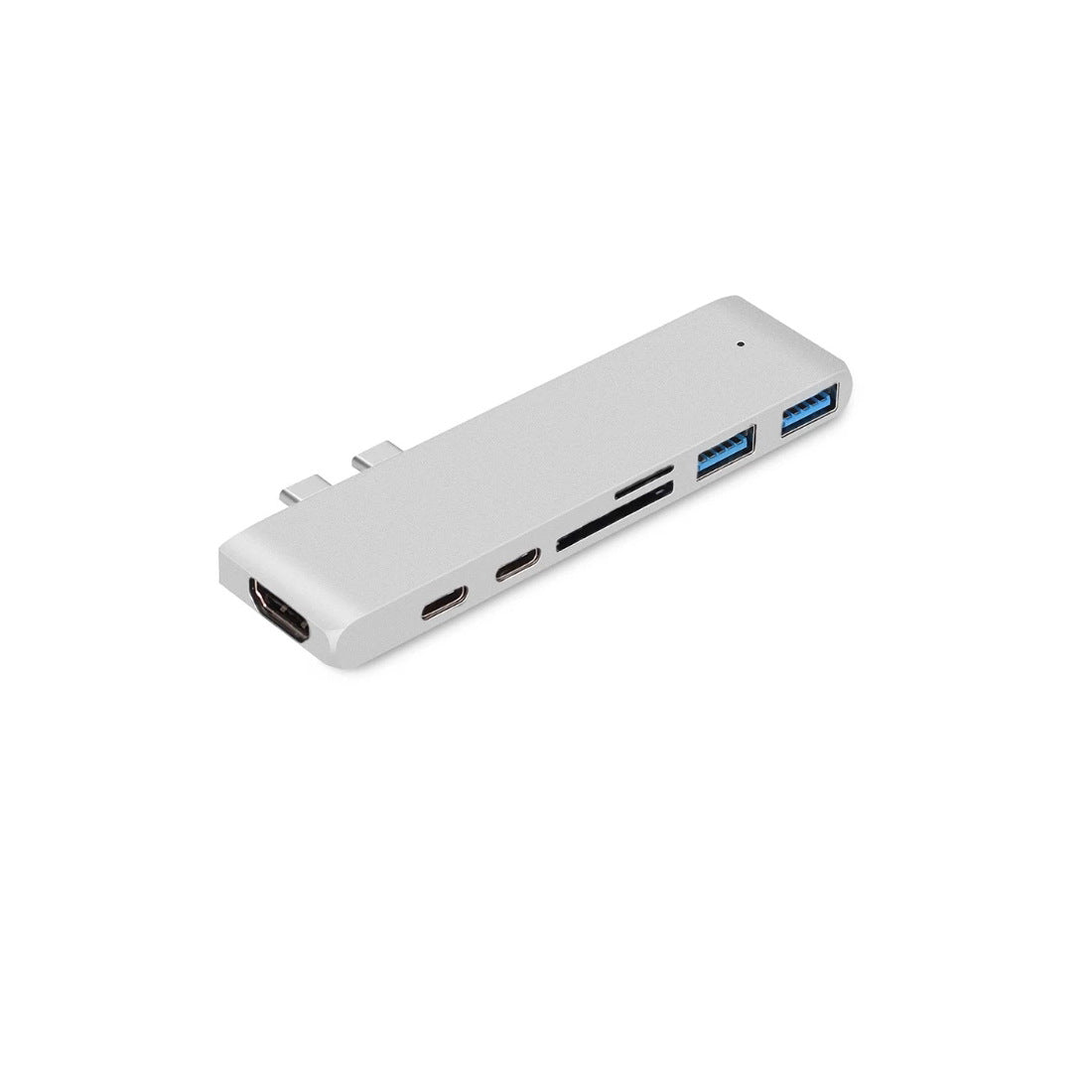
Your slim laptop gets a full desk in one plug. This 60g aluminum hub adds 4K HDMI, two USB 3.0 ports, SD and microSD slots and power delivery, so the monitor, drives and charger all connect at once.
Read the full descriptionYour slim laptop gets a full desk in one plug. This 60g aluminum hub adds 4K HDMI, two USB 3.0 ports, SD and microSD slots and power delivery, so the monitor, drives and charger all connect at once.
7-in-1 USB-C hub that adds 4K HDMI, USB 3.0, SD/microSD and power delivery to your laptop
Your slim laptop has room for two ports and a drawer full of adapters. This 7-in-1 aluminum hub adds 4K HDMI, USB 3.0, SD and microSD in one plug-in.

The HDMI port runs 4K Ultra HD with HDR, so one cable sends a sharp image to your external monitor or the projector in a conference room. No extra adapter and no hunting for the right cable at the last minute.

One USB-C port on the hub passes power through to your laptop while the other ports stay busy with the monitor and drives. You keep the battery topped up through a long afternoon of presenting.

The SD slot reads at 104M/S and the microSD slot sits right beside it. Pop a card in after a shoot, copy the files, and eject it, with two USB 3.0 ports left free for a drive or a keyboard.
Connect the hub's USB-C cable to a USB-C port on your laptop that supports data. The status LED lights when the hub is working.
Plug your charger into the USB-C Power Delivery port on the hub so the laptop charges while you work.
Run an HDMI cable from the hub to your monitor or projector. Use a certified cable for stable 4K output.
Use the two USB 3.0 ports for a keyboard, mouse or drive, and slide cards into the SD or microSD slot when you need them.
Two USB-C ports sound fine until the projector needs HDMI, the drive needs USB-A and the charger needs a port of its own. You end up unplugging one thing to plug in another, and the battery keeps draining while you do it.

This hub goes into one USB-C port and gives you seven back. Two USB 3.0 ports run at 5Gbps, the SD and microSD slots read cards, and the Thunderbolt 3 port carries 40Gbps. The 4K HDMI output is the one that gets you out of the meeting room scramble.

At 11 x 2.8 x 0.9 cm and 60g, the hub slides into a laptop sleeve without adding bulk. Plug in once, present from the screen you are given, and leave with the laptop charged and the cables still in order.
Plug the hub into your laptop, confirm the status LED lights, and check that the monitor and USB devices show up.
You learn which port takes which device, and reconnecting the desk becomes one cable instead of several.
Most desk and travel tasks run through one hub, so fewer dongles go into the bag before a meeting.
Shown beside an iPhone in the dimension photo
| This hub | Dongle stack | |
|---|---|---|
| One plug-in for all ports | — | |
| 4K HDMI output | Partial | |
| SD and microSD readers | Partial | |
| Power delivery pass-through | Partial | |
| Matches space gray laptop finish | — |
It plugs into a USB-C port on a MacBook-style laptop. Use a port that carries data, not a charge-only port, so the monitor and drives show up. The Thunderbolt 3 port on the hub runs at 40Gbps, but you do not need a Thunderbolt laptop to use the rest of the hub.
Yes. Connect your charger to the USB-C Power Delivery port on the hub and keep the monitor on HDMI and your drives on USB 3.0. Power and display run together, so your battery stays topped up during a long session.
The HDMI port supports 4K Ultra HD and 4K HDR. Stable output depends on the cable, so use a certified HDMI cable. A weak cable is the most common cause of flicker or no signal.
Yes. The hub has a full-size SD slot and a microSD slot side by side. The SD slot reads at 104M/S, so you can offload a card from a shoot without a separate reader.
You are paying for an aluminum body that matches a space gray laptop, a 4K HDMI output, a Thunderbolt 3 port and a card reader that reads at 104M/S, all in one 60g device. Buying the same set as single dongles costs more over time and leaves more cables on the desk.


 7-in-1 USB-C Hub with 4K HDMI, SD Card & USB 3.0 Ports