
$48.90
Free delivery · 7–14 days
HDMI to VGA Converter with 3.5mm Audio, 1080P Output


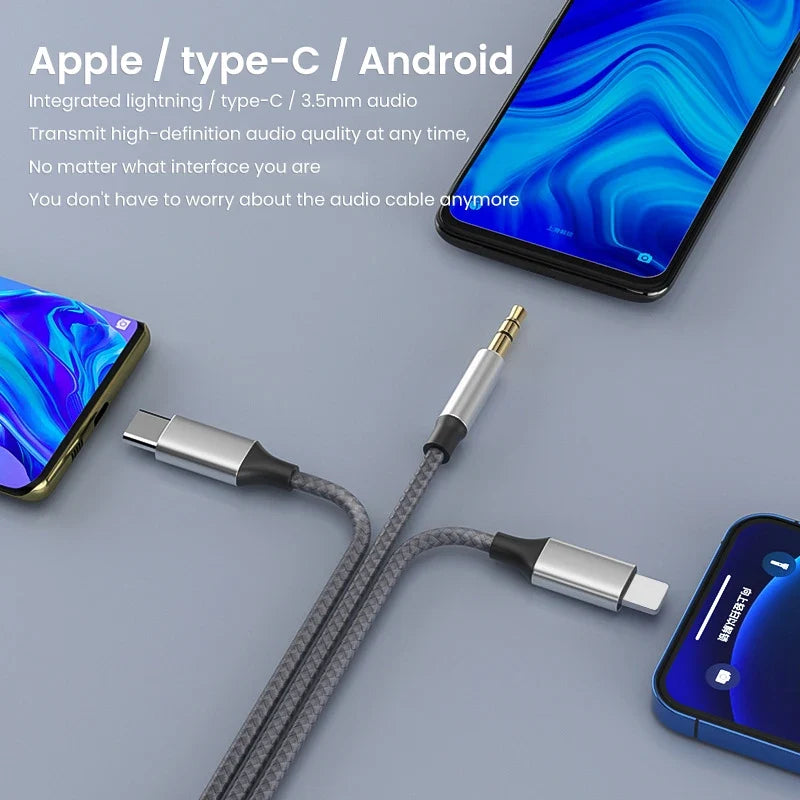
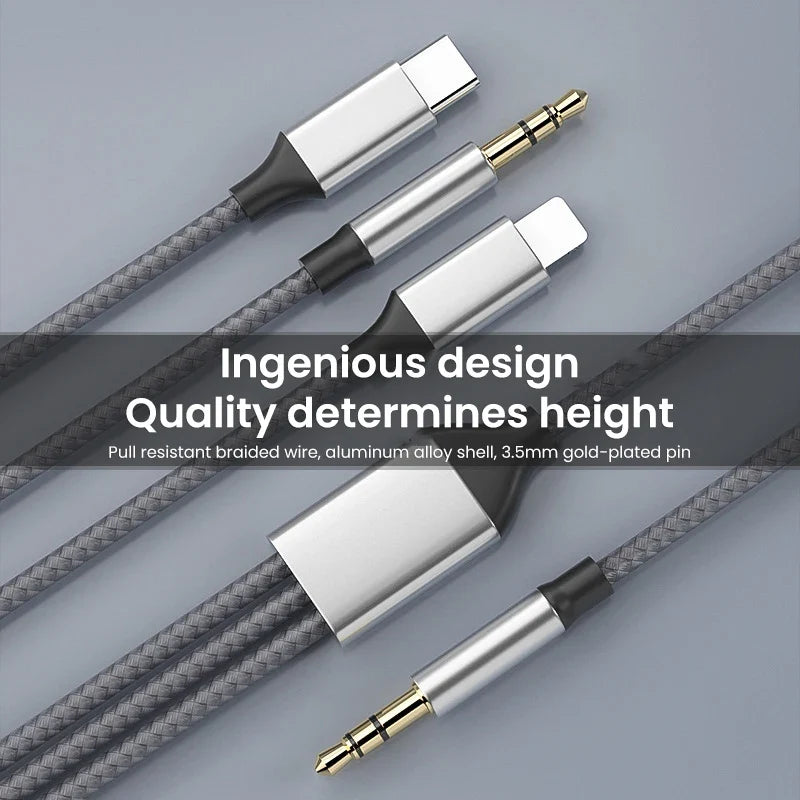

Your phone plugs straight into the car, the desk speaker or your headphones without an adapter hunt. The braided nylon jacket and aluminum connector housings hold up to daily plugging, and Lightning, USB-C and 3.5mm plugs share one cable.
Read the full descriptionYour phone plugs straight into the car, the desk speaker or your headphones without an adapter hunt. The braided nylon jacket and aluminum connector housings hold up to daily plugging, and Lightning, USB-C and 3.5mm plugs share one cable.
One 3-in-1 cable connects Apple, Type-C and Android devices to headphones, car audio or speakers
Stop digging through a bag of adapters before every drive or listening session. One braided 3-in-1 cable links Apple, Type-C or Android to car audio, speakers or headphones.

The Lightning plug fits iPhones, the USB-C plug fits Type-C Android phones and tablets, and the 3.5mm plug runs into a car stereo, a desk speaker or headphones. Shopping for a type c plug usually means buying a second adapter, so this cable replaces that step. The packaging also calls out an intelligent chip for lossless sound quality.

The braided nylon jacket is tangle-resistant, so the cable stays manageable in a bag or a car console. Aluminum alloy housings hold each plug firmly through daily plugging and unplugging, and gold-tipped 3.5mm contacts seat cleanly in car and speaker jacks. The coiled Y-junction keeps extra length tidy on a desk.
Plug the phone-side connector into your phone, run the 3.5mm plug into the car aux port, and switch the stereo to aux.
Connect your phone to the Y-junction end, run the 3.5mm plug into the speaker input, then set the volume on both devices.
Plug the phone end in, then push the 3.5mm plug into your headphone jack. Keep the coiled section loose in your bag until the next listen.
Pull straight out of the port by the aluminum housing, never by the braid.
Use the Lightning, USB-C or 3.5mm plug that fits your port before you push it in.
Loop the cable in large circles rather than wrapping it tightly around your hand.
Pick the phone-side plug that matches your port: Lightning for iPhones, USB-C for Type-C Android phones and tablets. The other end is always 3.5mm, which fits car stereos, desk speakers and headphones.
Yes. The 3.5mm plug fits any aux input, so a car stereo or desk speaker with only that port works. If your car has no aux input at all, a car radio transmitter is the better route.
The packaging calls out an intelligent chip for lossless sound quality and high fidelity playback. Gold-tipped 3.5mm contacts keep the connection clean. The sound still depends on your phone, the stereo or speakers you connect to, and the files you play.
The braided nylon jacket resists tangling, and it keeps its shape in a bag better than a thin rubber cord. Loop it loosely and it stays manageable. Pulling by the braid is the one habit that wears it down.
The braid, aluminum housings and gold-tipped contacts are the parts that fail first on cheap cables. One cable covers three phone ports, so you stop replacing a lost adapter or a snapped aux cord every few months.


 3-in-1 Aux Audio Cable for iPhone, Type-C & Android