
$159.90
Free delivery · 7–14 days
USB-C Docking Station Dual DP HDMI 4K60Hz Triple Screen

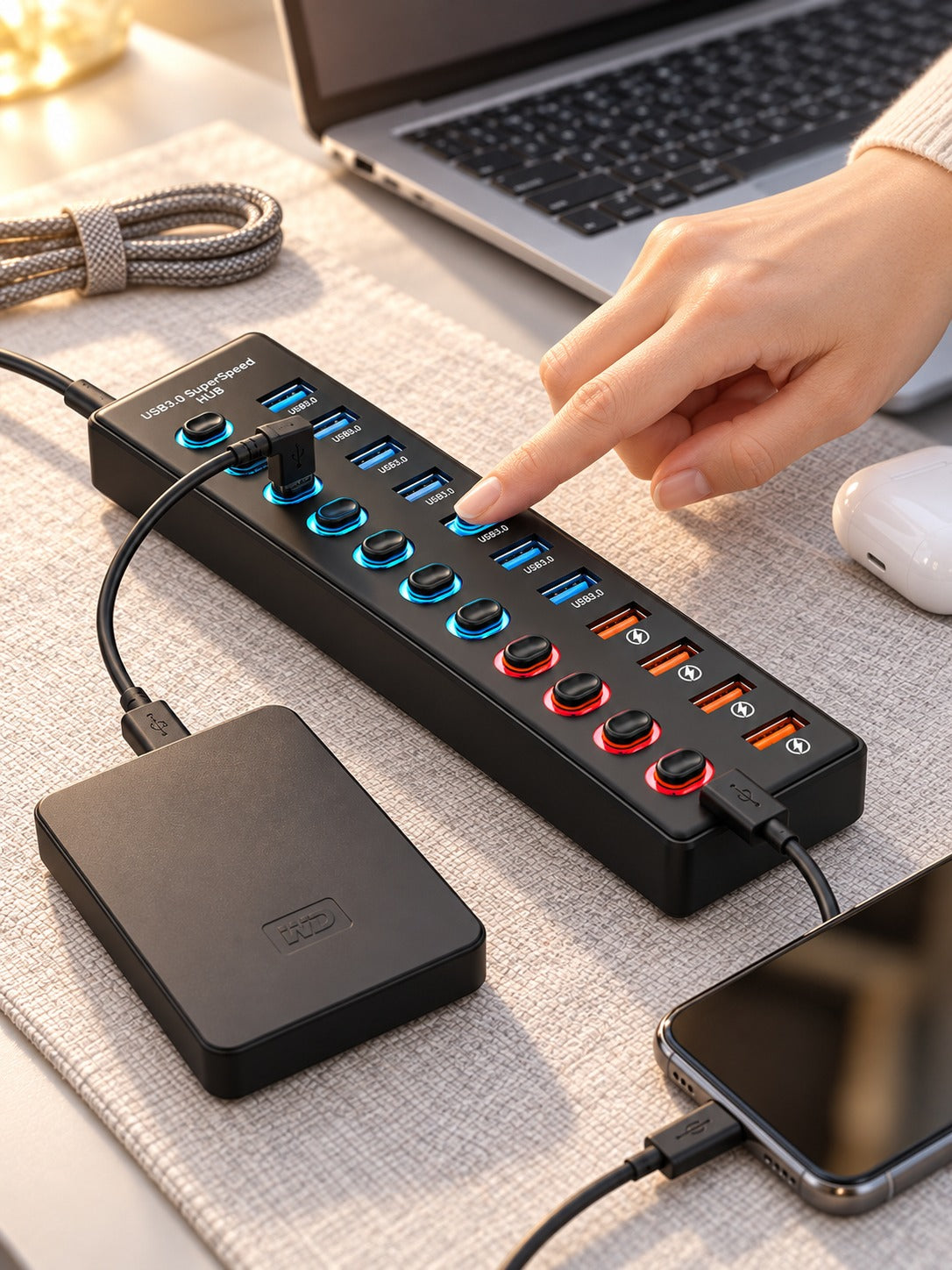

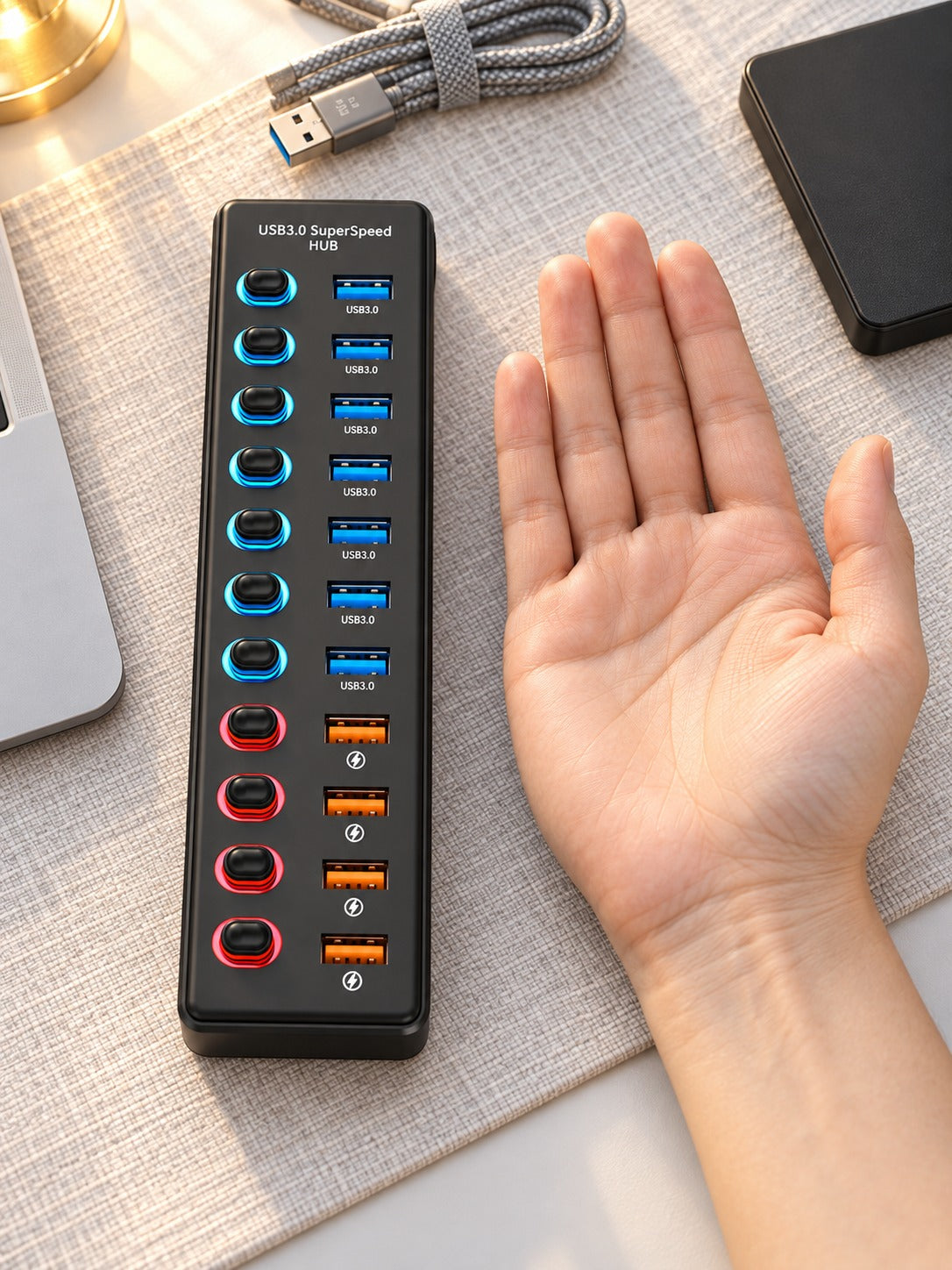

Eleven ports on one slim hub, with seven USB 3.0 data ports and four fast 2.4A charging ports. Each port has its own illuminated switch, so the drive runs, the phone charges and idle devices stop drawing power.
Read the full descriptionEleven ports on one slim hub, with seven USB 3.0 data ports and four fast 2.4A charging ports. Each port has its own illuminated switch, so the drive runs, the phone charges and idle devices stop drawing power.
11 ports in one hub: 7 USB 3.0 data ports plus 4 fast 2.4A charging ports, each with its own switch
Before: one laptop port, a tangle of adapters, and idle devices draining power. After: a single hub that runs your drives, charges your phone and switches off whatever you are not using.

Each of the eleven ports has an illuminated on/off switch. Press one to cut power to a drive you are finished with, and the lit ring goes dark so you know it is off. Nothing needs to be unplugged, and the rest of the desk keeps running.

Seven USB 3.0 ports with blue LED switches handle the work that slows a laptop down. Copy footage or project folders to a mobile hard drive, and the hub reads and transmits data at USB 3.0 speed. It is built to keep a drive running steadily, not just connected.

Four 2.4A ports with red LED switches and lightning icons charge a phone while a transfer runs on the blue ports. You do not have to choose between your backup and your battery. The red ring tells you the port is live.
Place the hub where you work. The non-slip base grips the surface so it stays put when you plug in a cable.
Plug the hub into a laptop port. The rest of the desk now runs from that single cable.
Put external drives on the seven blue-ringed USB 3.0 ports and phones on the four red-ringed 2.4A ports.
Press a port switch and the ring lights up to confirm it is active. Press it again to cut power to that port.

Two ports is the number most laptops ship with, and a home office needs far more than that. A backup drive goes in, then the phone needs power, then the monitor peripherals want their turn. Every swap means pulling one cable and hunting for the next. Cheap hubs look like the fix, but most share one power pool, so you never know which device is quietly drawing current while you work.

This hub gives you eleven ports in one slim body: seven USB 3.0 data ports with blue switch rings and four 2.4A charging ports with red rings and lightning icons. Each port has its own illuminated on/off switch. You can see at a glance which ports are live, and you can cut power to any port you are not using without touching the cable.

Picture the drive copying a folder on a blue-ringed port while your phone charges on a red-ringed port beside it. One cable runs back to the laptop. When the copy finishes, you switch that port off and the desk settles down again. The clutter that used to live on the desk has nowhere to go.
Plug the hub into your laptop, connect a drive and a phone, and watch each active port light up. Switch off anything you do not need.
File backups and phone charging run side by side. The port switches become a habit, and you stop unplugging devices to swap them.
The single hub replaces the loose adapters that used to live on the desk. The setup feels simpler and is easier to manage.
A dry or lightly damp cloth removes dust from the matte surface.
Disconnect the hub from the laptop before wiping the ports.
Dust in the port openings can loosen a connection, so blow it out now and then.
| 11-Port Switched Hub | Basic Unswitched Hub | |
|---|---|---|
| Individual on/off switch per port | — | |
| Lit status ring on each port | — | |
| Dedicated 2.4A charging ports | — | |
| Cuts power to idle devices port by port | — | |
| Matte plastic body with non-slip base | Partial |
Yes. The seven USB 3.0 ports are built for data transfers and are rated for high-speed transmission, so an external hard drive can read and write files through them. Put drives on the blue-ringed ports rather than the charging ports, which are built for power delivery.
The four red-ringed ports supply 2.4A each, which covers most phones and tablets. Charging speed depends on the cable and the device, so a sturdy cable makes the most of the output.
Yes. That is the main use case. The drive transfers on a USB 3.0 port while the phone charges on a 2.4A port, and each port has its own switch so you can turn either one off without disturbing the other.
Each port has its own illuminated on/off switch. When a port is switched off, the device connected to it is cut off from the hub, so an idle drive or phone stops drawing power through that port. The lit ring tells you the state at a glance.
A basic hub gives you more ports and nothing else. This one gives you per-port control, a lit status ring on every port and a matte plastic body that sits flat and stays put on the desk. One hub that replaces a drawer of adapters, and a desk you can actually read, is the value here. The premium materials are built to sit on a desk every day.


 11-Port USB 3.0 Hub with Individual On/Off Switches