$35.90
Free delivery · 7–14 days
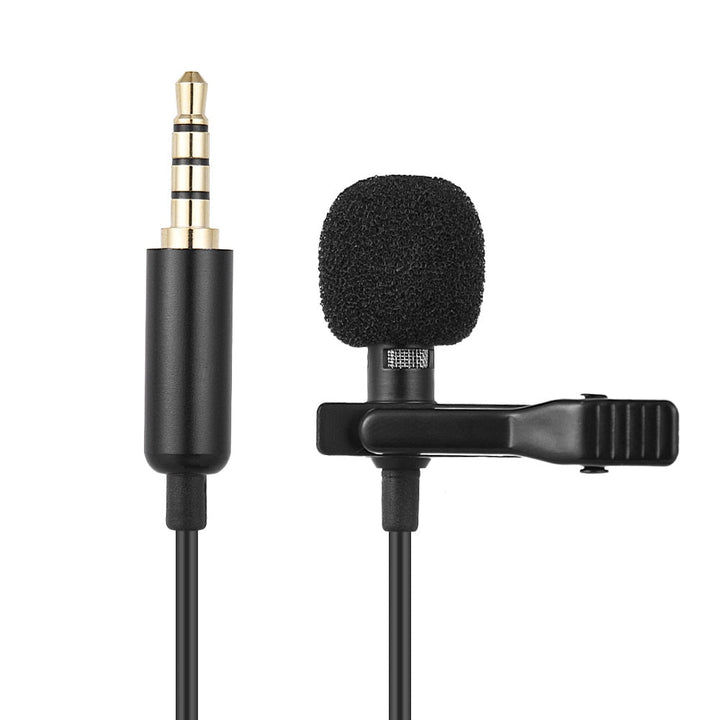
Clip‑On Lavalier Mic for iPhone & DSLR — Crystal‑Clear Audio


USB condenser microphones make it easy to record, stream, game, sing, or join calls from a computer with a simple USB connection. This category includes desktop RGB models for PC setups, a complete studio-in-a-box option, and clip-on lavalier microphones for phones and DSLR cameras.
Start with where and how you will use the microphone. For gaming, live streaming, video calls, and desk-based recording, choose a USB desktop condenser microphone with a flexible stand or adjustable position. RGB USB microphones suit shoppers who want lighting that complements a gaming setup, while adaptive noise reduction can help make a busy workspace easier to manage. For interviews, tutorials, or hands-free phone recording, a clip-on lavalier microphone is more convenient than a desktop model. Check the connector before buying: phone and DSLR lavalier microphones are designed for mobile or camera use, while USB models connect directly to a computer. If you want microphones for singing or music, look for a complete studio-in-a-box setup that includes useful accessories.
The three broad microphone types shoppers commonly encounter are dynamic, condenser, and ribbon microphones. This category focuses on USB condenser microphones, which are designed to capture detailed voice and instrument sound through a computer-friendly connection. A desktop condenser microphone works well for streaming, gaming, podcasts, calls, and home recording when placed close to the speaker. A lavalier, or lapel, microphone clips to clothing and keeps the microphone near the speaker's mouth, making it useful for videos, presentations, and interviews. Wireless microphones can provide more freedom of movement, but the products here are wired clip-on and USB models. For most PC shoppers, a USB condenser microphone offers the simplest setup; for phones or cameras, choose the matching lavalier format.
Prioritize connection, placement, controls, and included accessories. A no-driver USB microphone is convenient for PC gaming, streaming, and recording because it is intended to work without separate installation steps. A flexible stand helps position the microphone near your speaking area, while a clip-on lavalier keeps the microphone attached to clothing during movement. Look for a complete studio-in-a-box package if you need a more ready-to-record setup rather than a microphone alone. RGB lighting is a visual feature, so treat it as a setup preference rather than a sound-quality measure. Adaptive noise reduction may be useful in a shared room, but good placement still matters. For microphones for music or singing, consider whether the package gives you the accessories and positioning flexibility you need.
Place a desktop USB microphone on a stable surface and position it close enough to capture a clear voice without leaning toward it. Connect the USB cable to the computer, select the microphone as the input device in your recording, streaming, meeting, or gaming software, and make a short test recording before going live. Keep the microphone away from keyboards, fans, and surfaces that cause bumps. Speak toward the microphone's intended pickup side and adjust its angle so it does not block your screen. For a lavalier, clip it securely to clothing near the upper chest, route the cable so it does not rub against fabric, and confirm that your phone or DSLR accepts the connector. Monitor levels during singing, recording, or streaming and lower input gain if the sound becomes distorted.
One common mistake is buying a desktop USB microphone for a phone or DSLR without checking compatibility. A second is choosing a lavalier when the main use is PC gaming or desk streaming, where a stable USB desktop model is usually more practical. Shoppers also sometimes judge a microphone only by RGB lighting, even though lighting does not determine how well it suits their voice, room, or recording workflow. Placing the microphone too far away can make speech less direct, while placing it beside a noisy keyboard or fan can add unwanted sound. Do not assume that every microphone is wireless; the products in this category are wired USB or clip-on models. Finally, consider the complete package, controls, stand, and intended device instead of searching only for the lowest price.
These microphones suit shoppers who want a straightforward way to improve voice capture for PC use, streaming, calls, gaming, singing, or home recording. RGB desktop models are a natural fit for gaming desks and creator setups where appearance matters. The USB studio-in-a-box microphone is better for shoppers who want a more complete starting point for recording rather than a bare microphone. Clip-on lavalier microphones suit mobile creators, presenters, interviewers, and DSLR users who need hands-free operation and a discreet form factor. They can also work for short videos and demonstrations where a desktop microphone would stay out of position. If you are specifically searching for wireless microphones, note that these products use wired connections. Compare the device you own, the place you record, and whether you need portability before choosing.
The best microphone depends on your device and activity. Choose a USB desktop condenser microphone for PC gaming, streaming, calls, and desk recording; choose a clip-on lavalier for a phone or DSLR; and consider the studio-in-a-box option if you want a more complete recording setup.
Public speakers may use different microphones and audio systems depending on the venue, event, and production team. Rather than choosing based on a public figure, match the microphone to your device and use: a USB desktop model for PC work or a lavalier for mobile and camera recording.
The three broad microphone types are dynamic, condenser, and ribbon. The products in this category are USB condenser microphones and clip-on lavalier microphones, selected for computer, phone, DSLR, streaming, and recording use.
There is no single microphone that is best for every voice, room, and recording task. The practical choice is the model that matches your device and workflow, such as a USB condenser for PC streaming or a lavalier for hands-free phone and DSLR recording.
The 3-to-1 rule is an audio-placement guideline used with multiple microphones: the distance between microphones should be roughly three times the distance from each microphone to its sound source. It helps reduce unwanted interaction between microphones, but it is less relevant when using one USB microphone by itself.
No single brand is best for every shopper, because microphone choice depends on the device, room, controls, and intended use. Compare connection type, desktop or clip-on design, included accessories, and features such as no-driver setup or RGB lighting to find the right fit.