
$59.90
Free delivery · 7–14 days
Vertical Wireless Mouse with USB-C Charging, Silent Clicks
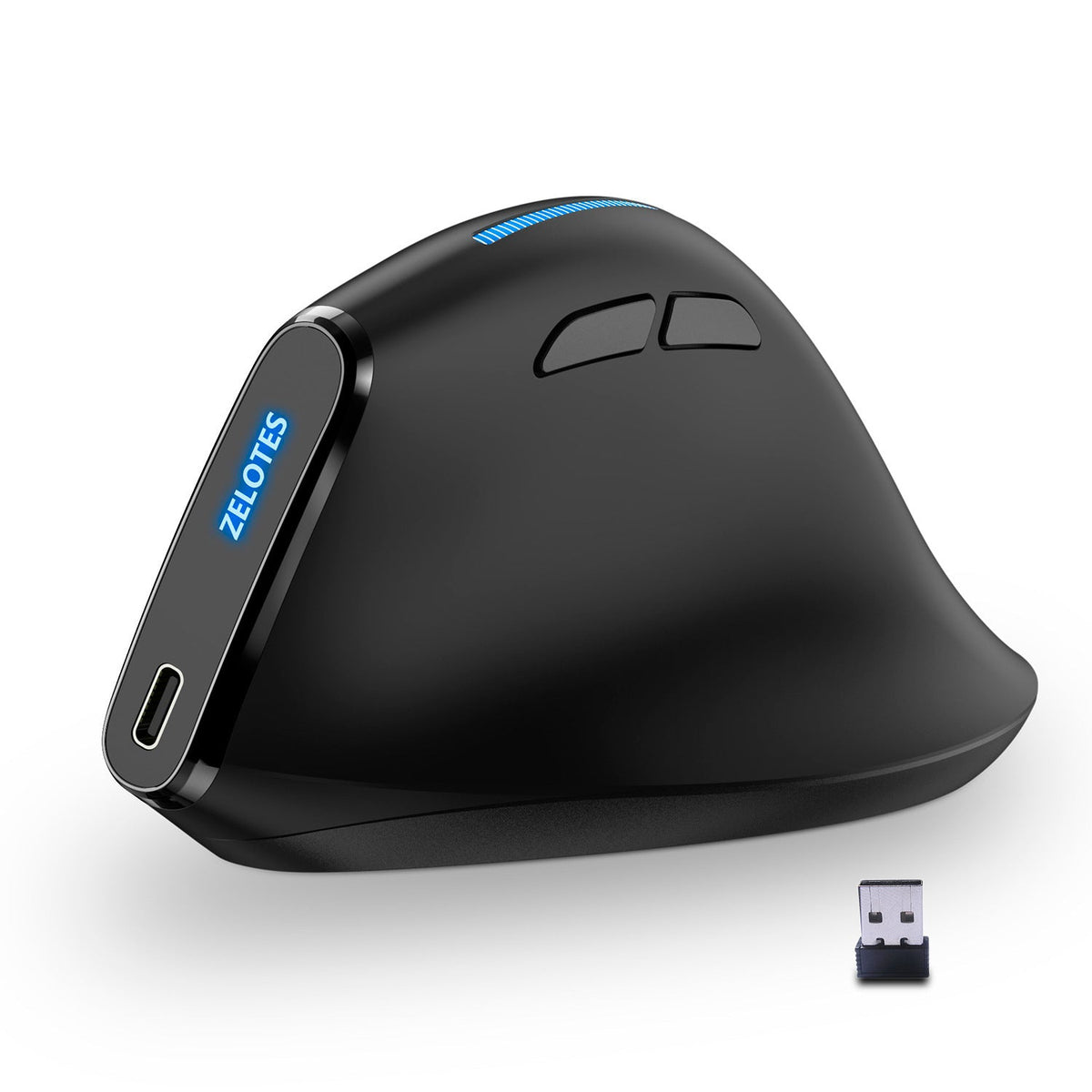


Your wrist and forearm get a break when the hand rests in a handshake position. The ZELOTES Master F36A holds your hand upright through long email, browsing and video call sessions. One USB wireless receiver, a USB-C charging port and a matte black body keep the desk tidy.
Read the full descriptionYour wrist and forearm get a break when the hand rests in a handshake position. The ZELOTES Master F36A holds your hand upright through long email, browsing and video call sessions. One USB wireless receiver, a USB-C charging port and a matte black body keep the desk tidy.
Vertical ergonomic design for a natural handshake grip that reduces wrist and forearm strain
Flat mice keep your palm turned down for hours, and your wrist and forearm pay for it. The ZELOTES F36A holds your hand upright, so the workday feels lighter.
The vertical body sets the hand in a handshake position, so the forearm no longer rolls over the mouse for hours. Your palm rests against the side and your fingers fall onto the buttons without stretching. Expect a few awkward days when you switch from a flat mouse, then the upright hand becomes the default. Other upright options sit in the best ergonomic mouse range if you want to compare.
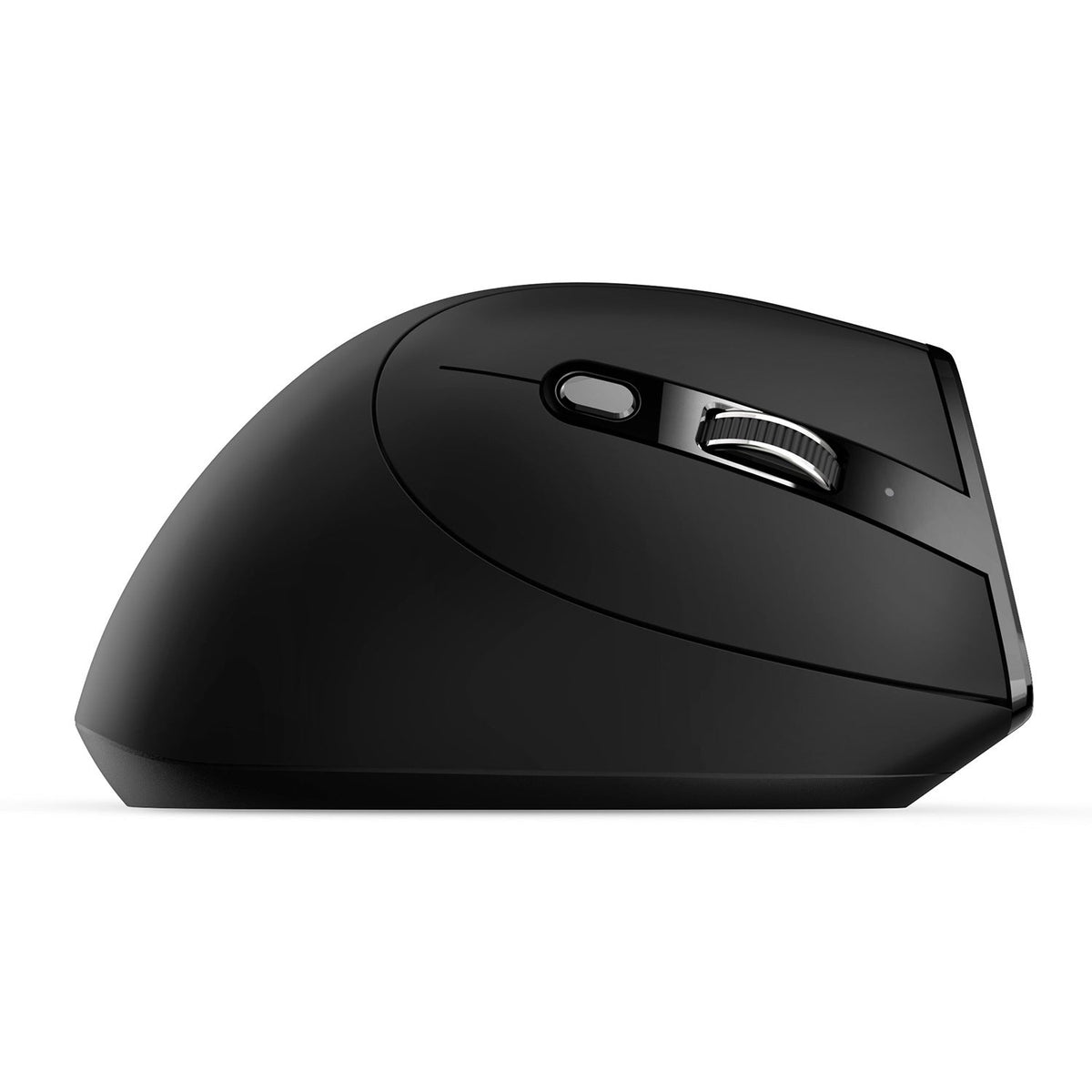
The thumb-side buttons sit where the thumb already rests, so back and forward navigation never pulls the grip out of shape. The DPI button adjusts pointer speed on the spot, which means one setting for spreadsheets and another for a wide monitor.
The USB-C port on the side means no disposable batteries to buy and track. The nano receiver stays plugged into a laptop port, so the desk carries one small dongle and no cable trailing across it.
Plug a USB-C cable into the port on the side of the mouse and charge it before the first session.
Insert the nano USB receiver into a free USB port on your laptop or desktop. It can stay there all day.
Press the DPI button until the pointer speed suits your screen, then start working with the glowing scroll strip.
Matte black body with USB-C charging on the side
Nano receiver that stays in the laptop port

By mid-afternoon a flat mouse has held your palm turned down for hours. The wrist stiffens, the forearm tightens, and every click takes more effort than it should. Most people blame the chair or the screen. The mouse is often the bigger problem.

The vertical body turns your hand into a handshake position, so the forearm stops rolling through every session. The thumb rests on the side, the fingers settle over the buttons, and the grip stays the same from the first email to the last call.

You finish the day with a relaxed forearm and one tidy desk. The receiver stays in the laptop port, the charging cable lives on the side USB-C port, and the glowing logo gives the desk a finished look. Nothing trails across the keyboard.
Your hand holds a new angle, so the first session can feel awkward. Take short breaks and let the grip settle on its own.
Daily use builds the habit. Keep the mouse in the same place so your hand learns one position.
After a month of steady use, the vertical hold becomes the normal way to pick up the mouse. Posture habits still count, so stand up and move between tasks.
| ZELOTES F36A | Flat office mouse | Wired mouse | |
|---|---|---|---|
| Upright handshake grip | — | — | |
| Cable-free desk | — | ||
| USB-C rechargeable | — | — | |
| Illuminated scroll strip | — | — |
Yes, expect a few awkward sessions. Your hand is holding a new angle, so the first day feels unfamiliar. Give it a week of daily use and keep the mouse in the same spot on the desk, so your hand learns one position.
Charging runs through the USB-C port on the side of the mouse. Plug in a USB-C cable once a week or whenever the battery runs low, and keep the nano receiver in your laptop the whole time.
It uses one USB port for the nano USB receiver. The receiver is small enough to stay plugged in, so the port stays in use without getting in the way.
The body is matte black with a glossy side panel and a glowing ZELOTES logo, and it feels solid in the hand. The real value is daily use. Divide the price by the number of working days you will use it and compare that cost per session with a cheap mouse that leaves your wrist sore by three o'clock.
Yes. The receiver stays in the laptop, the USB-C cable packs easily, and the grip stays the same whether you work at a home desk or a laptop on the kitchen table. If you are still choosing, browse the full wireless office mice range.


 Vertical Ergonomic Wireless Mouse with USB-C Charging