
$109.90
Free delivery · 7–14 days
Xiaomi Mijia Smart Home Hub: Control Alarm & Sensors

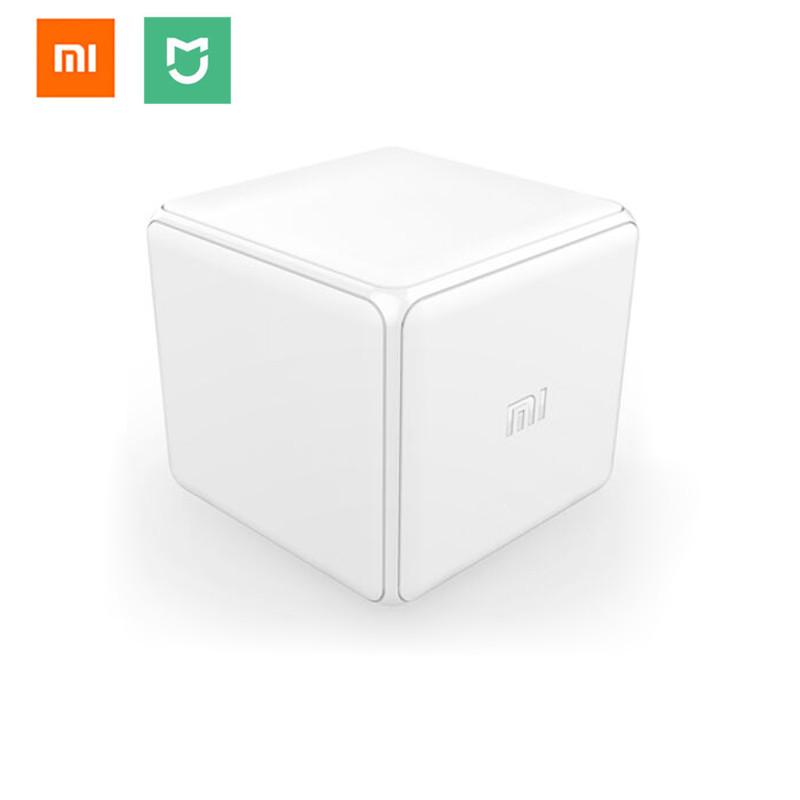


Lights and scenes respond to a flick of the wrist, with no phone and no menus. This six-faced cube runs Zigbee devices from the sofa, the bedside or the desk. It is a small, playful way to make the smart home feel easy.
Read the full descriptionLights and scenes respond to a flick of the wrist, with no phone and no menus. This six-faced cube runs Zigbee devices from the sofa, the bedside or the desk. It is a small, playful way to make the smart home feel easy.
Control your smart home with simple gestures: flip, rotate, shake or tap the cube
Stop hunting for your phone to switch lights and scenes. Six gestures on one soft matte cube turn your Zigbee devices into something you can control with a flick of the wrist.

Flip, rotate, shake or tap the cube and the face you land on decides what happens. Each motion is different enough to learn by feel, so you can run a light change in the dark without checking which way is up. Give each face a job: one for the lamp, one for movie mode, one for bedtime.

The cube is small, with rounded edges and a soft matte plastic body. It fits on a nightstand, the arm of a sofa or a desk beside the keyboard without looking like a gadget. The embossed Mi logo is the only branding, so it blends into a room that already has a lamp and a book on the side table.
Add the cube to your compatible Zigbee gateway. Keep the gateway close during pairing. If the first attempt fails, try once more before moving on.
Pick the lights, plugs or scenes you already run and link one to each face. Start with two or three so the gestures stay easy to remember.
Flip, rotate, shake and tap the cube one at a time. Use a firm, clear motion. Gentle taps are the most common reason a gesture does not register.
You are settled on the sofa with the lights still on. The phone is on the kitchen counter, so you get up, unlock it, open the right app and tap through two menus just to dim one lamp. Wall switches only cut power, and generic smart buttons give you one action each. The setup works, but it asks for effort at exactly the wrong moment.
The cube sits on the nightstand or the arm of the sofa. A flip switches the lights, a rotate moves the room into movie mode and a tap runs your night scene. One physical action replaces the whole app detour, and the playful part is that it feels like a small trick every time.
Once your Zigbee devices are set up, the cube is the simplest way to run them. Pick up the cube, flip it and the room responds. Start with one scene, learn the gesture in an evening and add more as you go.
Once paired with a compatible Zigbee gateway, the cube is ready to be assigned to devices. Setup takes a few steps and may need a second attempt, depending on your existing network.
After a few sessions the six gestures become familiar and you stop checking which face does what. Firmer flips may be needed at first.
Most owners settle on a few favourite scenes they trigger by gesture, reaching for the phone far less often at night and on the sofa.
| Magic Cube | Phone app | Voice assistant | |
|---|---|---|---|
| Works without unlocking a phone | — | ||
| Works when the phone is across the room | — | Partial | |
| One physical action per scene | — | — | |
| Needs clear speech or a quiet room | — | — |
Yes. The cube talks Zigbee, so a compatible Zigbee gateway has to sit between it and your devices. Without one, the cube has nothing to command. Check that you have a gateway before you order.
Any Zigbee device your gateway already controls can be assigned to a face, including Xiaomi and Mijia lights and plugs. Confirm each device is on your gateway's Zigbee network before you build a scene around it.
Setup is a short pairing sequence. Add the cube to your gateway, then assign a scene to each face. Most people finish in one sitting. If the gateway does not see the cube on the first try, a second attempt usually does it.
The body is soft matte plastic with rounded edges and an embossed Mi logo. The value sits in what it replaces. Generic smart buttons give you one action each, so a room full of them adds up fast. One cube covers six actions, and you can change the scenes it runs whenever you like.
Yes. Each face can trigger a different action, so one cube can run a single light, a group of lights or a full scene. Keep the six gestures clearly different so you do not trigger the wrong one in the dark.


 Zigbee Smart Home Cube Controller: Six Gesture Actions