
$54.90
Free delivery · 7–14 days
Replacement Headphone Cable for Bose QC25 QC35 with Mic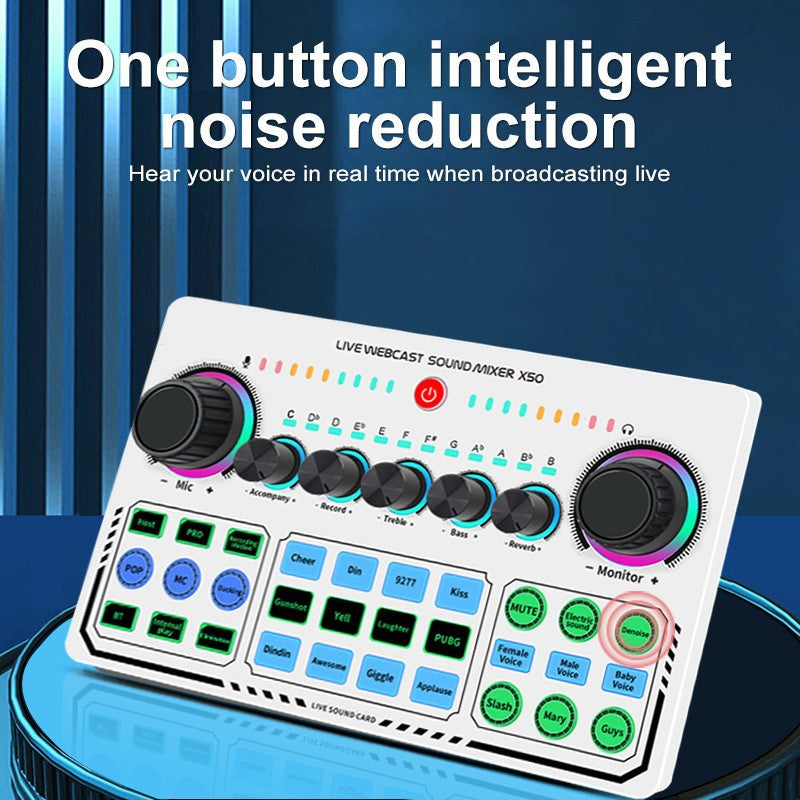




The X50 turns a phone or PC into a broadcast-ready audio setup. One button cleans up background noise while you hear your own voice live, so your stream sounds as clear as you do. Mics, backing tracks and sound pads all run through one compact deck.
Read the full descriptionThe X50 turns a phone or PC into a broadcast-ready audio setup. One button cleans up background noise while you hear your own voice live, so your stream sounds as clear as you do. Mics, backing tracks and sound pads all run through one compact deck.
One-button intelligent noise reduction with real-time voice monitoring for clear live broadcasts
Before: your stream is buried under fan hum and you can't hear yourself over the lag. After: one press cleans the room, and you hear your own voice live while the crowd hears only you.

A single press runs intelligent noise reduction on the mic signal. Background sound drops, and your voice stays full and present. You keep your hands on the mic instead of hunting through software sliders while you are live.

The Monitor knob sends your own voice back to your headset or earphones as you speak. Turn it up until you hear yourself clearly, then keep it there for the whole session. The multicolor LED level meter shows the signal at a glance, so you can see when you are too loud before chat tells you.

Two 3.5mm condenser mic jacks take two voices at once, and separate accompaniment and earphone jacks handle a headset and a mic from the same box. If you need more cable lengths, check our headset jack adapter range.
Use the included USB-C or USB-A cable to link the deck to your phone or PC. Both cables are in the box.
Run each condenser mic into its own 3.5mm jack. Put your earphones or headset into the monitor jack so you can hear yourself.
Press the one-button noise reduction before you go live. Then set the Mic and Monitor knobs until your voice sits clearly in your ears.
Speak at your normal volume and watch the multicolor LED level meter. Adjust until the bars move without hitting the top.
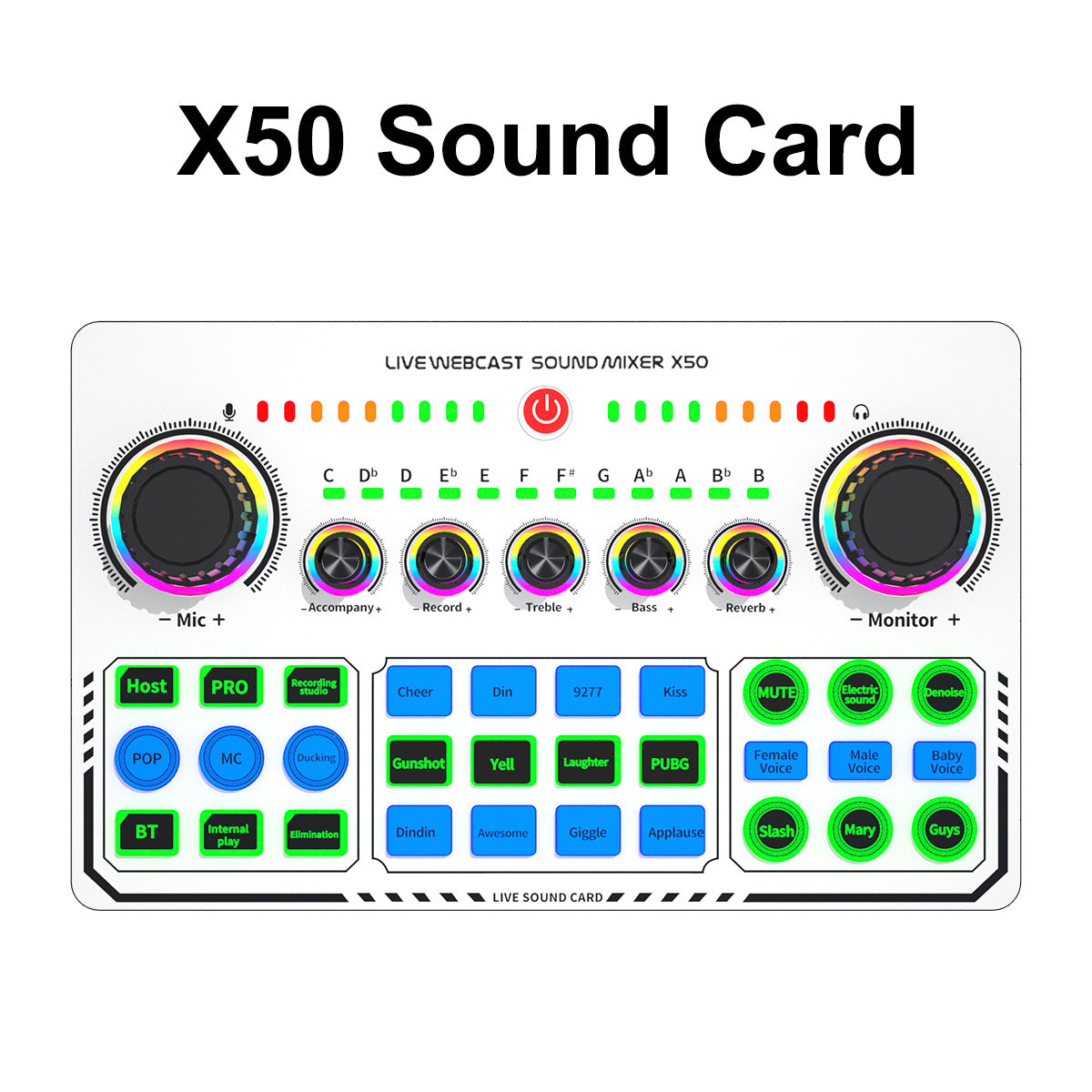
Matte white deck with RGB-ringed knobs and lit pads
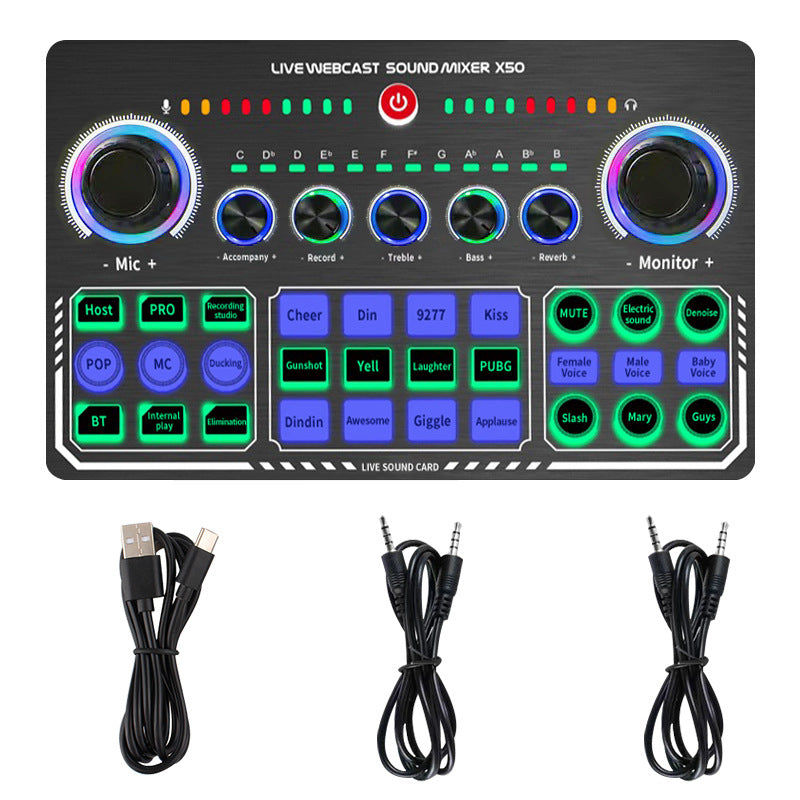
Connects the deck to a phone or PC
Connects the deck to a PC or USB-A port
For your mics, headset and earphones
Covers the button layout

Fans hum, keys clack and somewhere a dog starts barking right when you hit your best line. Chat fills up with can't hear you, and you start talking louder to compensate. The room wins, and viewers scroll away.

Press the noise reduction button and the background drops away while your voice stays in front. Plug in the monitor and you hear yourself in real time, so you stop guessing how you sound. The adjustment happens on the deck, not in a menu you have to dig through mid-stream.

The box has everything you need: the deck, USB-C and USB-A cables, two 3.5mm audio cables and the manual. Plug in, set the knobs, press the button and start talking. Karaoke tracks, sound pads and podcast guests all run through the same clean signal.
| X50 | Phone earbuds mic | Software noise filter | |
|---|---|---|---|
| One-button noise reduction | — | Partial | |
| Live voice monitoring | — | — | |
| Dual condenser mic inputs | — | — | |
| Dedicated hardware deck | — | — | |
| Sound effect pads | — | — |
The deck connects with the USB-C and USB-A cables in the box, and the OTG/PC Live port covers the phone and PC hookups. The user manual shows the button layout for each setup. Bluetooth accompaniment pairs with your phone from the deck's own button, so you do not need a separate app for backing tracks.
The noise reduction works on the mic signal and leaves your voice in front. Speak at normal volume, press the button, then listen back on the monitor. Set the Mic knob by ear until your voice sits clear without thinning out.
The deck is matte white plastic with glossy RGB-ringed knobs, and at 465g it stays put on a desk. A basic USB mic gives you one input and no live monitoring. The X50 combines noise reduction, live monitoring, two condenser mic jacks, 12 sound effect pads and Bluetooth backing in one box. If it saves a few streams from viewers who leave over bad audio, it has already paid for itself.
Yes. Each condenser mic plugs into its own 3.5mm jack, and the box includes two 3.5mm audio cables. Podcasts with two guests run from one deck, and you can find extra cable lengths in our pro audio cables range.
Press the Bluetooth accompaniment button and pair your phone with the X50. Play your backing track from the phone, sing into the mic, and shape the sound with the Reverb and Treble knobs.


 X50 Live Sound Card: One-Button Noise Reduction for Streams