
$49.90
Free delivery · 7–14 days
Smart Bluetooth Fingerbot: Press Any Switch From Your Phone




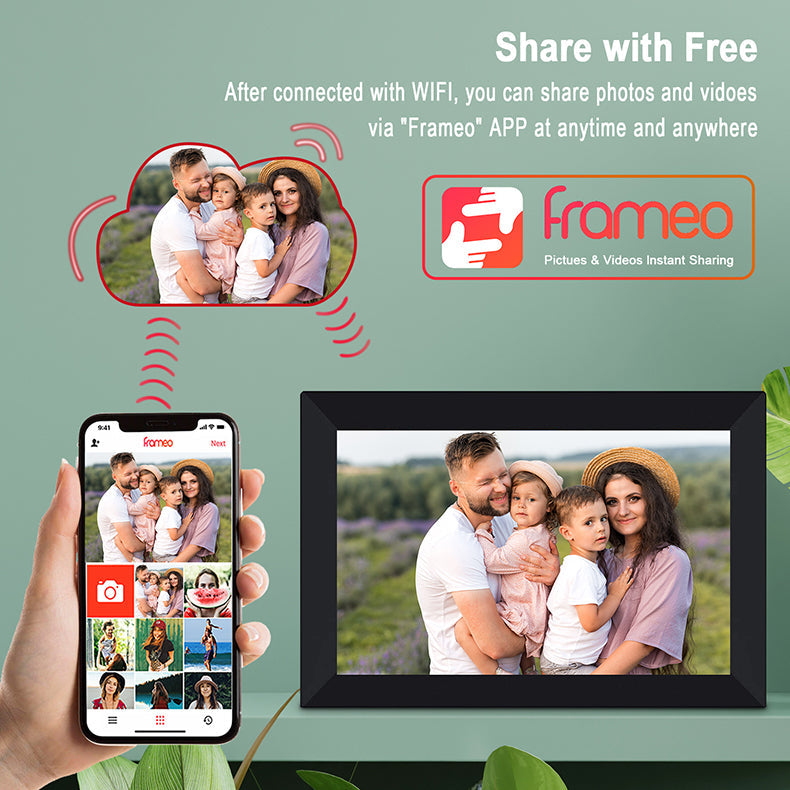


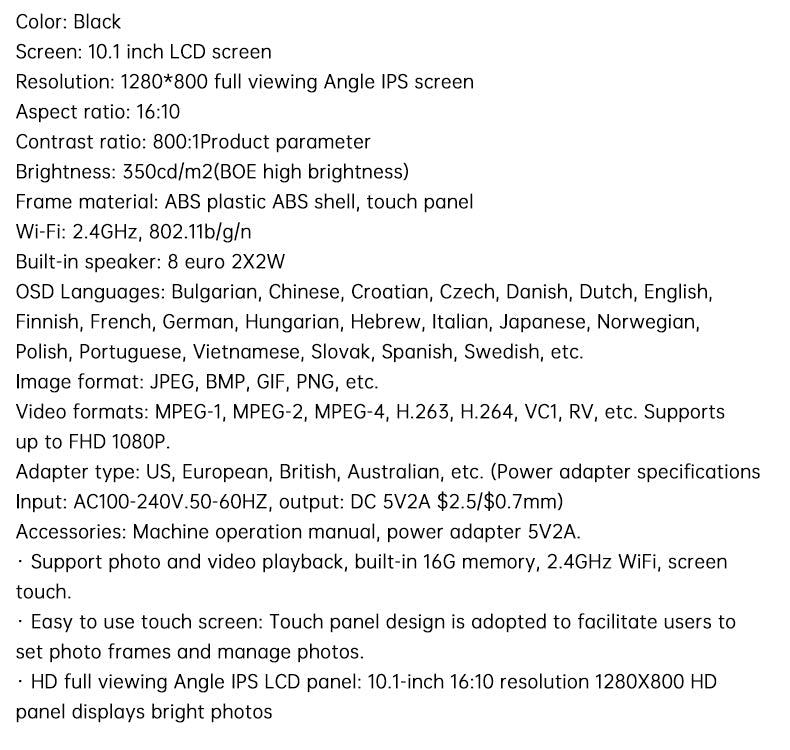
Your family's newest photos land on their frame the moment you send them. The frame takes uploads from the Frameo app over WiFi, so distant relatives see the moments as they happen. No USB stick, no SD card and no one on the other end doing tech work.
Read the full descriptionYour family's newest photos land on their frame the moment you send them. The frame takes uploads from the Frameo app over WiFi, so distant relatives see the moments as they happen. No USB stick, no SD card and no one on the other end doing tech work.
Send family photos from your phone to the frame from anywhere, in real time
Stop mailing prints or hoping they check your texts. Your newest photos land on their frame in real time, from anywhere you are.

Photos uploaded through the Frameo app reach the frame over WiFi in real time. The person on the other end needs no computer, no cable and no tech lesson. The photo simply appears on the screen the next time it cycles through.
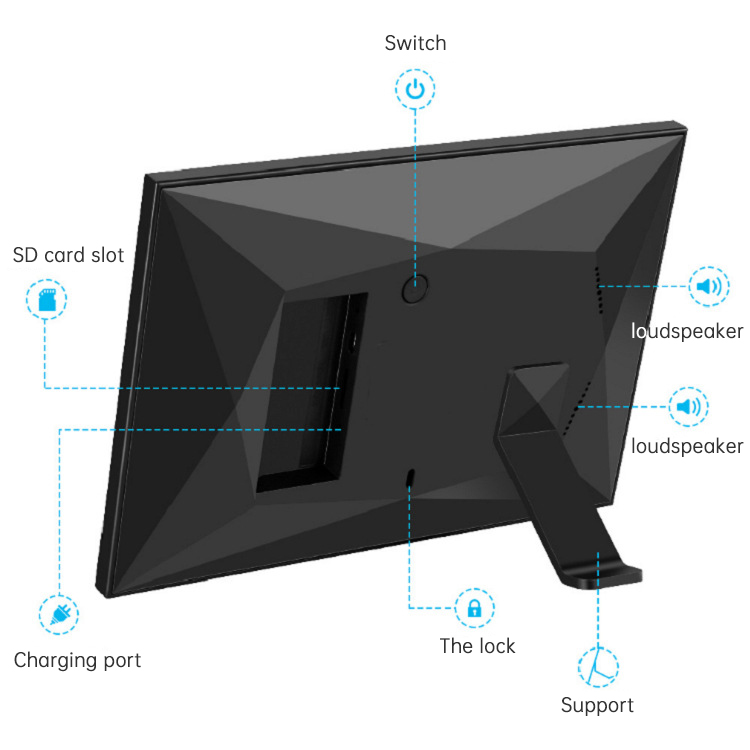
The 16GB of built-in memory holds the photos you send. When you want to load pictures locally, the SD card slot takes them without any extra software. Keep an eye on the memory and clear older pictures from the app when you want room for new ones.

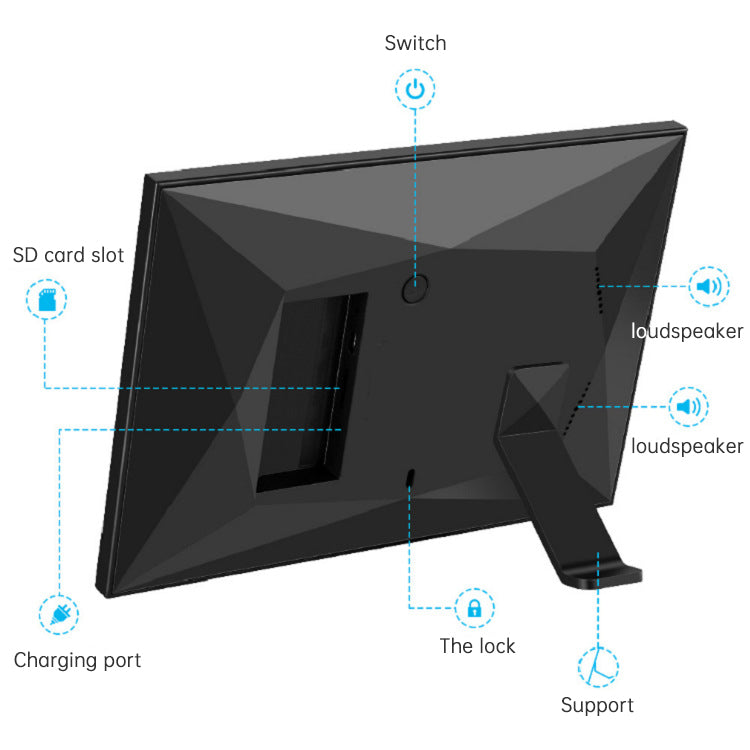
The fold-out rear stand holds the frame upright on a shelf, desk or dresser. The frame is also wall-mount capable, so a hallway or bedroom wall works just as well. Put it where they walk past every day.
Unfold the fold-out support on the back of the frame. It holds the frame upright on a shelf, desk or dresser.
Connect the frame with a USB cable to a charging cable and flip the power switch. The screen wakes up ready for its first photo.
Install the Frameo app on your phone and connect the frame to WiFi. Both devices need to be online for the first photo to arrive.
Pick a photo in the app and send it. It appears on the frame screen, and family members can keep adding pictures from their own phones.
Jet black, glossy screen with matte black bezel
Fold-out support that holds the frame upright

You took a dozen good ones of the kids this week. Then they sat in your camera roll, because a group text gets buried and a print costs money and arrives late. Your parents see the same old pictures until the next visit, if then.

Open the Frameo app, pick the photo and send it. The frame takes the upload over WiFi, so the moment shows up on their screen while it still feels fresh. Distance stops being the thing that blocks the moment.

Your father sits down with his coffee and the frame cycles to the photo from last night. He does not need to ask anyone how to open it. He just sees his grandson's first steps, and he feels close again.
| WiFi frame | Printed photo subscription | USB or SD card frame | |
|---|---|---|---|
| Photos arrive without a helper | — | — | |
| Works from anywhere | — | — | |
| Needs a USB stick or SD card | — | — | |
| Ongoing print cost | — | — |
Setup is a one-time job. Connect the frame to WiFi, install the Frameo app and link the two. Most of the work happens during that first setup, so you can do it on a visit or over a video call. After that, family members send photos from their own phones and the frame takes it from there.
No computer is involved. Photos travel from the Frameo app to the frame over WiFi. The frame runs on its USB charging port and power switch, so it stays on a cable like any other plugged-in display.
The 16GB of built-in memory holds your uploads. When it fills up, delete older pictures from the app or the frame to make room for new ones. Nothing disappears until you choose to remove it.
Prints cost money every time and arrive days late. The frame is a one-time purchase, and every photo you send after that costs nothing extra. Over a year of monthly prints, the frame pays for itself in photos alone.
Yes. The SD card slot lets you load photos locally, so you can mix card photos with the ones sent through the app.
Both. The fold-out rear stand holds it on a shelf, desk or dresser, and the frame is wall-mount capable for a hallway or bedroom.


 WiFi Digital Photo Frame: Send Family Photos Remotely