
$36.90
Free delivery · 7–14 days
4-Port USB 3.0 Hub with Individual On/Off Switches
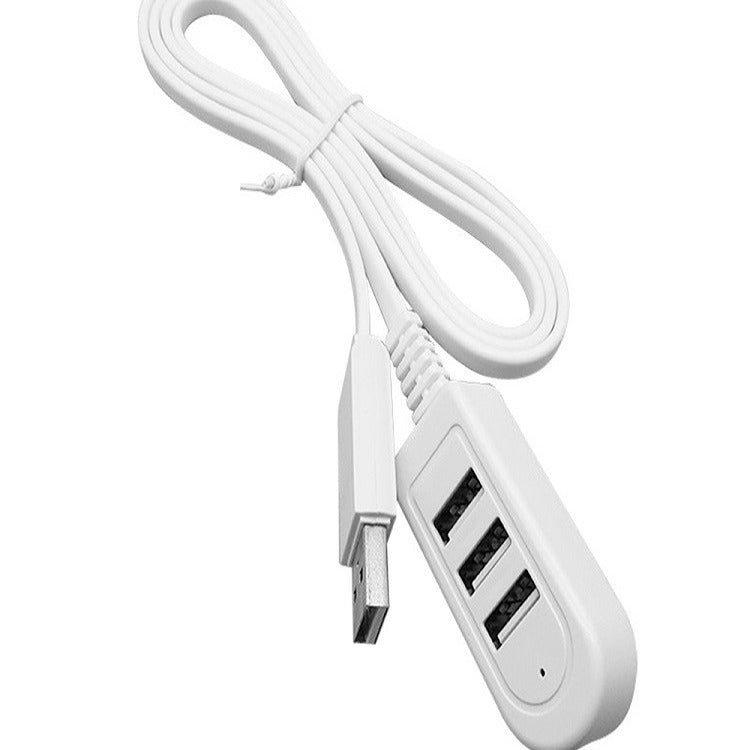


One slim cable turns a single free USB-A port into three, so your mouse, drive and charger stop fighting over the same socket. The hub lies flat, tucks behind a monitor and needs no power brick. Your desk stays clear and every device stays connected.
Read the full descriptionOne slim cable turns a single free USB-A port into three, so your mouse, drive and charger stop fighting over the same socket. The hub lies flat, tucks behind a monitor and needs no power brick. Your desk stays clear and every device stays connected.
Turn one USB port into three with a single compact cable
Before: one free port, three devices fighting for it, and a pile of adapters. After: one slim cable gives you three USB-A ports for drives, chargers and accessories.

The plug goes into a single USB-A port and the rounded housing opens it into three USB-A female ports. Mouse, keyboard receiver, flash drive or charger each get their own socket, so nothing waits its turn. The hub is built for light accessory loads, which is exactly what a desk runs most of the day.

The cable is flat, so it slides under a keyboard tray or along the back of a desk without bunching up. A ribbed strain-relief joint sits where the cable meets the plug, which gives your fingers a firm grip when you pull it out. The included tie wrap gathers the slack so the whole run stays out of sight.
Plug the hub's USB-A plug into one free port on your computer or TV. Pick a port that is not already carrying a heavy drive.
Plug the mouse, keyboard receiver, flash drive or charger into the three female ports. Keep large drives on the computer's own ports for speed.
Use the included tie wrap to gather the flat cable along the desk edge. Leave a loose loop near the plug so the joint is not pulled every time you move the desk.
Rounded body with three USB-A female ports and a small indicator dot
Ribbed strain relief at the plug joint
Gathers the cable along the desk edge or behind the tower
They do share the bandwidth of that one port, so light gear is the sweet spot: a mouse, a keyboard receiver, a webcam or a flash drive for everyday files. If two devices move large files at the same time, transfers will slow. Plug the big drive straight into the computer and keep the hub for accessories.
Skip phone charging through the hub. All three ports draw power from one USB-A port, so a phone charges slowly or not at all. Use a proper charger for phones, and browse charging cables for a spare that matches your device.
The plug is USB-A, so a USB-C-only laptop needs a USB-C to USB-A adapter first. Once that adapter is in place, the hub works the same way it does on any USB-A port.
Yes. The hub is compact and the cable is flat, so it slides into the gap behind a monitor or TV stand. Use the tie wrap to keep the cable from pulling on the joint.
No. It takes power from the port it plugs into, so there is no brick and no second outlet to find.
A powered hub needs its own power brick and a spot on the desk for the box. This is one cable with no brick, so you get three ports and some of your desk space back. For a setup that only runs a mouse, a keyboard and a drive, that trade is hard to beat.


 USB Splitter Hub 3 Ports: One USB Port Becomes Three