
$36.90
Free delivery · 7–14 days
4-Port USB 3.0 Hub with Individual On/Off Switches

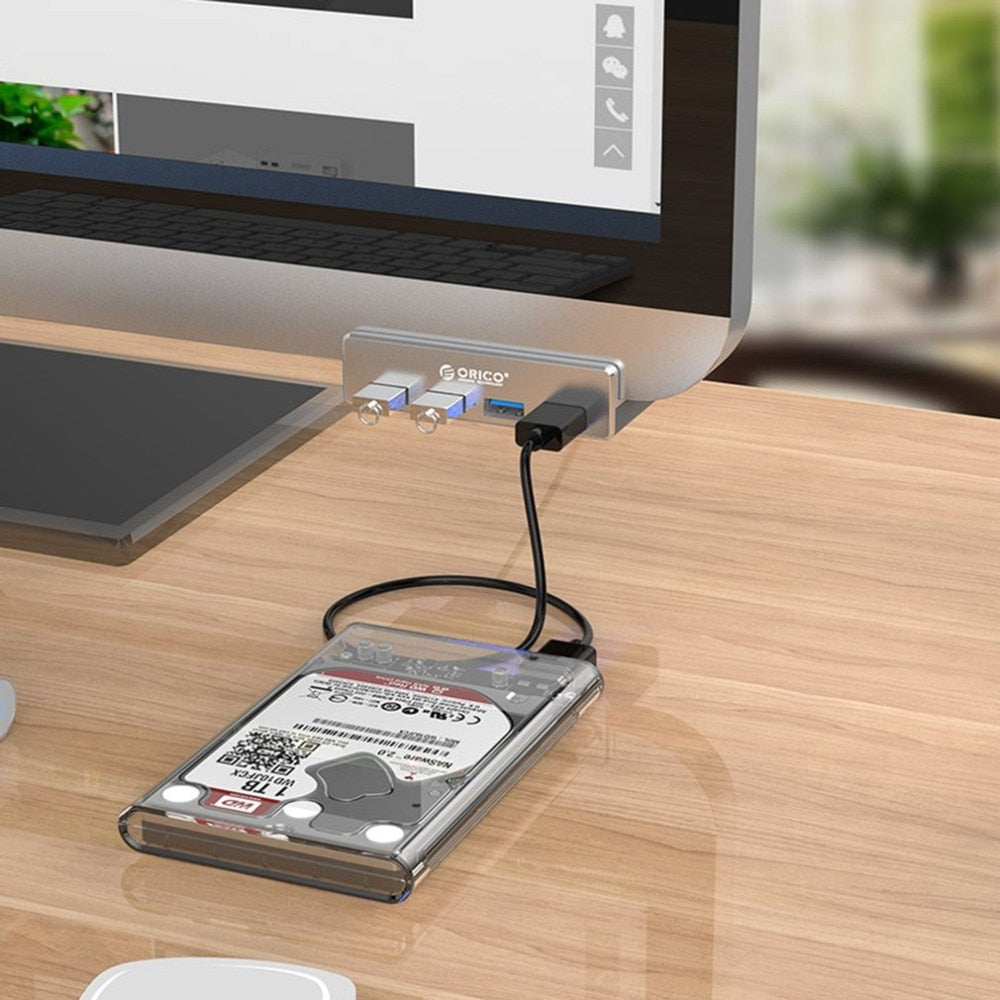


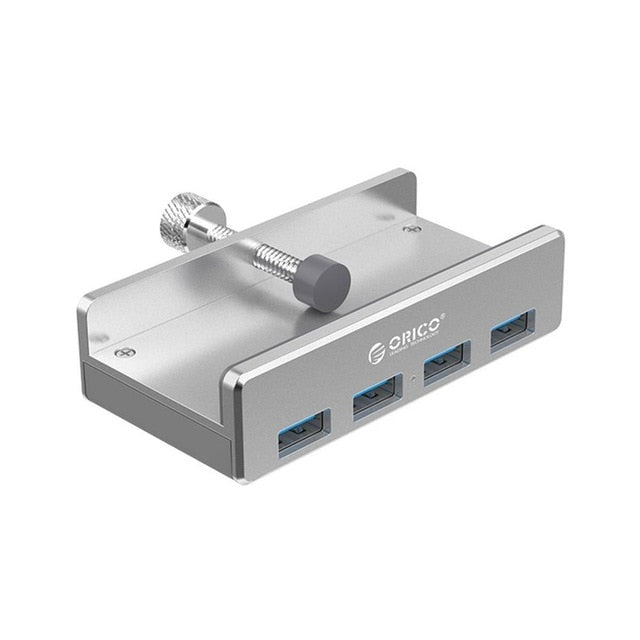
Four USB 3.0 ports on a brushed aluminum body, with a clip that holds the hub to your desk edge or monitor frame. Drives, keyboard, and phone sit at arm's reach while the desktop stays clear. Clip it on once and the cable crawl under the table is over.
Read the full descriptionFour USB 3.0 ports on a brushed aluminum body, with a clip that holds the hub to your desk edge or monitor frame. Drives, keyboard, and phone sit at arm's reach while the desktop stays clear. Clip it on once and the cable crawl under the table is over.
Professional clip-on aluminum USB 3.0 hub that mounts to your desk or monitor
Stop crawling under the desk for one USB port. Clip this aluminum 4-port hub to your desk edge or monitor and keep your workspace clean.

The integrated clip opens, slides onto a desk edge or monitor frame, and locks in with firm pressure. The hub sits at port height, so a drive or phone plugs in without leaning under the table. Keep it on the desk edge and the cables stop sliding across your surface.

The housing is brushed aluminum alloy with a clean matte finish. It has real weight in the hand, which matters when you tug a cable or push a drive home. Plastic hubs slide around on the desk. This one holds its spot.

Four USB 3.0 ports take care of an external drive, a keyboard, and a phone at the same time. A blue indicator lights up when the connection is live, so you know the hub is working before you walk away. Connect it to your laptop and the rest of the desk runs from one spot.
Pull the clip jaws apart with your thumb until they sit wide enough for your desk edge or monitor frame.
Slide the edge of the desk or the monitor frame between the jaws so the hub sits at the height you want your ports.
Push the clip closed until it holds firmly. Give the hub a light tug before you plug anything in.
Connect your laptop or computer to the hub. The blue port indicator lights when the connection is live, and your drives and peripherals are ready to use.
The jaws are built to grip a solid desk edge or a thick monitor frame without marking it. Check the grip before you plug anything in. On a very thin or soft edge, the hub can slip, so pick a sturdier spot.
For most desks, yes. Four USB 3.0 ports cover an external drive, a keyboard, a phone, and a card reader at once. If you run more than four devices all the time, a larger hub is the better fit.
A loose hub slides across the desktop every time a cable gets tugged. The clip holds this one at port height, so the desk stays open and the ports stay reachable without digging under the table.
The brushed aluminum body is slim and has solid weight, which keeps it steady on the desk. It drops into a laptop bag pocket easily, so it moves between desks without much fuss.
Yes. Plug it into any USB port on a laptop or desktop and the four USB 3.0 ports become available right at desk height. For the fastest speeds, connect it straight to a computer port rather than through a shared keyboard port.


 Aluminum USB 3.0 Hub with 4 Ports and Clip Mount for Desks