
$49.90
Free delivery · 7–14 days
USB Gaming Microphone — 7-Color RGB Condenser Mic with Pop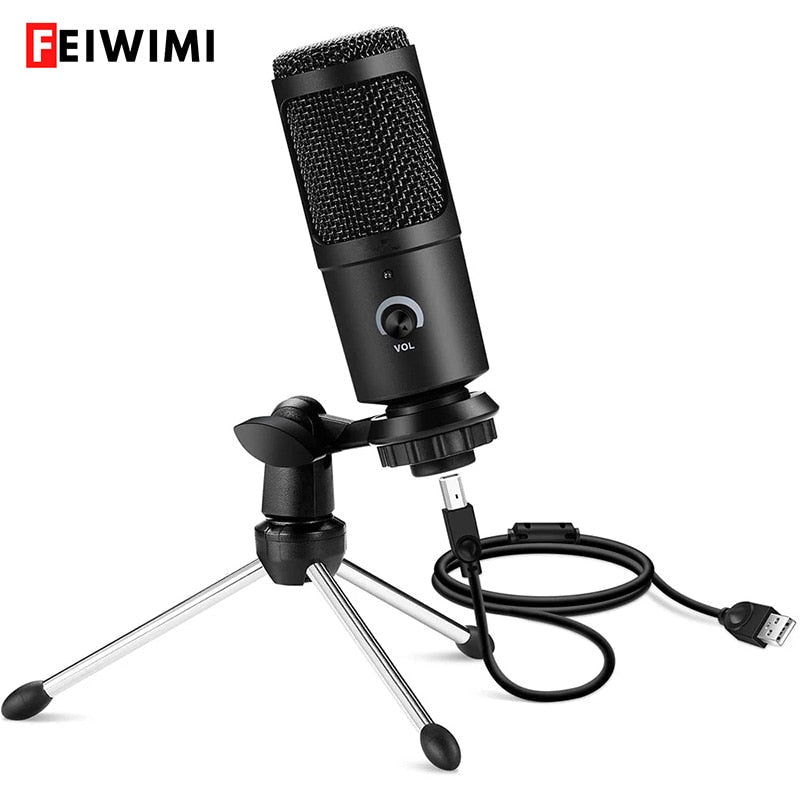
Transform your laptop's tinny audio into studio-quality sound. This USB condenser microphone plugs right in – no drivers needed – and the rotatable mount lets you find the perfect angle for…
Read the full descriptionTransform your laptop's tinny audio into studio-quality sound. This USB condenser microphone plugs right in – no drivers needed – and the rotatable mount lets you find the perfect angle for…
Professional USB Condenser Microphone with Studio-Quality Recording – Plug and Play for PC, Laptop, Gaming & Streaming
From grainy laptop mics to crisp, room-filling audio: this plug-&-play USB condenser microphone transforms your PC, laptop, or streaming rig into a recording studio. Whether you're podcasting, singing, gaming, or creating YouTube content, your audience hears every word.

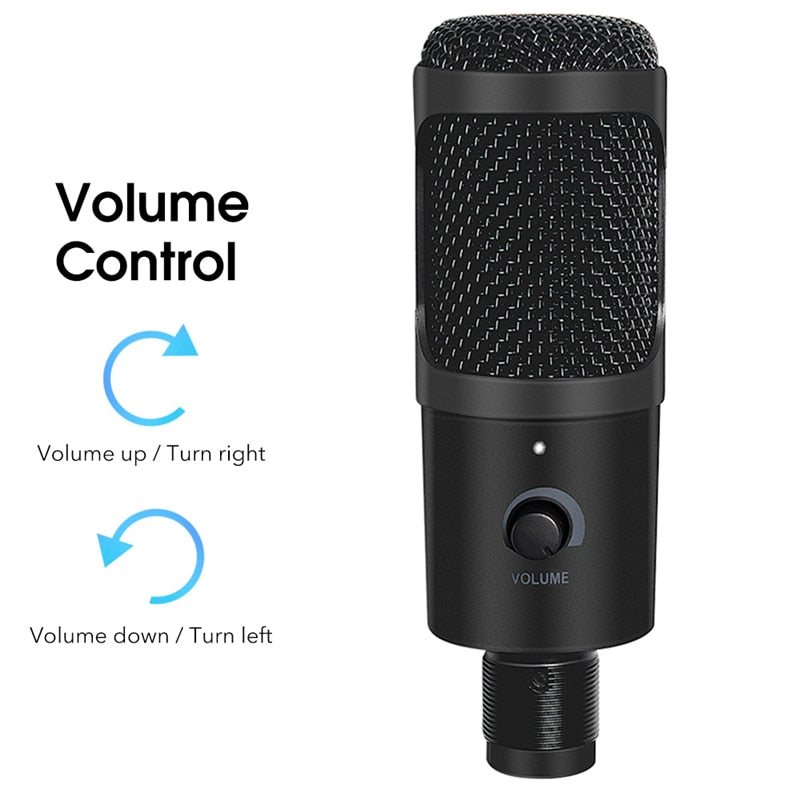
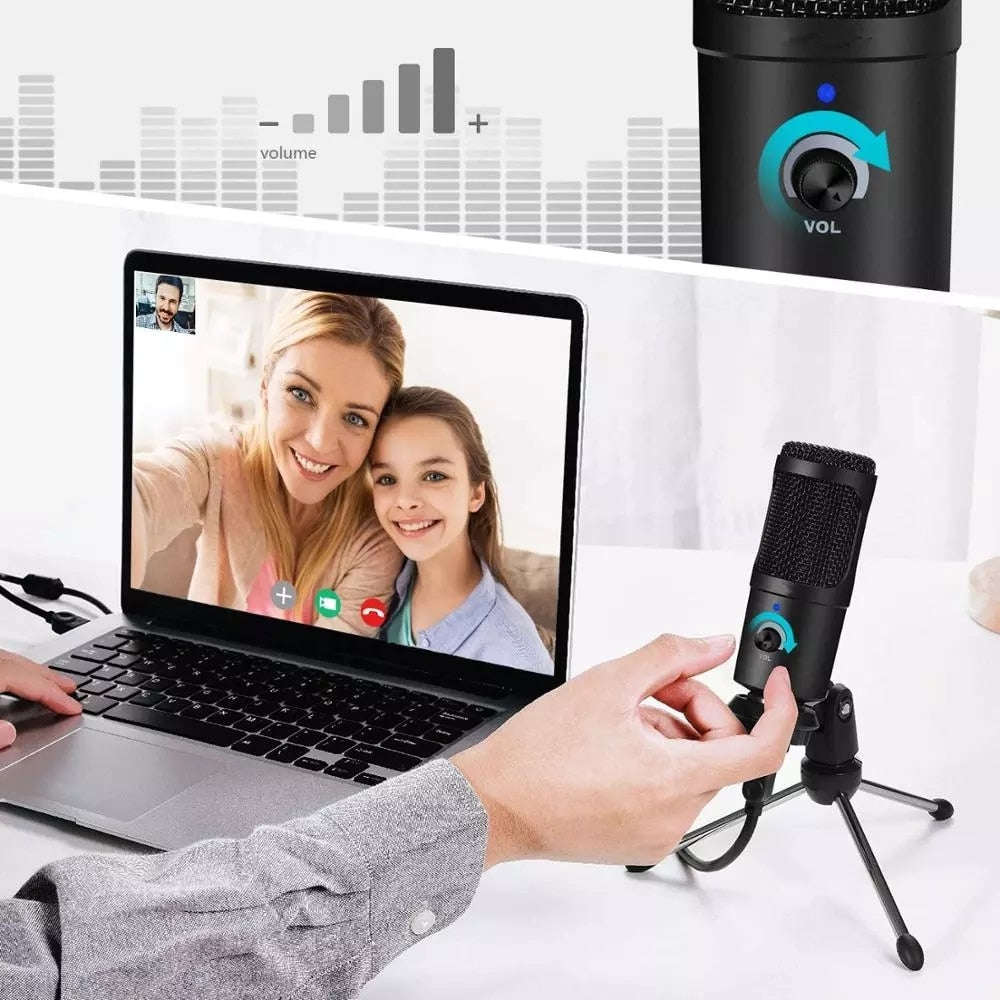
No more fumbling with software sliders. Turn right to increase, left to decrease — the knob is right there on the body, giving you instant gain adjustment in the middle of a take.

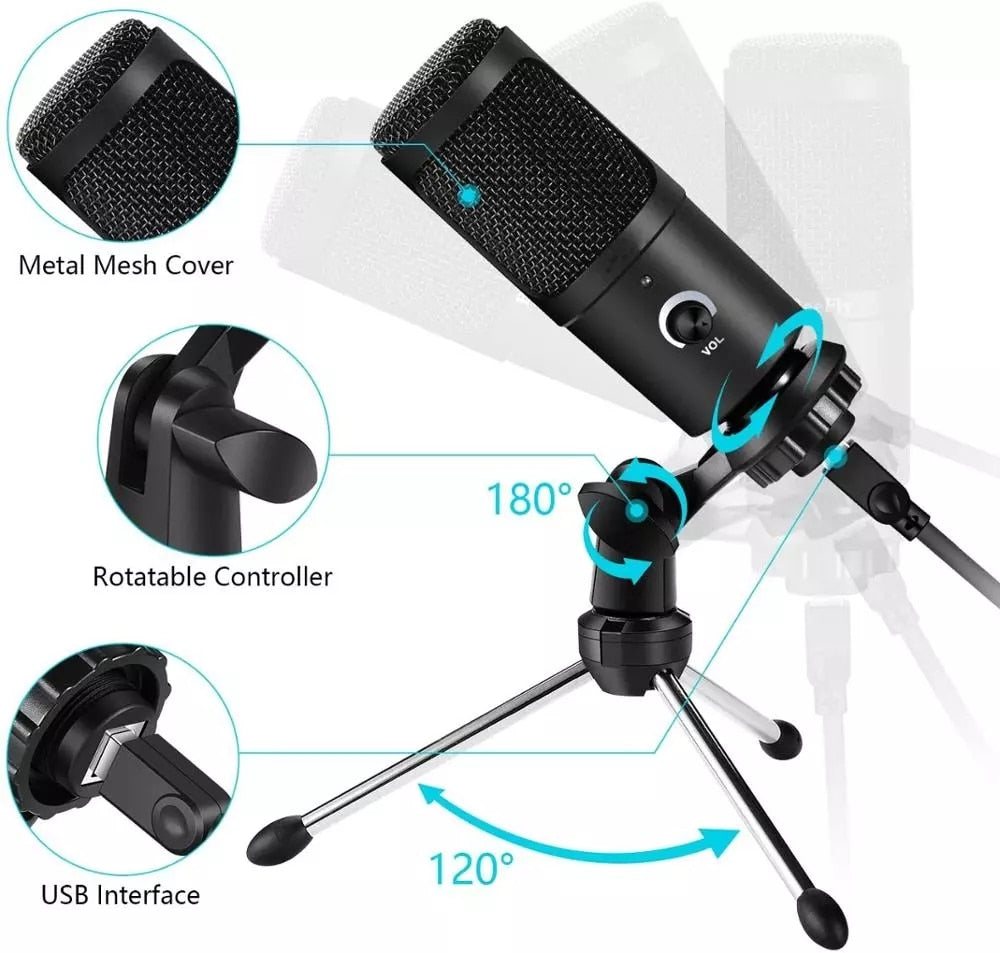
Find the perfect angle in seconds. The mount swivels a full 180°, and the tripod legs spread 120° for rock-solid stability on any desk. Your voice, your rule.

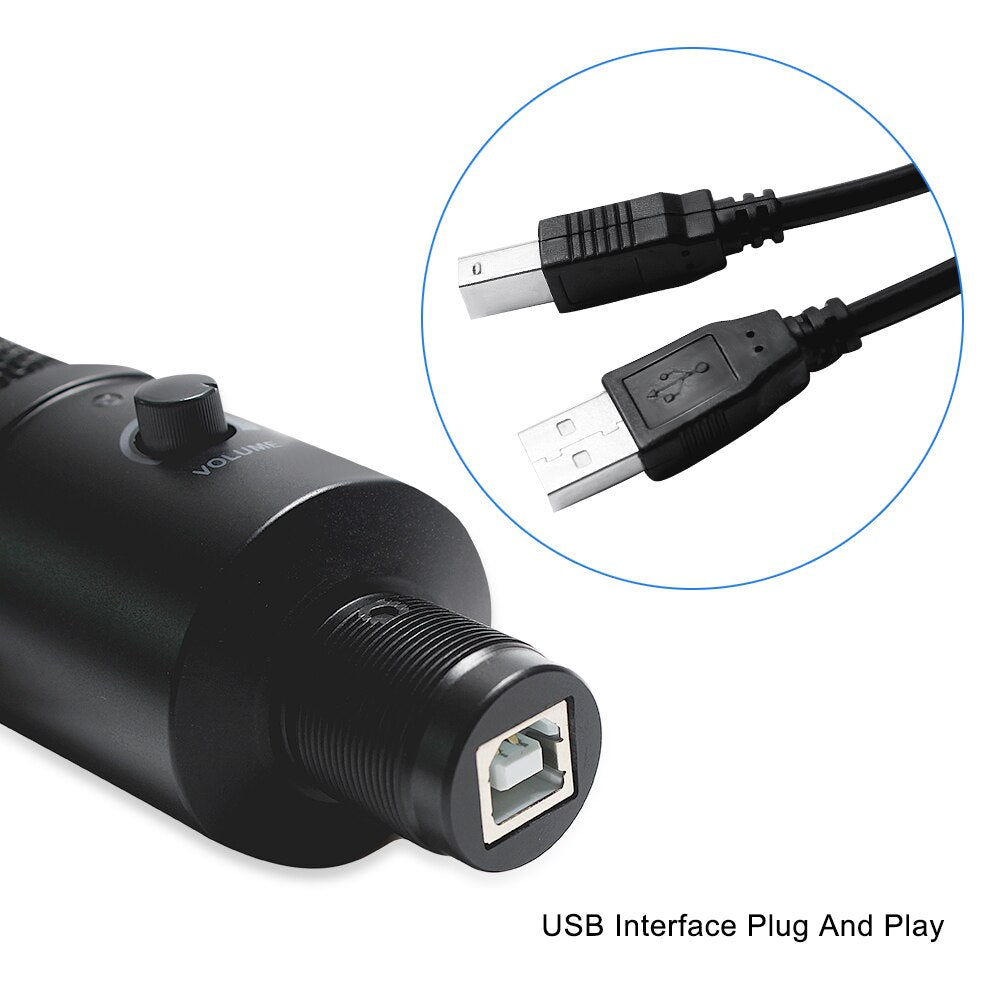
One cable, no drivers. Connect the USB to your PC or laptop and start recording — Windows, Mac, and Linux recognize it instantly. You're making content, not wrestling with tech.
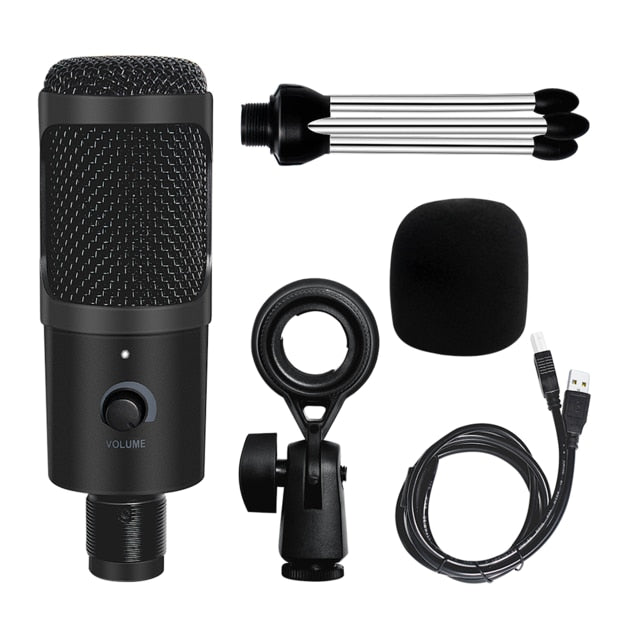
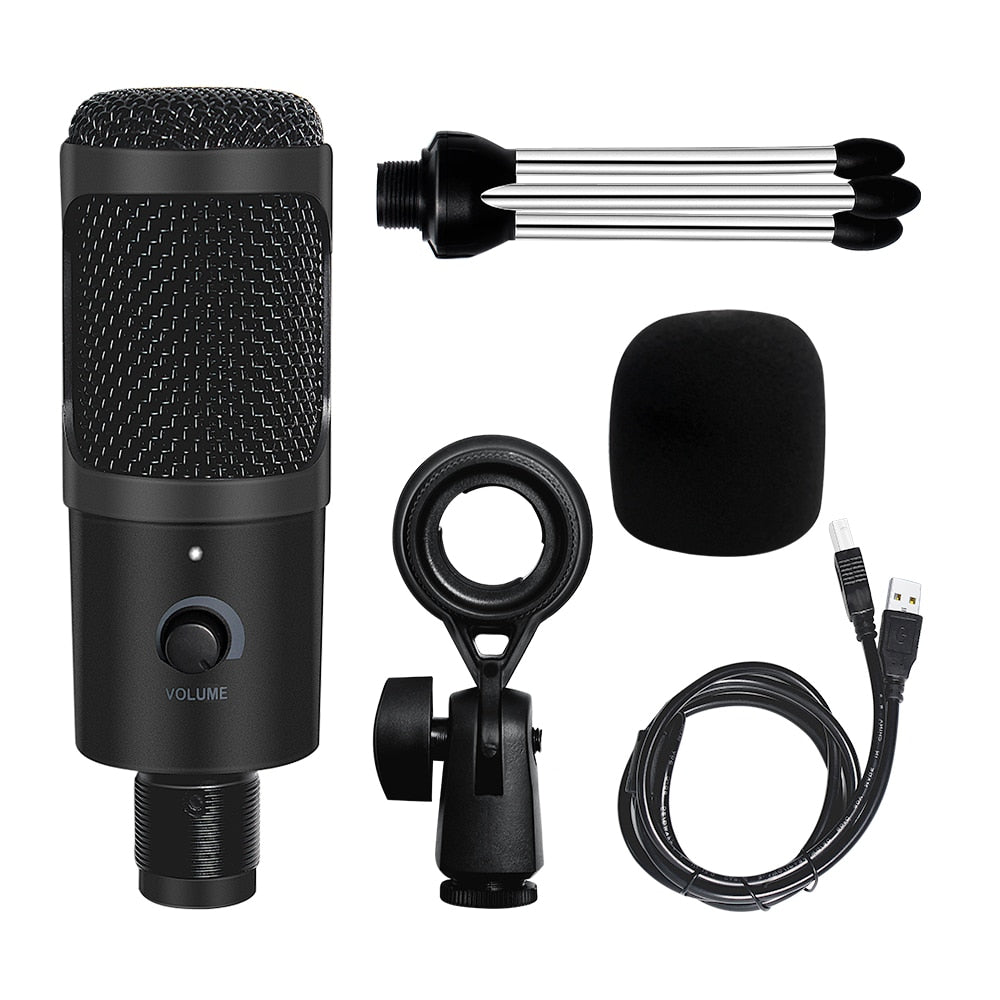
Connect the microphone to the tripod stand using the rotatable mount. Spread the tripod legs until they lock at a stable 120° angle.
Take the USB cable and plug the micro‑USB side into the mic base, then connect the USB‑A plug into your PC or laptop. Your computer will recognize it instantly.
Open your recording or streaming software, select the microphone as the input device, and turn the volume dial on the mic clockwise until your voice hits around -12 dB on the level meter. Start creating.
Matte black with metal mesh and cyan accents
Aluminum construction with rubber feet
180° swivel for perfect positioning
USB-A to micro‑USB for universal connectivity
For monitoring or headphone pass‑through

Muffled audio from built-in laptop mics. Background hum. The constant shuffle for better sound. Streaming and recording used to mean compromise — until we realized there had to be a better way.

Unboxing this USB condenser mic was the turning point. It connected in seconds — no drivers, no audio interface. The sturdy metal mesh cover and rotatable mount hinted at the clarity and flexibility to come.

Now streams sound like a studio. The 180° rotatable mount lets you angle the mic perfectly for any voice. The volume dial puts control right at your fingertips. And the metal mesh cover gives you the crisp, noise-free audio you always wanted.
| This USB Mic | Built‑in Laptop Mic | |
|---|---|---|
| Audio Clarity | Condenser capsule, crisp detail | Muffled, thin |
| Noise Rejection | Cardioid pattern, metal mesh | Omni, picks up room |
| Positioning | 180° rotatable, tripod included | Fixed, can't adjust |
| Volume Control | On‑mic knob, instant adjust | Software only, slow |
Absolutely. The metal mesh cover, 180° rotatable mount, and included tripod add up to a build quality and flexibility that budget mics can't match. It's a long-term investment in your audio, not a flimsy stick-on mic. Over two years of daily streaming, the cost per stream is practically invisible.
It's made for streamers, gamers, podcasters, and singer-songwriters using a PC or laptop. It shines in voice chats, YouTube recording, and live streaming — anywhere you want clean, focused sound without pro audio complexity. If you need multi-microphone setups or XLR connectivity, you'll want a higher-tier interface.
Position the mic about 6–10 inches from your mouth, angle it with the 180° rotatable mount, and use the volume dial to avoid peaking. The cardioid pickup pattern naturally rejects room noise from the sides. For untreated rooms, placing it closer to your mouth almost eliminates echo.
Yes — it's a standard USB audio device. Just select 'USB Microphone' in your app's audio settings and you're good to go. Windows, Mac, and Linux all recognize it instantly. No special drivers or compatibility modes required.
The cardioid pickup is focused in front of the mic, so it rejects a lot of side and rear noise. For an untreated room, it's far better than a built-in laptop mic. Adding a boom arm and moving it closer can eliminate almost all background sound. Mechanical keyboards might still click through, but it's a massive upgrade over internal mics.


 USB Professional Condenser Microphone — Studio-Quality