
$37.90
Free delivery · 7–14 days
USB 3.0 Extension Cable for Gaming Controllers and Backups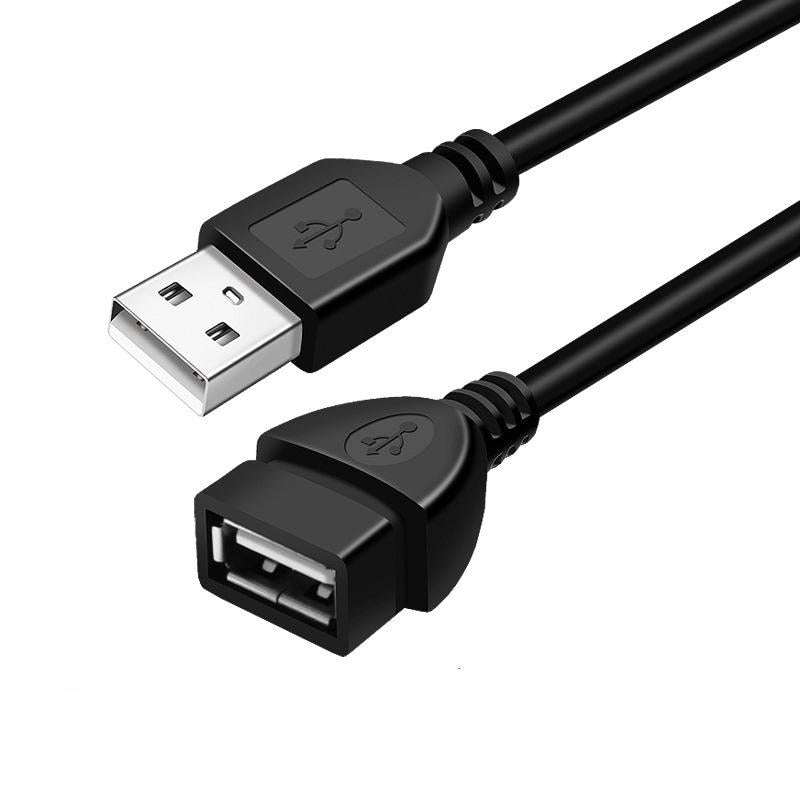


A short USB cable stops being a problem once one extension brings the device to where you sit. Plug the male end into your computer, plug your mouse, keyboard or drive into the female socket, and the desk rearranges itself around you. It is a plain USB-A extension in 5 m and 10 m lengths.
Read the full descriptionA short USB cable stops being a problem once one extension brings the device to where you sit. Plug the male end into your computer, plug your mouse, keyboard or drive into the female socket, and the desk rearranges itself around you. It is a plain USB-A extension in 5 m and 10 m lengths.
Extends your USB connection so peripherals and storage reach the port you need
Stop stretching a short cable or moving your PC just to plug in a mouse or drive. One extension brings the port to where you work.
Both ends are standard USB-A, so the cable slots into the port you already use and your device plugs into the far end. No driver, no software and no power brick. The laptop in this setup runs its display on a monitor across the room through the same cable run.
Each end has a strain-relief collar where the jacket meets the molded housing, the spot that takes the most bending on a busy desk. The silver contacts sit inside matte black housings with the USB logo embossed on both.
Mice, keyboards, USB drives, mobile hard disks, gamepads, printers and phones all plug into the female end. Spare length is easy to manage with cable organizers on the desk.
Pick the USB-A port on your computer, TV, projector or car head unit that the device needs to reach.
Push the molded USB-A male plug into the host port until it sits firmly. Silver contacts should be fully seated.
Plug your mouse, keyboard, drive or dongle into the female socket at the far end. Route the cable along the desk edge so it stays out of the way.
Black PVC jacket with strain-relief collars on both ends

The mouse sits a few inches past where its cable ends, so your wrist stretches and the PC gets dragged a little closer every day. The usual fixes are a longer device cable, a hub, or a new desk layout, and each one costs more than the problem deserves.
One USB-A extension moves the port to the device instead of moving the device to the port. The computer stays where it is, the cable stays out of the walkway, and the mouse lands where your hand already wants it.
| USB extension | USB hub | New longer cable | |
|---|---|---|---|
| Keeps the device you already own | — | ||
| Adds reach with one plug-in step | — | ||
| Needs no driver or software | |||
| Adds a separate box to the desk | — | — |
Mice and keyboards send very little data, so the extra length is not a bottleneck for them. Drives and webcams are more demanding, so keep the run to one extension and place the device close to the reach point.
Yes. The female end accepts any USB-A device, and the packaging lists projectors, TVs, monitors and car head units among the supported equipment. Plug the extension into the host port first, then connect your USB stick or device.
No. It is a plain pass-through cable, so the computer or TV recognises the device the same way it would with a direct connection. Keep in mind that high-draw devices like external hard drives draw their power through the cable.
Yes for flash drives and light peripherals. Mobile hard disks draw more current, so connect them directly when you can, or use a powered hub at the device end if the drive disconnects.
For pure reach it is the cheapest route. A new longer cable means replacing a device you already own, and a hub adds a box to the desk. This cable keeps your current device and adds the length in one plug-in step, and it comes in 5 m and 10 m lengths.


 USB 2.0 Extension Cable to Reach Mouse, Keyboard, Monitor