
$35.90
Free delivery · 7–14 days
USB-C Adapter for Older USB-A Ports: Compact Aluminium
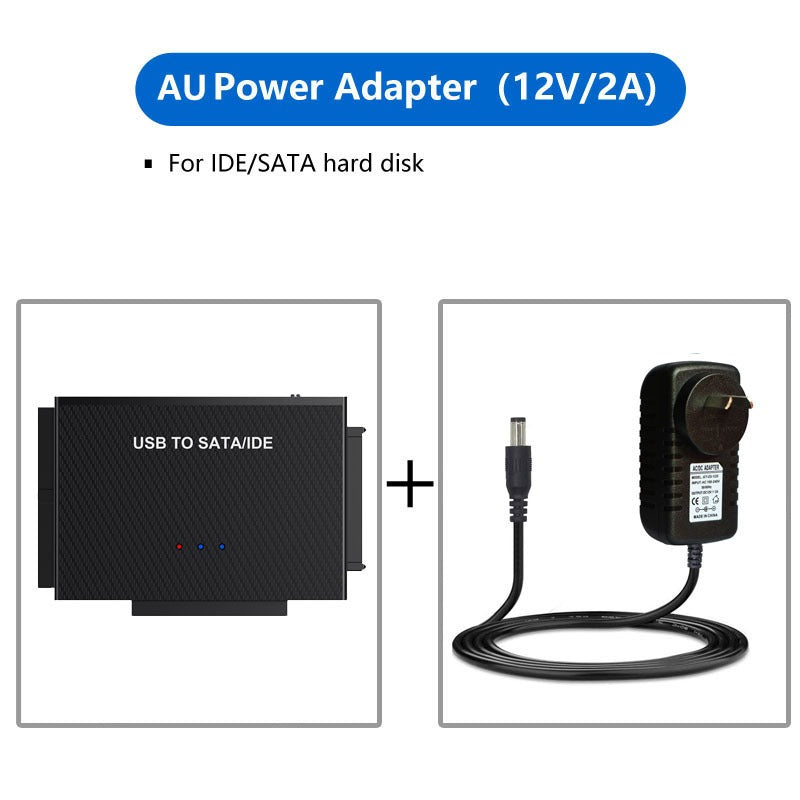




Read an old SATA or IDE drive without opening your computer. The adapter connects 2.5-inch and 3.5-inch drives over USB 3.1 and comes with its own 12V/2A power supply, so the files come off the drive at your desk.
Read the full descriptionRead an old SATA or IDE drive without opening your computer. The adapter connects 2.5-inch and 3.5-inch drives over USB 3.1 and comes with its own 12V/2A power supply, so the files come off the drive at your desk.
Connect any 2.5-inch or 3.5-inch SATA or IDE hard drive to your computer via USB without opening the case
Old SATA and IDE drives hold files you still need, but your computer has no matching port. With this adapter, you plug the drive into USB, power it from the box, and copy your data at your desk.

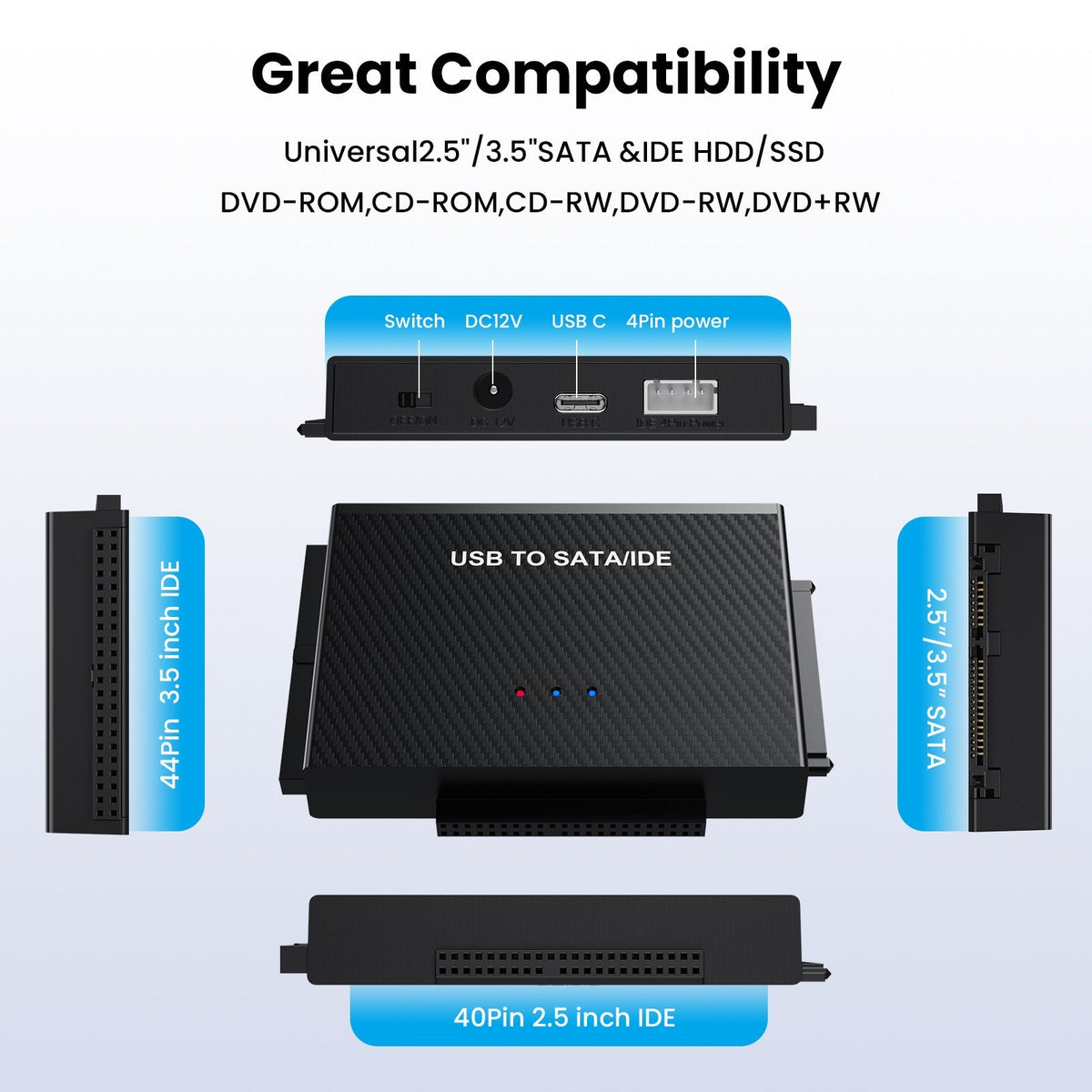
The top edge carries both SATA and IDE connectors. Old legacy disks and newer SATA drives plug into the same housing, so you do not need to buy a second adapter for the next drive in the pile.

The combo cable has a USB-C end and a USB-A end, so it fits current laptops and older desktops alike. Keep the cable run neat with magnetic charging cables and nothing tangles on the desk.

The 12V/2A adapter and the Molex-to-SATA lead come in the box. Drives that need extra current get it from the start, so you are not troubleshooting a drive that will not spin up.
Match the drive to its connector. SATA drives go on the SATA port, and legacy IDE drives go on the IDE port. Seat it straight and firm, without forcing it.
If the drive needs extra current, connect the Molex-to-SATA lead to the drive and the 12V/2A adapter to the lead. Plug the adapter into the wall.
Use the combo cable. Take the USB-C end or the USB-A end, whichever your computer has, and connect it to the adapter.
The red and blue status LEDs show power and connection. When the drive appears in your file manager, you are ready to copy.
SATA and IDE connectors with red and blue status LEDs
Connects to modern or older ports
For drives that need extra power
Plug style matches the variant you choose

The drive has the files you need, and it has been sitting on a shelf for years. Your laptop has no port that fits it, and opening a desktop tower to find one feels like a bad idea. Every day it waits, the risk of losing those files goes up.

One unit carries both SATA and IDE, takes 2.5-inch and 3.5-inch drives, and runs on USB 3.1. The power supply and cables ship in the box, so you stop hunting for a second adapter or a separate PSU. Pair it with cable organizers and the bench stays clear.

Connect the drive, power it, plug in USB, and watch the red and blue LEDs. Your computer lists the drive, and you copy the folders while the original stays untouched on the adapter.
| This adapter | Single-port USB adapter | Opening the tower | |
|---|---|---|---|
| SATA and IDE in one unit | — | ||
| Power supply included | — | — | |
| No case to open | — | ||
| USB 3.1 Type-C and Type-A cable | Partial | — | |
| Supports 2.5-inch and 3.5-inch drives | Partial |
Yes. The top of the housing has SATA and IDE connectors, and the adapter takes both 2.5-inch and 3.5-inch drives. Match the drive to its connector and seat it gently without force.
Smaller 2.5-inch drives often run from USB alone. Most 3.5-inch drives need more current than a USB port supplies, so connect the Molex-to-SATA lead and the 12V/2A adapter whenever the drive asks for it. Using the power supply from the start avoids a drive that fails to spin up.
The cable has a USB-C end and a USB-A end. Either one fits a standard port on a current laptop or an older desktop, so you do not need a converter for most machines.
Do not pull the drive mid-transfer. Finish the copy or stop it in your operating system first, then disconnect. Pulling the connection during a read or write can corrupt files, especially on a failing drive.
A basic enclosure usually covers one interface and often skips the power supply. This kit covers SATA and IDE, both drive sizes, and the cables and PSU in one box, so you are not buying a second adapter for the next old drive you find.


 Hard Drive Adapter USB 3.1 to SATA IDE, 2.5 & 3.5-inch