
$1,479.90
Free delivery · 7–14 days
Pocket 3-Axis Gimbal Camera for Smooth Travel Vlogs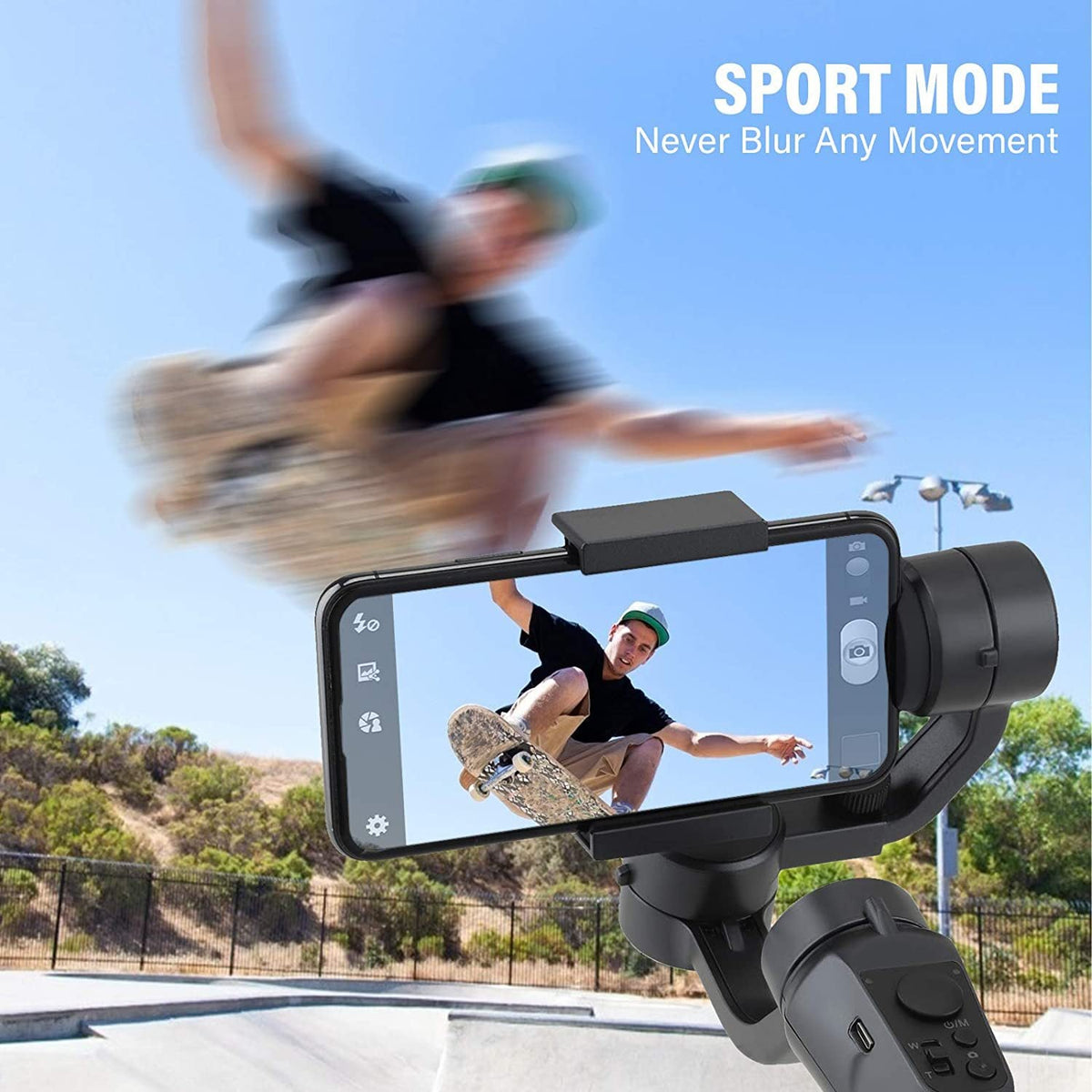


The F6 holds your phone steady while you skate, ski, ride or walk, so the footage you come home with is the footage you planned. A three-axis motor cancels hand shake, and tracking keeps the subject centered when you film alone. Sport, Lock and Follow modes cover fast action and calm b-roll.
Read the full descriptionThe F6 holds your phone steady while you skate, ski, ride or walk, so the footage you come home with is the footage you planned. A three-axis motor cancels hand shake, and tracking keeps the subject centered when you film alone. Sport, Lock and Follow modes cover fast action and calm b-roll.
Silky-smooth handheld video that stays steady even during fast outdoor movement
Before: shaky clips where the skater drifts out of frame. After: a motorized 3-axis gimbal that holds your phone steady and keeps you centered while you film alone.

Lock holds the frame still for scenery and b-roll. Half follow softens the response for walking shots, and Full follow turns the gimbal with the subject. The mode button cycles between them, so you can switch without stopping the shot.

The 320° pan and 180° tilt range follows a skater or skier across the frame without moving your feet. Pan wide through a turn, tilt up to catch a jump, and keep the subject where you want it.

Sport mode is built for fast movement like skating and cycling, keeping the subject sharp instead of smeared. Face and object tracking keep group members centered when the group moves through the frame.
The matte black gimbal sits with its steel blue pan knob catching the light. The grip is firm and light in the hand, with no rattling parts.
Open the spring clamp with a light press, center the phone, and let it close around the body. Line the lens up with the camera opening and check that it sits firm.
Press the power button and cycle through Lock, Half follow and Full follow. The gimbal settles and you feel small motor movements as it finds level.
Plug the USB-C cable into the port on the base and use a standard charger. The indicator shows when it is charging.
Matte black body with a rounded grip and blue-tinted pan knob
Holds the phone in place while the gimbal moves
Charges the gimbal through the port on the base

You land the jump, hit record, and check the clip later. The horizon wobbles, the rider slides toward the edge, and the best moment is smeared. Phone digital stabilization crops the frame and still lags when the movement gets fast.

The F6 clamps your phone to a three-axis motor that cancels hand shake and turns to follow the subject. Pick Lock for scenery, Half follow for gentle turns, or Full follow when the subject is moving. You walk and film at the same time, with no one else behind the camera.
Sport mode keeps fast movement sharp, and the 320° pan and 180° tilt range sweeps across a skater or skier without repositioning you. Charge over USB-C, clip in, and go film the next ride.
Test Lock, Half follow and Full follow on a short walk to see which one fits your shot. Expect a short learning curve as you match your movement speed to the mode.
After a few outings your walking and tracking shots should look steadier than handheld. Results depend on your pace, the terrain and the weight of your phone.
With regular use you will know which sport mode settings work for skating, skiing or cycling. Keep practicing your pans to get the most from the 320° range.
| F6 gimbal | Phone digital stabilization | Single-axis handle | |
|---|---|---|---|
| Motorized three-axis stabilization | — | Partial | |
| Object and face tracking | — | — | |
| Selectable follow modes | — | Partial | |
| Wide pan and tilt sweep | — | Partial |
The spring clamp opens with a light press and grips the phone firmly. Line the lens up with the camera opening and check that the phone sits snug before you power on. Check your phone's width against the clamp before you buy, since the clamp is what holds the phone while you move.
They solve different problems. Phone stabilization crops the image and lags during fast motion. Sport mode is a gimbal setting for quick movement, and the motor counters hand shake before the phone records it. For skating or cycling, that difference keeps the subject sharp.
The body is matte black plastic with a rounded grip, which keeps the weight down and the handle comfortable on long walks. Keep it away from hard impacts and wipe off grit after a ride or a day on the snow.
A single-axis handle lets the phone tilt and drift, so you end up cropping and retaking clips in editing. A three-axis motor levels the phone on every axis, which means fewer ruined takes and less time fixing footage. One missed jump costs more than the time saved.
Choose the tracking option and the gimbal turns to keep a face or object in the frame. It does the following a second person would normally do, so you can walk, ride or talk to camera at the same time.
Plug the USB-C cable into the port on the base and use a standard charger. The indicator shows when it is charging. Charge it fully before a trip and carry the cable for mid-day top-ups.


 3-Axis Phone Gimbal Stabilizer for Smooth Action Video