
$869.90
Free delivery · 7–14 days
3-Axis Gimbal Stabilizer for Smooth Handheld Video Filming


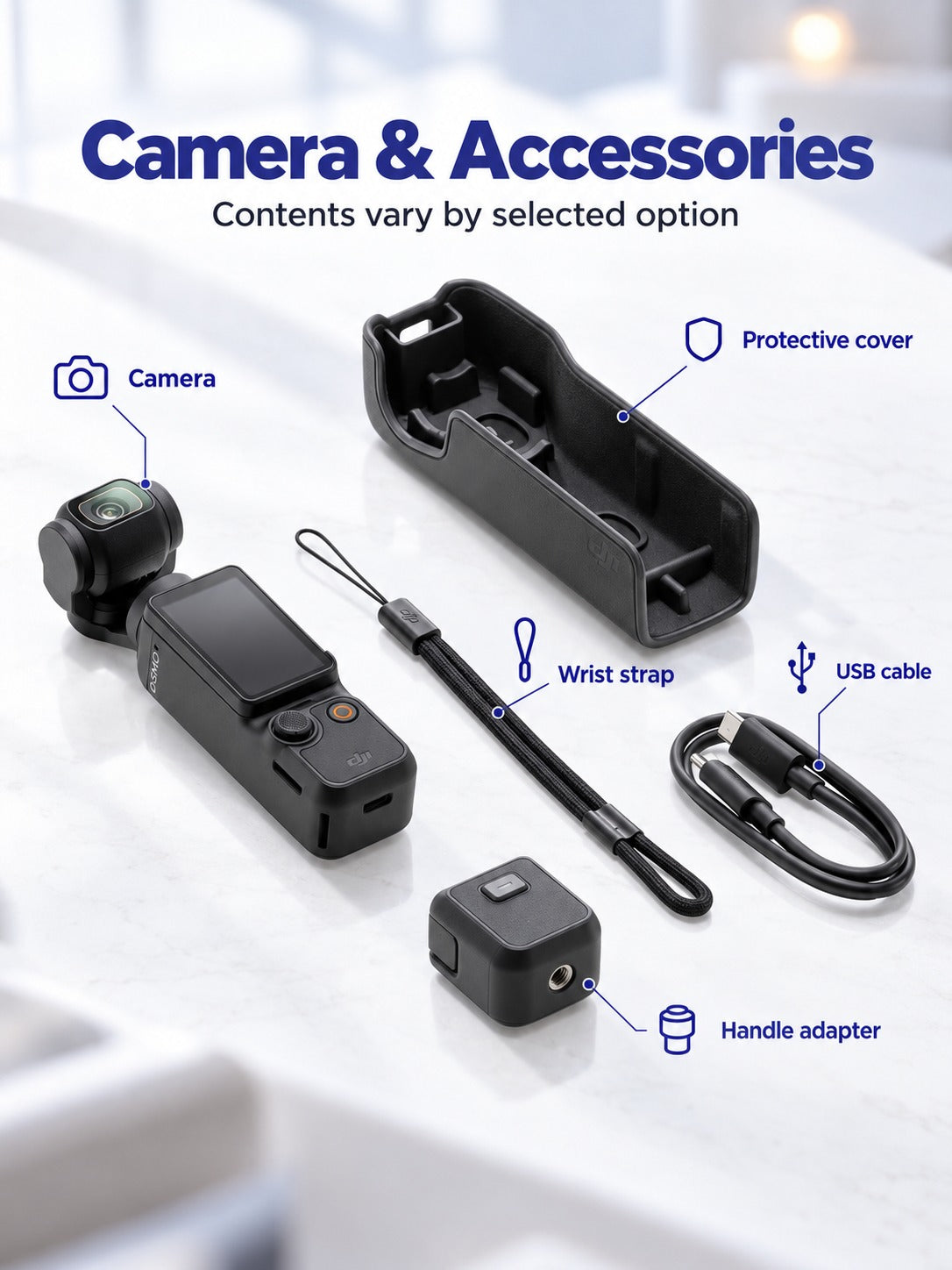

Osmo Pocket 3 folds into a pocket and keeps your walking, hiking and dinner shots level. The 3-axis gimbal, flip-out touchscreen and fold-out arm are built in, so there is no rig to haul. The kit adds the Mic2, handle, mini tripod and storage bag.
Read the full descriptionOsmo Pocket 3 folds into a pocket and keeps your walking, hiking and dinner shots level. The 3-axis gimbal, flip-out touchscreen and fold-out arm are built in, so there is no rig to haul. The kit adds the Mic2, handle, mini tripod and storage bag.
Pocket-sized 3-axis gimbal camera that delivers smooth, stabilized footage anywhere
Shaky walking clips and bulky rigs slow down every trip. Osmo Pocket 3 folds into a pocket and gives you smooth, stabilized footage from the first step.

The 3-axis gimbal counters hand movement, so a walking shot stays level from the first block to the last. Full-pixel fast focus keeps the subject sharp when you turn a corner. Compared with a standard camera gimbal setup, there is no separate rig to balance before you start.

Flip the touchscreen out and you see exactly what the lens sees, including yourself. A solo vlog becomes a frame you can check before you press the orange button. The screen also works for dinner shots, where you line up the plate from above without holding the camera at an awkward angle.

The compact body and fold-out arm slide into a jacket pocket, so the camera comes on every outing instead of staying in a drawer at home. Keep the storage bag in your daily bag and the lens stays protected on the way.
Unfold the arm until it locks. Power on and let the gimbal settle before you start walking.
Click the Endurance Handle on for longer shoots, or keep the body bare for a quick grab from your pocket.
Flip the touchscreen out to check your frame. Use the joystick to pan and tilt smoothly.
One press starts recording and another stops it. Pair the Mic2 if you want clear voice audio.
Gimbal, glass wide-angle lens and flip-out touchscreen
Wireless audio for talking-to-camera shots
Extra grip for long walks and hikes
Table and ground setups for dinner and self-shots
Keeps the lens and screen protected in a daily bag

You get home, plug in the card and watch the walk back. Blurred frames, a horizon that rolls with every step, and the sunset you missed because the bag was already packed away. Phones with basic stabilization help a little, but they crop the frame and smear detail in low light. So you stop filming, because the footage never matches the trip.

The usual fix is a bag of gear: a full camera, a separate gimbal, batteries and a tripod. Most people leave that bag at home on the day they most wanted it. Osmo Pocket 3 folds down small enough for a jacket pocket, with the gimbal and screen already built in. Nothing else has to come along for the first clip.

Picture the switchback on a summit push or the plate arriving at your table. The 3-axis gimbal holds the frame while you walk and talk, so the shot stays level. Full-pixel fast focus keeps your subject sharp as you move, and the joystick lets you pan slowly across the plate. The edit starts from clips you are glad you recorded.
Use a soft microfiber cloth before each shoot. Fingerprints soften bright and low-light footage.
Keep it in the storage bag so keys and coins do not scratch the glass or the matte body.
Close the arm and the screen before the camera goes into a pocket or bag.
| Osmo Pocket 3 | Phone with stabilization | Camera with separate gimbal | |
|---|---|---|---|
| Dedicated 3-axis gimbal | — | ||
| Flip-out screen for framing | — | Partial | |
| Fits a jacket pocket | — | ||
| Works out of the box | — | ||
| Mic, handle and tripod in one kit | — | — |
Your phone is the baseline, and for casual clips it is enough. Osmo Pocket 3 earns its price when you need a dedicated 3-axis gimbal, a flip-out screen and a glass lens built for walking shots. You get the stabilizer, the screen and the camera in one device, so you do not buy a separate gimbal, tripod and mic later. If you only need a phone stabilizer, an ai tracking gimbal is a narrower tool.
No. The camera records on its own. The Mic2 gives clean voice audio for talking shots, and the handle adds grip on long walks. Both come in the box, so you start with the full kit and skip a second order.
The body is light in the hand, but a small body can tire your fingers on a long walk. Clip on the Endurance Handle for longer shoots. The joystick and orange button take a little practice, especially with gloves on.
Yes. Flip the screen out and it shows the frame as the lens sees it, so you can check your position before you record. It is the simplest way to vlog solo without a second camera.
The Osmo Pocket 3 camera, DJI Mic2 transmitter, Endurance Handle, mini tripod and storage bag. Five pieces in total, so you can shoot from the first day.


 Pocket 3-Axis Gimbal Camera for Smooth Travel Vlogs