
$35.90
Free delivery · 7–14 days
USB-C Adapter for Older USB-A Ports: Compact Aluminium


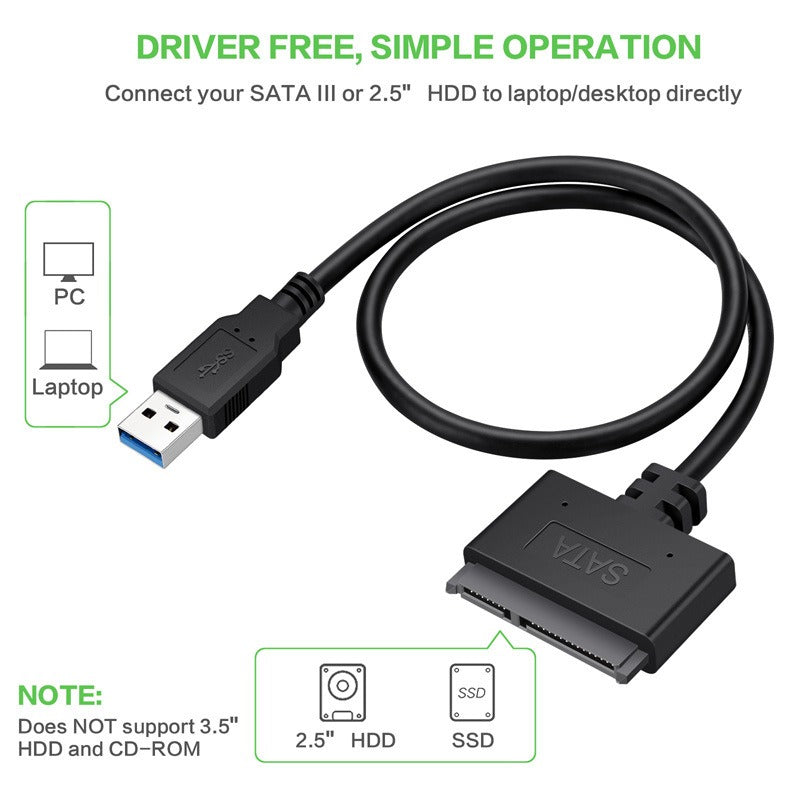
An old laptop drive holds files you still need, and this cable reaches them without opening the machine or buying a bulky enclosure. The 0.5m cable runs from a bare 2.5-inch SATA drive to a USB 3.0 port. Plug it in, copy what matters, and put the drive back in the drawer.
Read the full descriptionAn old laptop drive holds files you still need, and this cable reaches them without opening the machine or buying a bulky enclosure. The 0.5m cable runs from a bare 2.5-inch SATA drive to a USB 3.0 port. Plug it in, copy what matters, and put the drive back in the drawer.
Turn any 2.5-inch SATA hard drive into a USB 3.0 external drive with one simple cable
Stuck with a laptop drive you can't open or read? Connect it straight to your USB 3.0 port and move your files without buying a bulky enclosure.
The cable links a bare 2.5-inch SATA drive to a USB 3.0 port. You never open the laptop, and you never buy a second box to hold the drive.
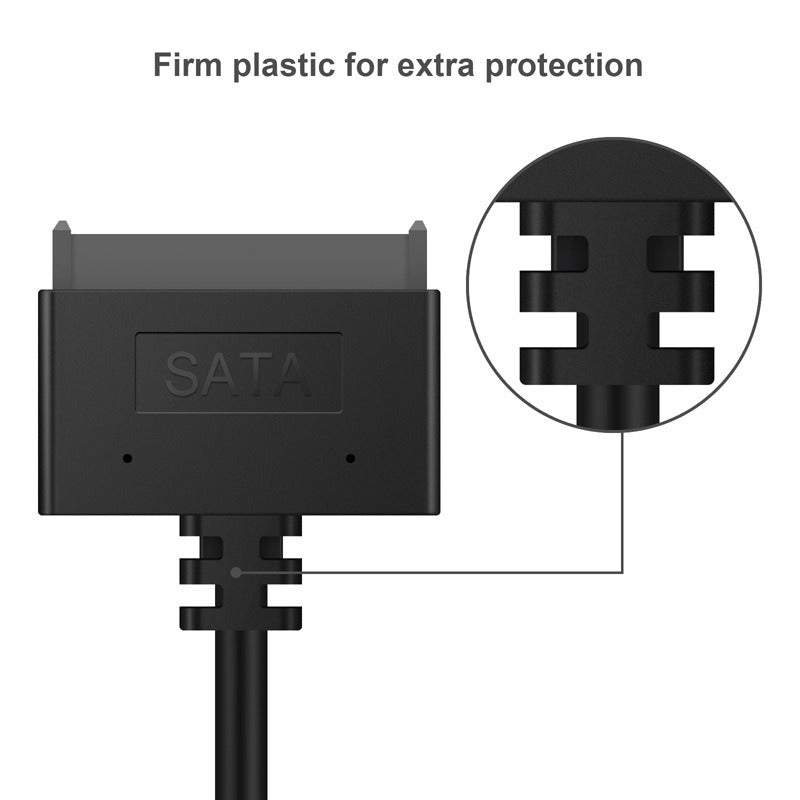
The SATA housing is molded, not floppy, so it seats square and stays put on the drive. Ribbed strain relief on both ends takes the bend when the cable gets moved around the desk.
USB 3.0 plug-and-play means there is no driver to install for a single data job. Plug the blue SuperSpeed end into a USB 3.0 port and the drive is ready to browse.
Shut the computer off and disconnect power before you touch the drive. Handle the drive by its edges.
Align the SATA connector with the drive's port and press it in straight until it seats. Never force it at an angle.
Connect the blue SuperSpeed plug to a USB 3.0 port on your computer. Open the drive in your file manager, copy what you need, then use Safely Remove or Eject before unplugging.

A 2.5-inch drive pulled from an old laptop has no USB port of its own. The files sit inside, and the only ways in are opening the machine or buying an enclosure you will use once. Each week the drive stays in a drawer, the backup gets harder to justify.
This cable runs from the SATA connector on the drive to a USB 3.0 Type-A plug on your computer. The SATA end seats straight onto the drive, and the blue SuperSpeed plug goes into a USB 3.0 port. Nothing gets unscrewed and nothing gets installed.

The drive shows up on the desktop like any other external disk. Copy the folders you need, eject the drive, and unplug the cable. The drive goes back in the drawer, and the files stay where you can reach them.
Plug in the drive, connect to USB 3.0, and check whether your system detects it. Some drives need a moment or a disk management step to appear.
After a few transfers the connection feels routine. Keep the drive steady and the cable straight while copying.
For occasional recovery or backup, the cable stays in your toolkit for old drives.
| SATA to USB cable | External enclosure | |
|---|---|---|
| Desk footprint | Cable only, sits flat on the desk | A full case takes up more space |
| Setup | Plug in, no tools | Insert the drive into the case first |
| Cost for occasional use | Lower cost for one job | Higher cost for a box you use rarely |
| Best for | Occasional reads and recovery | Daily external storage |
Yes. The SATA connector is built for 2.5-inch drives, and it is not for M.2 drives or 3.5-inch desktop drives. Check the drive's connector before you buy.
If the drive is a 2.5-inch SATA unit and your computer has a USB 3.0 Type-A port, the cable connects them. USB 3.0 ports are usually blue inside, which matches the SuperSpeed plug on this cable.
The cable does not repair or stress the drive by itself. A failing drive can still fail during copying, so copy the most important files first, avoid repeated reads on a clicking drive, and keep a second copy wherever you can.
An enclosure is a case that holds the drive permanently. This cable is a short lead you plug in for one job and then store. For occasional recovery or backup, it costs less and takes up less desk space than a case you will use once or twice.
No installation is needed. The cable is plug-and-play, so once the drive is connected through USB 3.0, your computer detects it as storage. Some drives need a moment or a disk management step before they appear.


 SATA to USB 3.0 Cable for 2.5-inch Drive Data Access