RJ45 Ethernet Splitter Coupler: 1 to 2 Port Adapter




A compact coupler that gives one Ethernet cable a second port, so your dock and a second wired device can share the same run. It is passive, needs no power, and sits neatly at the desk. Know what it can and cannot carry before you plug in.
Read the full descriptionDescription
A compact coupler that gives one Ethernet cable a second port, so your dock and a second wired device can share the same run. It is passive, needs no power, and sits neatly at the desk. Know what it can and cannot carry before you plug in.
Split one Ethernet connection into two RJ45 ports with a compact coupler
- not enough network ports for laptop docking station
- need to connect two devices to one LAN outlet or cable
- cluttered cable setups
Turn one Ethernet jack into two ports, cleanly
Your dock has one LAN port and your desk needs two. Add a compact coupler and stop juggling cables.
Two ports, one compact body

Two ports, side by side
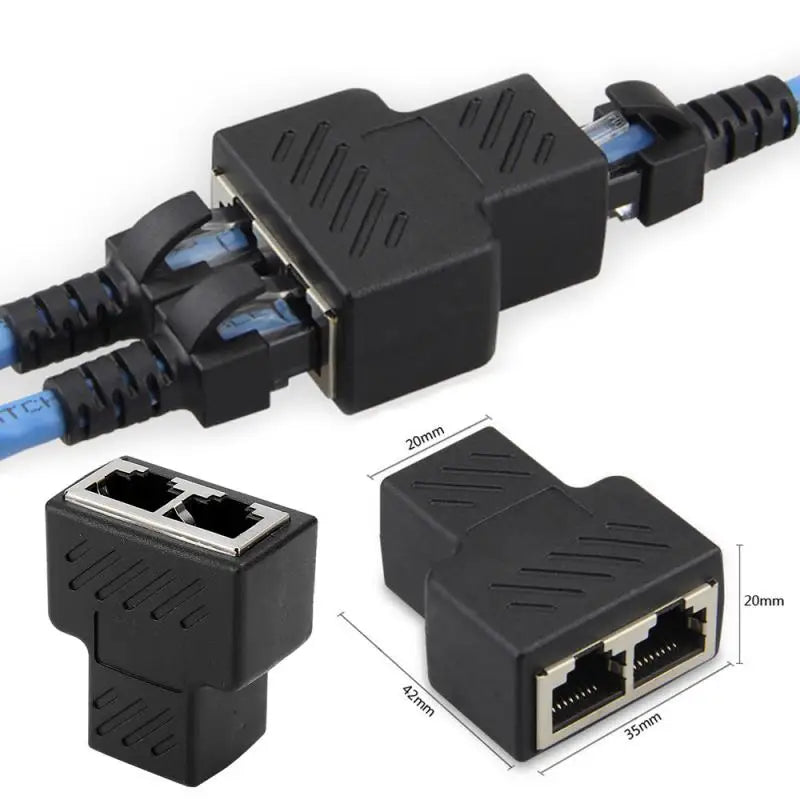
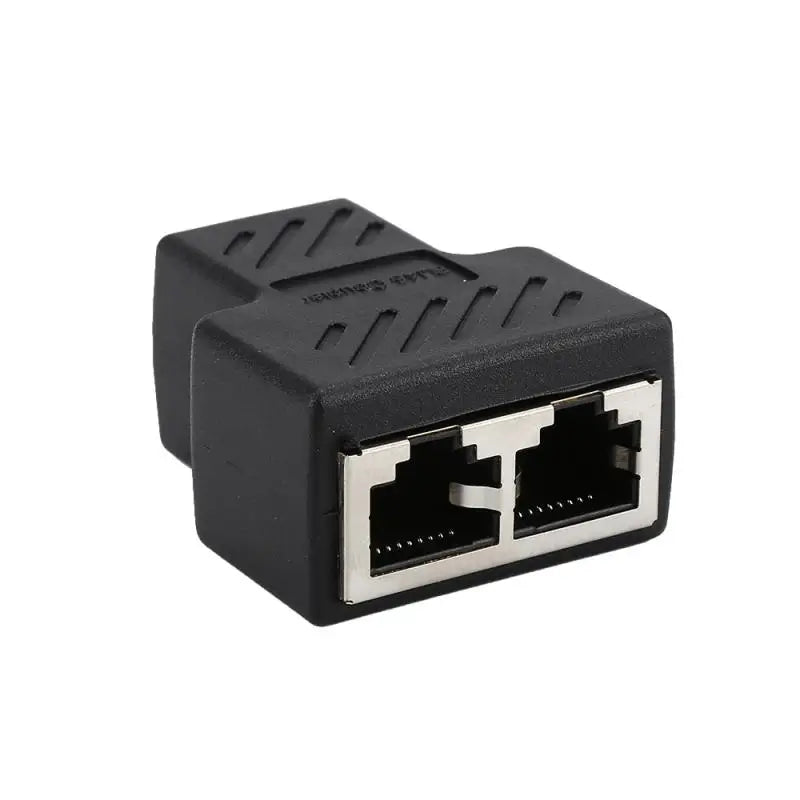
Both female ports sit next to each other on the same body, so one cable end feeds two connection points. You plug the dock cable into one side and a second device into the other. The printed RJ45 Coupler label on the front tells you which way is which when you reach under the desk.

Built to stay put
Each opening is rimmed in metal, and the plastic body is molded clean around it. Plugs seat firmly and the ribbed grip panels on the sides give you something to hold while you push or pull. The result feels solid in the hand, not like a loose adapter tossed in a drawer.
Small body, two jacks
- 2RJ45 female ports side by side
- 42mmOverall length of the T-shaped body
- 35mmWidth across the body
- 20mmHeight and depth of the body
One jack, two devices
One port, too many devices
Your laptop dock has one RJ45 jack, and the moment a printer, a monitor hub or a second computer needs a wired link, something has to unplug. Daisy-chained cables and guesswork under the desk make it worse. The cable run is fine. It just has nowhere to split.

A second jack, no new cable
The coupler sits on the existing cable end and turns it into two side-by-side RJ45 ports. No new run through the wall, no switch with a power brick. It is a small molded body you can see at a glance, which keeps the desk readable.
Coupler or powered switch?
| This coupler | Powered network switch | |
|---|---|---|
| Needs external power | No | Yes |
| Two live devices on separate links | No | Yes |
| Adds a second jack at one cable end | Yes | Yes |
| Desk footprint | Compact T-shaped body | Separate box with cables |
Characteristics
Reviews
Questions and answers
No. The coupler joins two jacks onto one cable run, so two live devices will not each get a separate network link. Plug in one device at a time, or add a network switch when two devices need to be online together. This is the single most important thing to check before you buy.
It works with standard RJ45 plugs on a standard Ethernet cable, which covers most docking station and desk setups. Check that your dock's LAN port takes the same plug and that the cable already carries your network. If your run is long or the connection is unstable today, the coupler will not fix that.
For one device at a time, yes. It needs no power, no setup and no extra cable run, and it takes up a fraction of the desk space a switch uses. Think of it as the cheap fix for a dock with one port. If you need two devices online at once, a powered switch is the right tool, and this coupler will not replace it.
No. It is a passive coupler, so it has no power supply and no setup beyond plugging it in. There is nothing to charge and no software to install.
Similar products
See all RJ45 Ethernet Splitter Coupler: 1 to 2 Port Adapter