
$69.90
Free delivery · 7–14 days
Ultra-Thin Portable Laptop Stand for Desk and Cafe Use


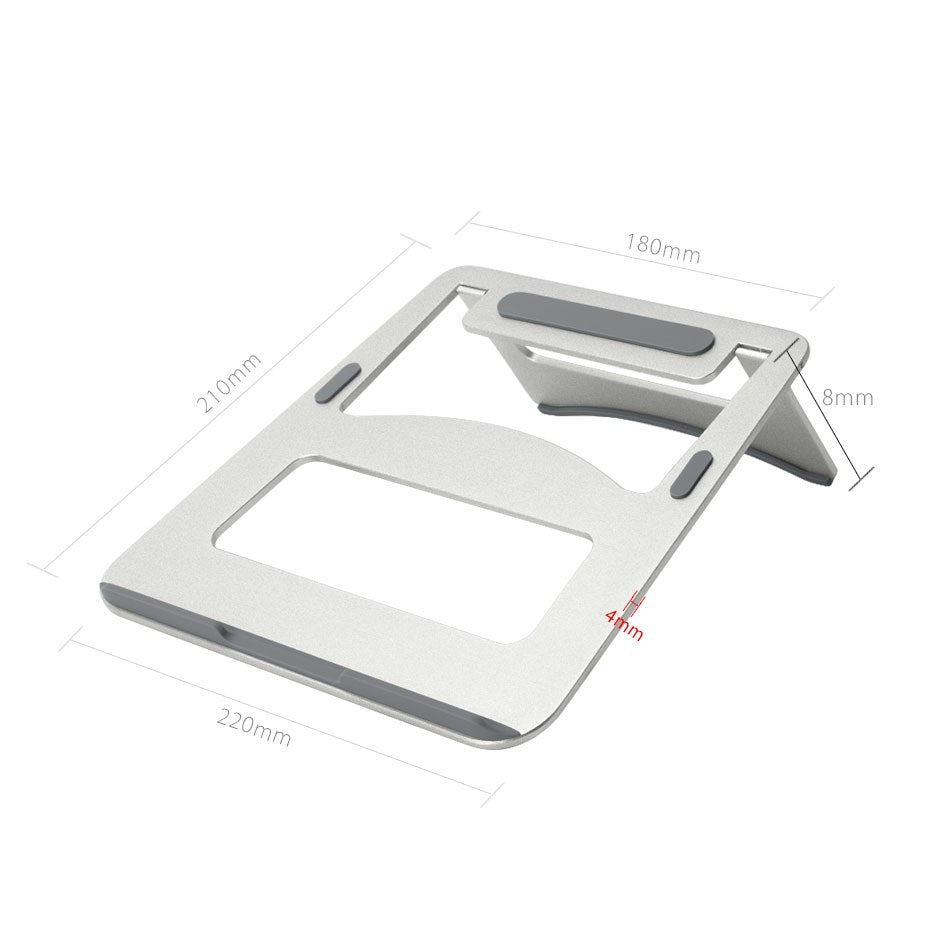
Lift your screen to eye level and let your neck stop paying for a flat desk. This foldable aluminum stand raises your MacBook or iPad to a comfortable angle, keeps it cooler through open cutouts, and folds flat for the bag.
Read the full descriptionLift your screen to eye level and let your neck stop paying for a flat desk. This foldable aluminum stand raises your MacBook or iPad to a comfortable angle, keeps it cooler through open cutouts, and folds flat for the bag.
Foldable aluminum laptop stand that raises your MacBook or iPad to eye level and keeps it cool and stable
Stop bending over a flat laptop that overheats and slides. Raise your MacBook or iPad to a comfortable angle on a stable aluminum stand that folds flat for the road.
Set the incline once and your screen sits near eye level, so your head stays closer to upright through a long session. Hunching over a flat laptop is what leaves your neck sore by 4 pm. The multi-angle frame lets you dial in the tilt that suits your typing and your view.
Grey silicone pads sit on the top and side edges, so the laptop holds its position when you type. The aluminum body feels cool and firm under your hands, and the clean machined edges keep the frame looking sharp on a café table or a hotel desk.
Open ventilation cutouts let air move under the base instead of trapping heat against a flat desk. The rear ports stay open for cables while the laptop sits raised on the stand.
Open the arms with a firm, even motion until the stand locks into shape.
Tilt the stand to the angle that suits your typing and your view.
Center your MacBook or iPad on the grey silicone pads so the top and side edges grip it.
Check that the laptop sits firmly on the stand, then get back to work at eye level.
Yes. The grey silicone pads sit on the top and side edges, so the laptop stays in place when you press keys. Center the machine on the pads before you start, and set the stand on a hard, flat desk rather than a soft bed or cushion.
The stand is made for MacBook and iPad. If your machine sits at the large end of the MacBook range, check the open width of the frame against your screen before you order.
The ventilation cutouts let air move under the base instead of trapping heat against the desk. A flat laptop on a hard surface holds its heat, and a raised base gives it room to breathe, most noticeably during long sessions.
Books slide and take up desk space, and cheap plastic risers wobble and trap heat. This stand is built from aluminum for a firm base and folds flat for the bag. It is one purchase that replaces the stack of books you carry around.
The frame folds flat into a compact profile that fits a backpack pocket or laptop sleeve. Take your laptop off the stand before folding it so the hinges stay clean.


 Foldable Aluminum Laptop Stand for MacBook and iPad