
$69.90
Free delivery · 7–14 days
Ultra-Thin Portable Laptop Stand for Desk and Cafe Use
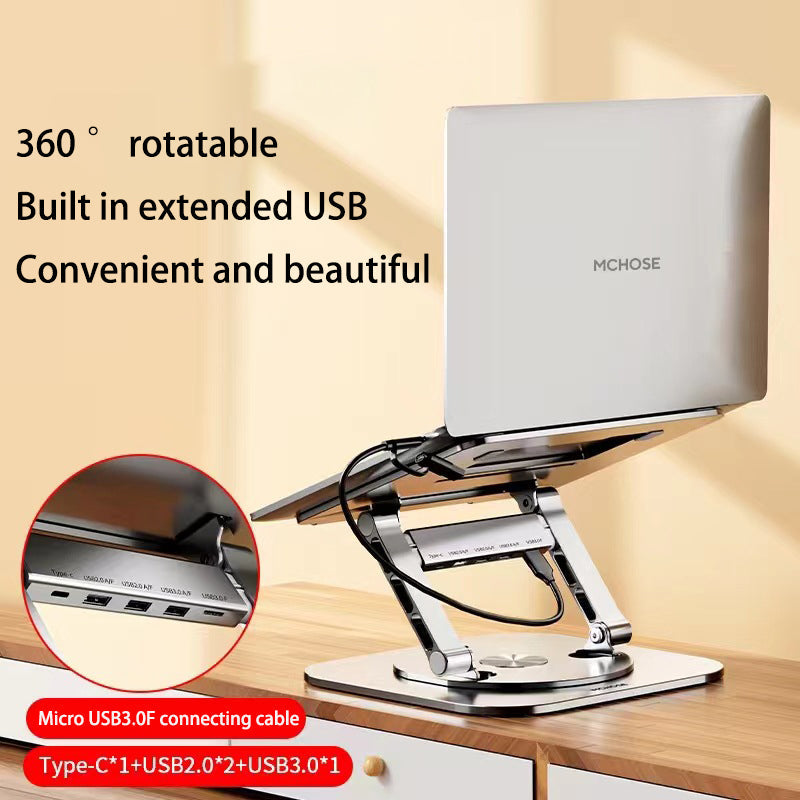

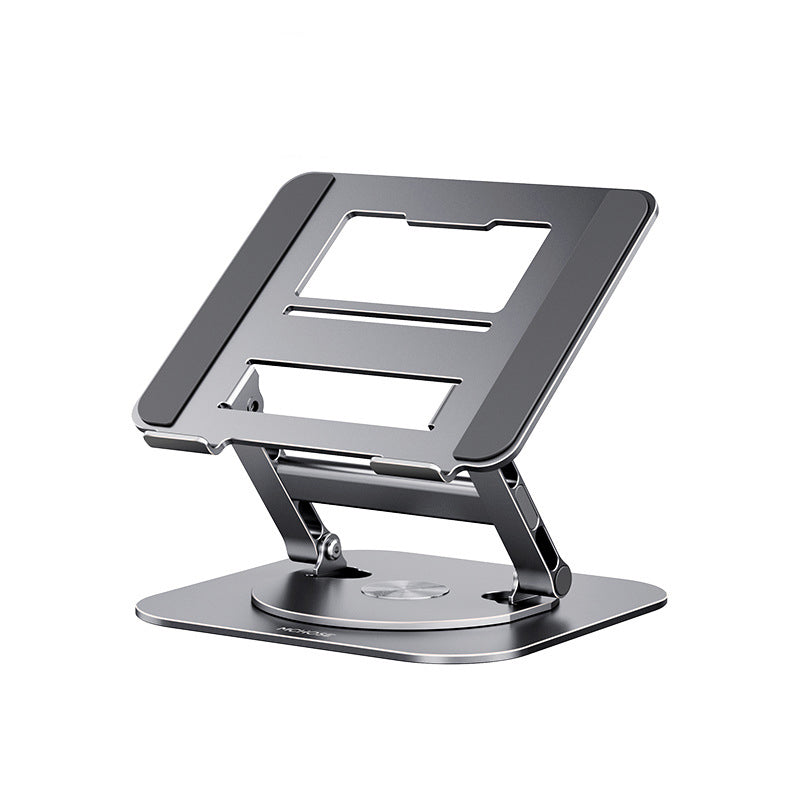


Lift your screen to eye level and turn it toward anyone at your desk. The LS928 is a solid aluminum stand with adjustable height arms, a 360° rotating base and folding arms that tuck flat when you are done. It suits long workdays, video calls and screen sharing.
Read the full descriptionLift your screen to eye level and turn it toward anyone at your desk. The LS928 is a solid aluminum stand with adjustable height arms, a 360° rotating base and folding arms that tuck flat when you are done. It suits long workdays, video calls and screen sharing.
360° rotatable aluminum laptop stand with adjustable height
Stop hunching over a flat laptop. Raise it to a comfortable height, rotate it to face your team, then fold it away.

The frame is brushed aluminum alloy with a metal weight you feel the moment you lift it. Soft grey non-slip pads on the cradle hold the laptop steady while you type and during calls, so the screen does not creep when you tap the trackpad.

The base rotates a full 360° on a smooth metal dial. Spin the screen toward a colleague across the desk without moving the laptop or leaning over. The arm also carries a built-in USB hub with Type-C, USB2.0 and USB3.0 ports, so cables stay close to your screen.

The hinge arms fold the stand flat when the desk needs clearing. The ventilated platform cutouts keep airflow moving under the laptop, and the whole piece packs down small enough to slide into a bag.
Open the aluminum height arms until the stand sits flat and steady on the desk.
Adjust the arms until the top of the screen sits near eye level. Keep an external keyboard in front of you so your wrists stay relaxed.
Set the laptop on the grey non-slip pads. Check that it sits centred before you lift your hands away.
Turn the metal dial to face the screen toward whoever you are speaking with. Unplug cables first if they are tight.
Lower the arms, fold the stand flat, and slide it out of the way when the desk is needed for something else.
Yes. The frame is solid aluminum alloy and the cradle has soft grey non-slip pads. The stand stays put while you type and during video calls. Pair it with an external keyboard and mouse so your hands stay low while the screen stays high.
The arm carries a USB hub with Type-C, USB2.0 and USB3.0 ports. It gives you a few extra connections without reaching under the desk. Keep heavy drives on your laptop or a desk hub, so the arm does not carry the weight of cables pulling sideways.
A plastic riser feels light and does not rotate. A stack of books slides and wobbles. This stand is milled aluminum with a metal rotating base and folding arms. You buy it once and use it every workday, so the cost per week of comfortable viewing is low.
Yes. The hinge arms fold the stand flat so it fits in a bag or a drawer. Lower the arms, fold the frame, and store it until the next session.
That is the main reason to buy it. Turn the base 360° with the metal dial and the screen faces your colleague, client or student without you twisting the laptop or leaning across the desk.


 Foldable Aluminum Laptop Stand with 360° Rotating Base