
$38.90
Free delivery · 7–14 days
Adjustable Metal Phone Stand for Desk Hands-Free Viewing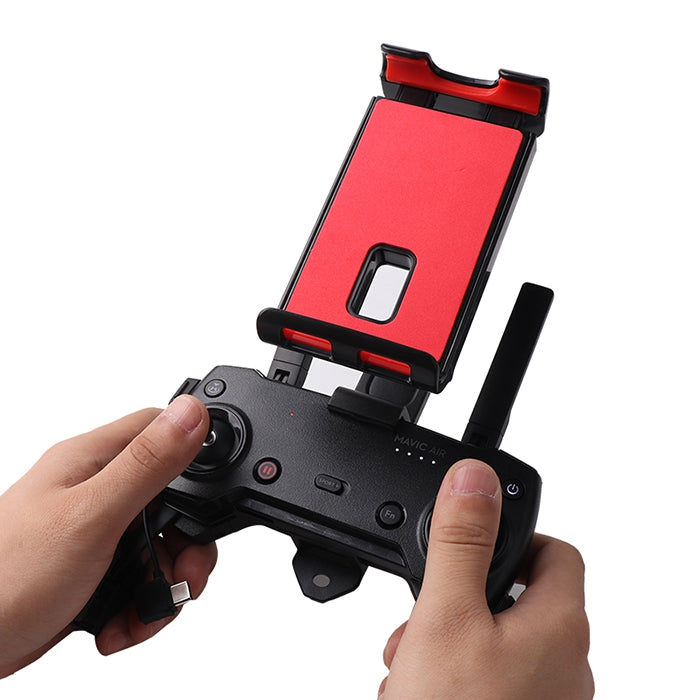
Keep your flight view clear and your hands on the DJI transmitter with a dedicated elevated phone or tablet mount. The compact bracket uses padded contact points and an adjustable arm for a more contr
Read the full descriptionKeep your flight view clear and your hands on the DJI transmitter with a dedicated elevated phone or tablet mount. The compact bracket uses padded contact points and an adjustable arm for a more contr
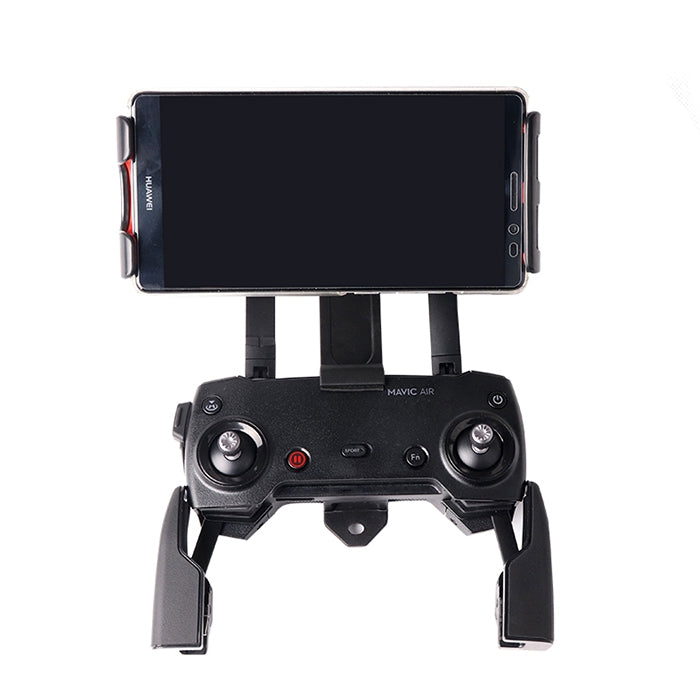
Mount your phone or tablet securely above the DJI transmitter for an improved flight-viewing position.
Stop juggling a phone beside the controller or craning your neck toward a low screen. Mount your phone or tablet securely above the DJI transmitter for a steadier, more natural viewing position.
The front mounting position raises the phone or tablet above the DJI transmitter, keeping the display in a more natural line of sight while leaving the controller clear in both hands.
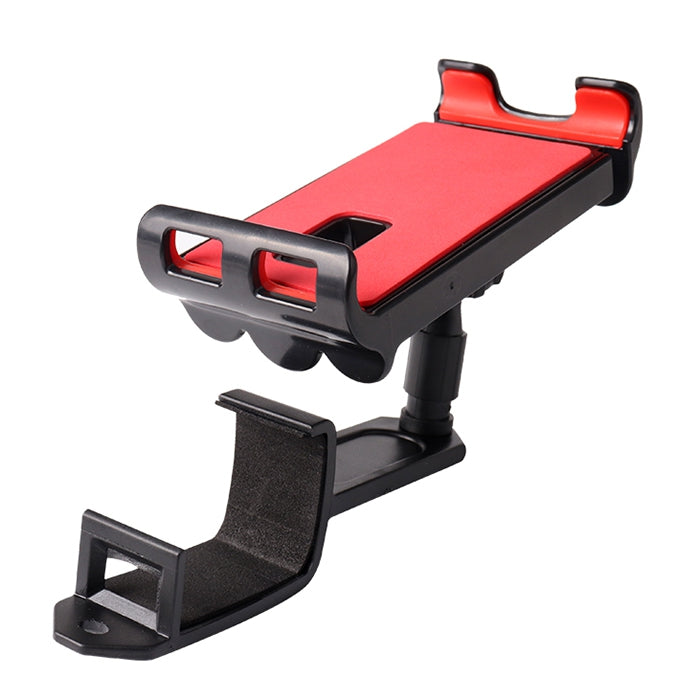
The bright red padded platform and protective side grips create cushioned contact around the mounted phone or tablet instead of placing the device directly against hard molded plastic.
The articulated support arm lets you change the device position rather than accepting a fixed, awkward screen angle. Set it before takeoff and keep the view consistent.
Attaching the display to the transmitter reduces the need to hold or steady a separate phone during flight, so your hands stay available for the controls.
Connect the front mounting bracket to the compatible DJI transmitter attachment point.
Pivot the articulated support arm until the holder sits above the transmitter and the screen will be easy to see.
Open the adjustable clamp, center the phone or tablet on the red padded platform, and settle the protective side grips around it.
Confirm the attachment, clamp tension, device seating, and viewing angle before starting the flight.
Adjustable clamp with padded red device platform
Pivoting support arm for positioning above the transmitter

You should be watching the aircraft, not wrestling with a loose phone beside the controller. A separate device can shift, block your grip, or sit low enough to pull your attention away from the flight.

This front bracket gives the display a secure home above the DJI transmitter. The adjustable clamp, padded platform, and pivoting arm replace improvised balancing with a more usable viewing position.
Set the arm to your preferred angle, check the device seating, and keep both hands on the controller. The screen stays visible for live video, framing, and flight controls.
Confirm the bracket is properly connected to the transmitter before takeoff.
Check the red platform and side grips for clean, even device contact.
Make sure the phone or tablet sits securely without excessive pressure.
Keep the compact bracket and arm together in your flight bag between sessions.
| Dedicated bracket | Phone held separately | Balanced against transmitter | |
|---|---|---|---|
| Elevated viewing position | Yes | No | Partial |
| Both hands remain on controller | Yes | No | Partial |
| Adjustable screen angle | Yes | No | No |
| Padded device contact | Yes | No | No |
| Compact dedicated accessory | Yes | No | No |
It is intended for DJI Mavic Air, Mavic Pro, and Spark transmitters. Confirm your transmitter shape and attachment point before ordering, especially if you use a different DJI generation.
The clamp adjusts for a mobile device, but exact supported dimensions are not provided. Compare your phone or tablet size with the holder before purchase rather than forcing an oversized device into it.
Yes. The bright red padded platform and protective side grips create cushioned contact around the device.
Yes. The display sits above the transmitter, leaving the controller area available for two-handed operation. Check that your device is centered and the arm is positioned before flight.
Yes. The pivoting support arm lets you change the screen angle to suit your normal control stance.
It is made for drone flights, aerial photography, live viewing, and extended piloting sessions. Inspect the attachment, clamp tension, and device seating before every launch.



 DJI Drone Phone Holder for Secure, Elevated Viewing