
$84.90
Free delivery · 7–14 days
61-Key Compact RGB Gaming Keyboard for Small Desks

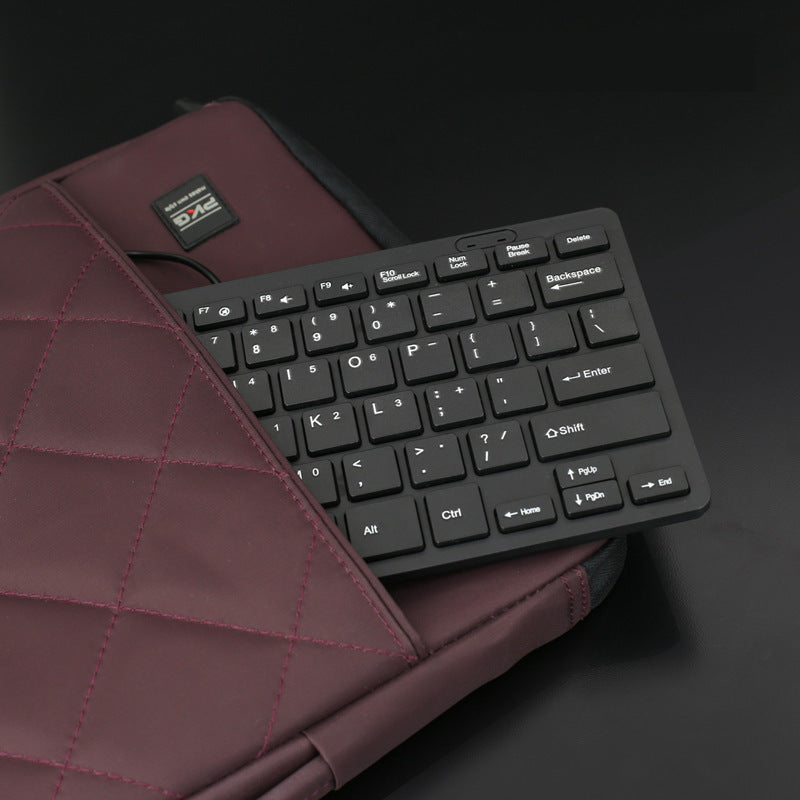


A slim wired USB keyboard that keeps the function row, media keys and a Home, End, PgUp and PgDn cluster in a body without a numpad. It leaves room for your mouse and notes on a small desk and slips into a laptop bag for class or travel.
Read the full descriptionA slim wired USB keyboard that keeps the function row, media keys and a Home, End, PgUp and PgDn cluster in a body without a numpad. It leaves room for your mouse and notes on a small desk and slips into a laptop bag for class or travel.
Compact full-function USB keyboard that saves desk space and fits tight workspaces
Tired of a keyboard that crowds your mouse and a laptop that hides Home and End? This slim wired USB board gives you the keys you use every day in a footprint that fits tight workspaces.
Home, End, PgUp and PgDn sit in their own cluster, so editing and browsing never need Fn combos. The F1-F12 row and media keys sit across the top, where you expect them.
The wired USB-A connector works as a standard keyboard on Windows laptops and desktops. Plug it in and start typing. There is no software to install and nothing to pair.
Without a numpad, the board is narrow enough to leave real space beside your mouse and notebook. It works well next to a wired mouse computer on a tight desk.
The box holds the keyboard and its wired USB-A cable. Nothing else needs assembling.
Set it flat beside your laptop or monitor. The slim profile sits steady without wobbling on most desks.
Connect the cable to a free USB-A port on your laptop, dock or PC. Windows recognises it as a standard keyboard.
Press F1-F12 and the media keys, then try Home, End, PgUp and PgDn to confirm each key responds.
Matte black body with raised rounded keycaps and a no-numpad layout
Plug-and-play connection, no driver install
Yes. It connects over a wired USB-A cable and runs as a standard keyboard on Windows, so there is nothing to install. Plug it in and the F-row, media keys and navigation cluster respond right away.
The low-profile keys are quieter than many mechanical boards, but they still make an audible click on each press. Test it in a quiet room first if you type in a shared office or exam hall.
Most people settle in within a week. The layout is compact, so your fingers need a short adjustment period. If you enter long columns of numbers often, use the top-row number keys or pair the board with a separate numpad.
It is a budget plastic keyboard. It sits firm on the desk and handles everyday typing, email and browsing well. For long writing sessions, a heavier mechanical board will feel better under the fingers.
A laptop keyboard often has no dedicated Home, End, PgUp or PgDn keys, and the F-row usually needs Fn. This board gives you those keys directly. Keep your laptop keys for travel and use this one at the desk, or keyboard cleaner kits keep either one fresh.


 Compact Wired USB Keyboard for Small Desks and Laptops