
$84.90
Free delivery · 7–14 days
61-Key Compact RGB Gaming Keyboard for Small Desks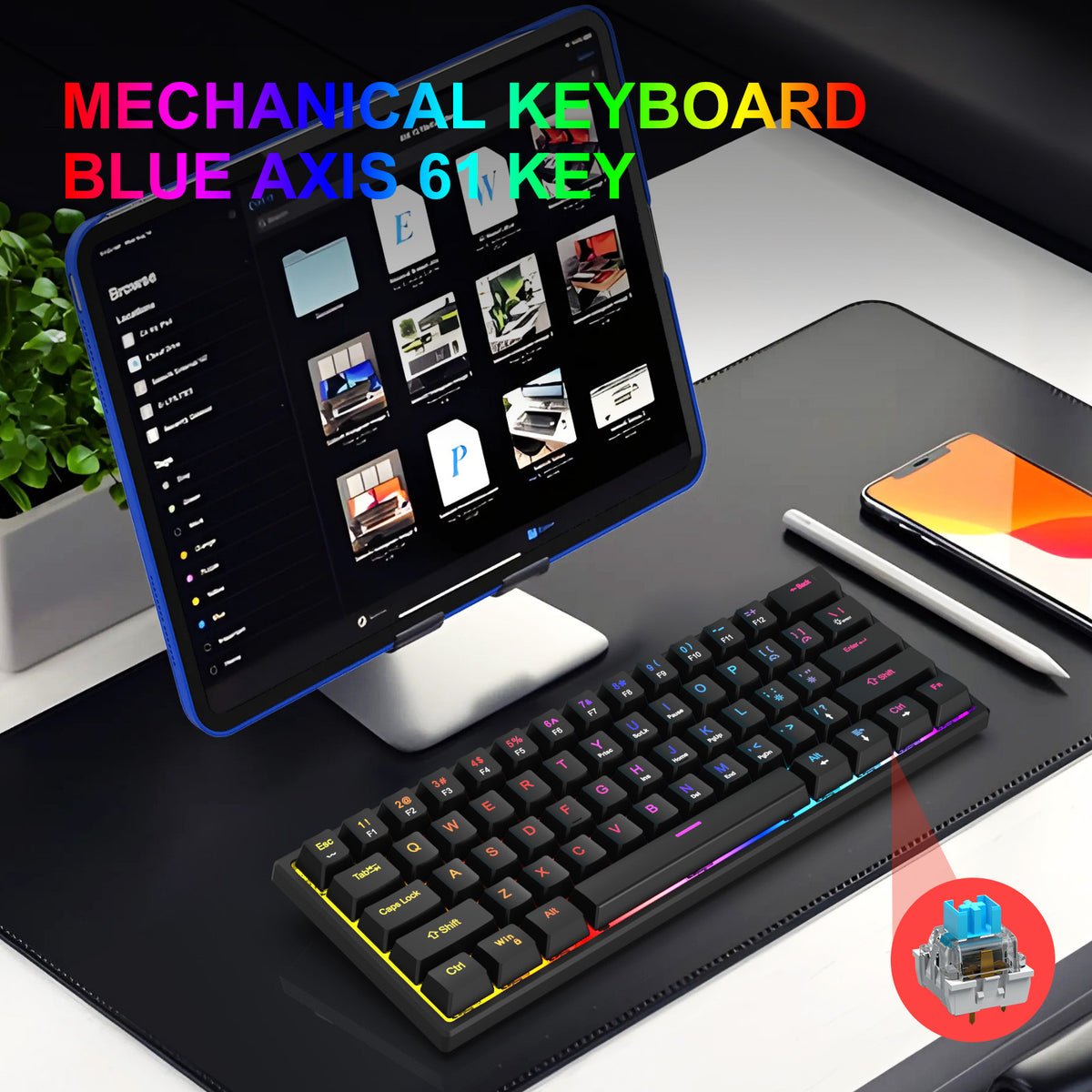


Less desk, more click. This 61-key mechanical board gives you tactile blue-switch clicks in a footprint that leaves room for the mouse. Sixteen RGB light effects and FN combos tune the look and brightness without any software.
Read the full descriptionLess desk, more click. This 61-key mechanical board gives you tactile blue-switch clicks in a footprint that leaves room for the mouse. Sixteen RGB light effects and FN combos tune the look and brightness without any software.
Compact 61-key mechanical keyboard with blue switches and RGB lighting for esports
Tired of a full-size board eating your mouse space and a mushy membrane feel? Move to 61 keys of tactile blue-switch clicks with RGB that keeps your setup sharp.
Blue mechanical switches give a tactile bump and an audible click on every press. Membrane domes cannot give you that feedback, and you can see the switch construction for yourself in the exposed-switch shot. Expect a loud, deliberate board, which is the point for most players.
The 61-key layout keeps the letters, numbers, and modifiers you use in a match and drops the bulk that eats mouse room. Your mouse gets the open desk it needs. If you want the cable out of the way too, wired gaming mouse setups pair well with this board.
Sixteen light effects sit one FN combo away. Switch modes, dial brightness up or down, and change effect speed without installing software. The lights run across the keys and underglow so the board matches the rest of the desk.
Seat the wired cable into the board until it sits firm. The cable runs free, so you can place the board wherever your mouse has room.
Press FN with the backslash key to cycle through the light modes. There are 16 light effects in total.
Press FN with the closing bracket to step brightness up until the keys read clearly in your room.
Press FN with the opening bracket to dim the board when the room is dark or a stream is running.
Press FN with the apostrophe key to speed up the light effect, or FN with the semicolon key to slow it down.
61 keys with blue mechanical switches
Removes from the board for portable setups
Legends printed across the layout
A full-size board takes up the strip of desk your mouse needs for long ranked sessions. You end up reaching, dragging, and clipping the edge of the desk every time you flick a sensitivity-tuned mouse. The fix is not a bigger desk. It is a smaller board that still gives you every key you press in a match.

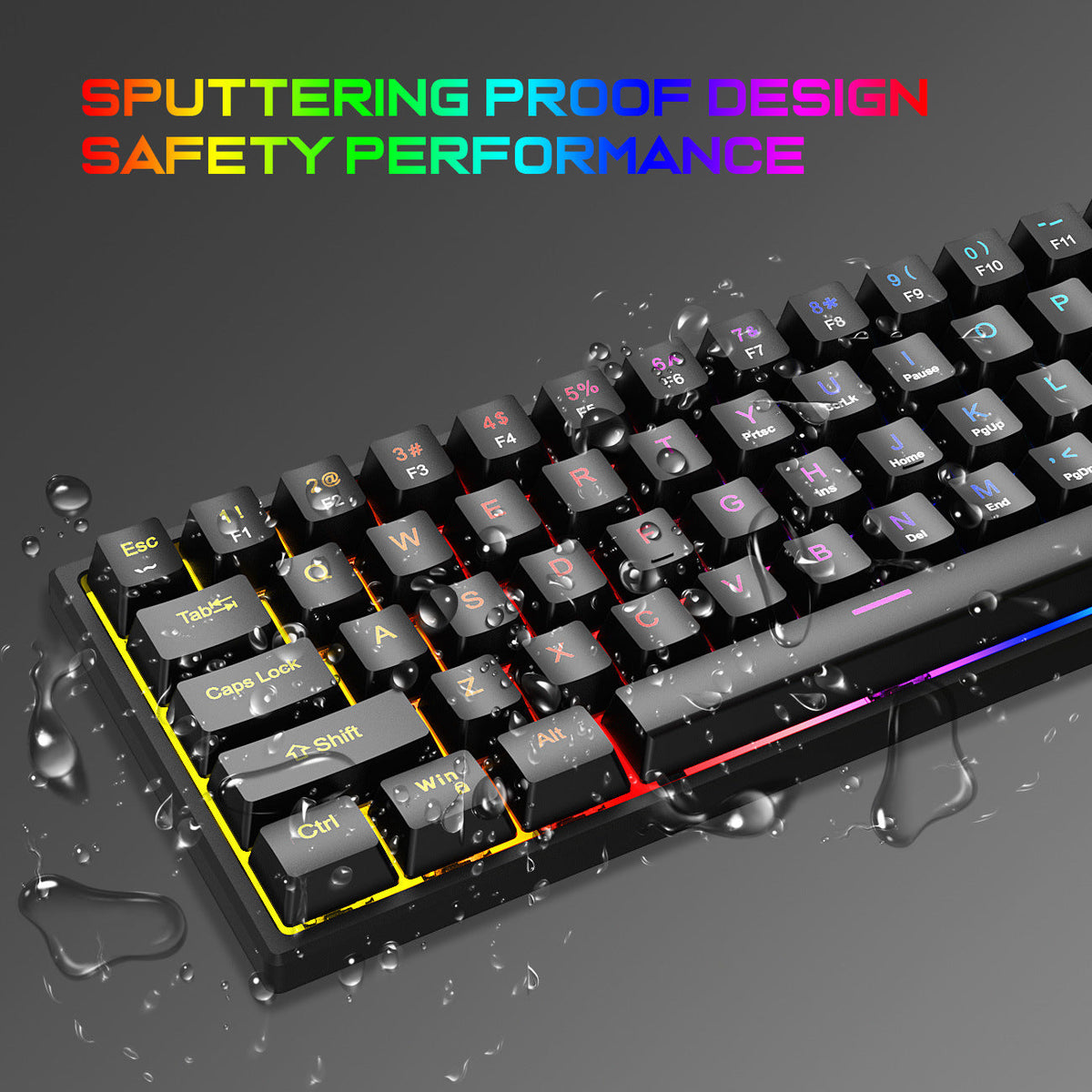
Membrane boards press down like a wet sponge, and you never quite know whether the key registered. Budget compacts repeat the same problem. A splash of cold coffee across the keys then turns a late session into a cleanup job. This board has tactile blue switches that tell you when a press lands, and splash-proof key construction that handles the everyday spill.

Pull off a keycap and the blue switches sit right there, lit from below by the underglow. That is the mechanism doing the work. Each press gives a clear bump and an audible click, so you feel the input before the screen confirms it.
| This board | Full-size mechanical | Membrane compact | |
|---|---|---|---|
| Tactile blue switch feel | Yes | Yes | No |
| Compact footprint | Yes | No | Yes |
| Mouse room on a small desk | Yes | No | Yes |
| Numeric keypad | No | Yes | No |
| Built-in RGB light effects | Yes | Yes | No |
Most players adapt after a few sessions. Arrow functions and extra keys move into FN combos, so your hands learn the map once. If your work depends on a numpad for spreadsheets, a full-size board is the better tool. For games and everyday typing, the compact layout gives back the desk space you lose to a full-size board.
Yes, blue switches are clicky and you will hear them across a quiet room. They suit a gaming desk, a dorm, or a room where you are the only one typing. If the household is asleep at midnight, a linear or silent switch will be kinder to everyone.
It is built to handle the everyday spill, like a splash from a drink or a rushed sip near the keys. It is not submersible. Wipe up spills right away and turn the board over so liquid drains out. Pouring a full cup across it is still a repair job.
Yes. The wired cable detaches, so you can pack the board in a bag and plug in a shorter or longer cable at the next desk. Carrying it without the cable also keeps the connector safe during travel.
Press FN with the backslash key to cycle light modes. FN with the closing bracket raises brightness, and FN with the opening bracket lowers it. The semicolon and apostrophe combos adjust effect speed. You can turn the light effect off entirely if you want a plain black board.


 61-Key Mini Mechanical Keyboard with Blue Switches