
$219.90
Free delivery · 7–14 days
Full-Color Backlit Mechanical Gaming Keyboard 104 Keys


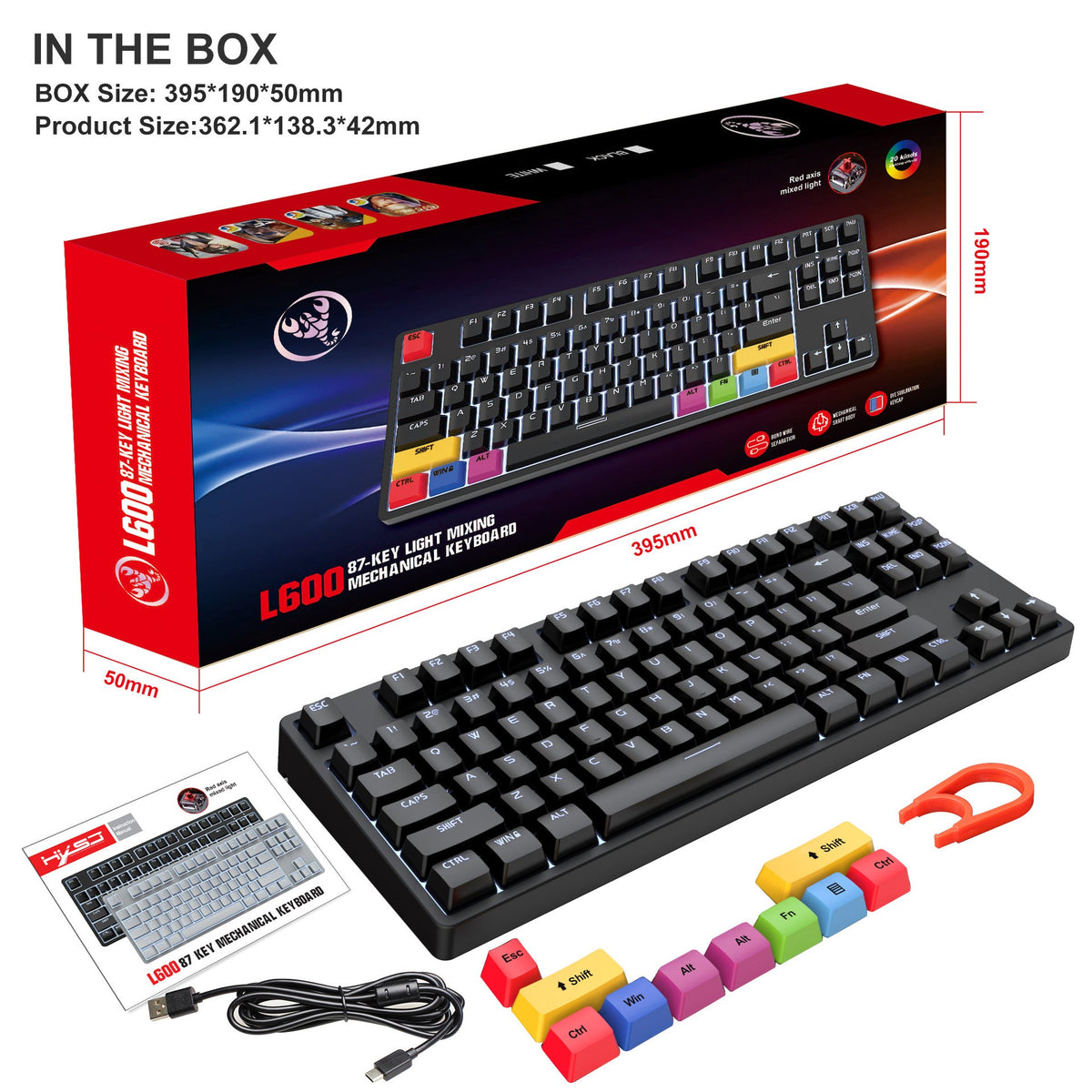


Long sessions get easier when your hands rest on a stepped arc and your mouse has room to move. This 87-key wired board gives you full non-conflict input in a tenkeyless footprint, with a white edge backlight and colour-coded modifier keys. Built for ranked matches and daily typing on the same desk.
Read the full descriptionLong sessions get easier when your hands rest on a stepped arc and your mouse has room to move. This 87-key wired board gives you full non-conflict input in a tenkeyless footprint, with a white edge backlight and colour-coded modifier keys. Built for ranked matches and daily typing on the same desk.
Ergonomic stepped keys and full non-conflict input for fast, accurate gaming
Tired hands and a crowded desk slow you down. This compact mechanical board with stepped keys and full non-conflict input keeps every press accurate and leaves room for your mouse.

High and low keys sit along the arc of the hand instead of one flat row. Your fingers reach each key from a natural position, so the hand rests rather than stretches. The 6° incline sets a typing angle that suits long sessions at the desk.

Every key on the board is non-conflict input, so pressing several at once is built to register each one. Strafe, jump and fire in the same beat and each input lands. The trigger stroke is 2±0.6mm with 45±15cN of pressure, so every press feels light and consistent.

At 87 keys the board drops the numpad, and that width goes back to the mouse. The mouse gets room to move on a small desk. If your spreadsheets need numbers, a separate keypad fills that gap.
Plug the USB cable into your PC. The board is wired, so there is nothing to pair or charge.
Set the 6° incline before you start typing. Rest your wrists lightly so the stepped keys sit under your fingers.
Look for the white edge backlight along the perimeter, then find your modifier keys before the first match.
Red axis, white edge backlight, ladder keycaps
Wired connection to your PC

A full-size board spreads across the width of your desk and pushes the mouse further from your hand every session. By the third hour the reach shows up in your shoulders and in your aim. Space that should belong to the mouse goes to a block of keys you do not use in a match.

Press three keys at once in a fast fight and one of them can drop out. On a cheap membrane board the input goes soft and the timing slips. The keyboard stops being a tool and becomes the thing you blame after the round.
This 87-key board drops the numpad and gives that room back to the mouse. The stepped keycaps follow the natural arc of the hand, the 6° incline sets a steady typing angle, and full non-conflict input lets simultaneous presses register together. The desk feels roomier and each input lands where you aimed it.
| 87-key tenkeyless | Full-size mechanical | |
|---|---|---|
| Numpad included | — | |
| Room left for the mouse | — | |
| Stepped ladder keycaps | — | |
| Full non-conflict input | Varies by model |
Red switches are linear, so there is no tactile bump and the press runs smooth from top to bottom. The trigger stroke is 2±0.6mm with 45±15cN of pressure, which keeps each press light. Red switches are generally quieter than clicky blue or tactile brown switches, but the keycaps still make a sound. If you type fast in a quiet room, test the feel before you commit.
Yes, the 87-key layout drops the numpad. Spreadsheet-heavy days will need a separate keypad, and that keypad sits on the side of the desk you freed up. If you mostly type emails, chat and reports, the layout gives you desk room and loses nothing you use every day.
It depends on your desk. The board runs on a USB cable, so there is nothing to charge and no wireless link to drop mid-match. The trade-off is the cable run, which is worth planning so it does not drag your mouse. If you need a cordless board, browse the wireless keyboards range instead.
The backlight is white and runs along the edge of the board. The modifier keys carry their own colours on the black version: red, yellow, blue, magenta and green. The packaging does not list separate backlight modes, so check the listing details if mode switching matters to you.
The board sits at a 6° incline, and the packaging lists that as the set angle. Rest your wrists lightly and let the stepped keys do the work. The angle is the feature that keeps the hand arc consistent over a long session.
You pay for the keys you actually use. Dropping the numpad frees desk room for the mouse, and on a small desk that room is the real value. You keep mechanical switches, full non-conflict input and the edge backlight in a smaller footprint.


 Compact Mechanical Gaming Keyboard: 87 Keys, Red Axis