
$44.90
Free delivery · 7–14 days
Wireless Bluetooth Steering Wheel Music Remote Control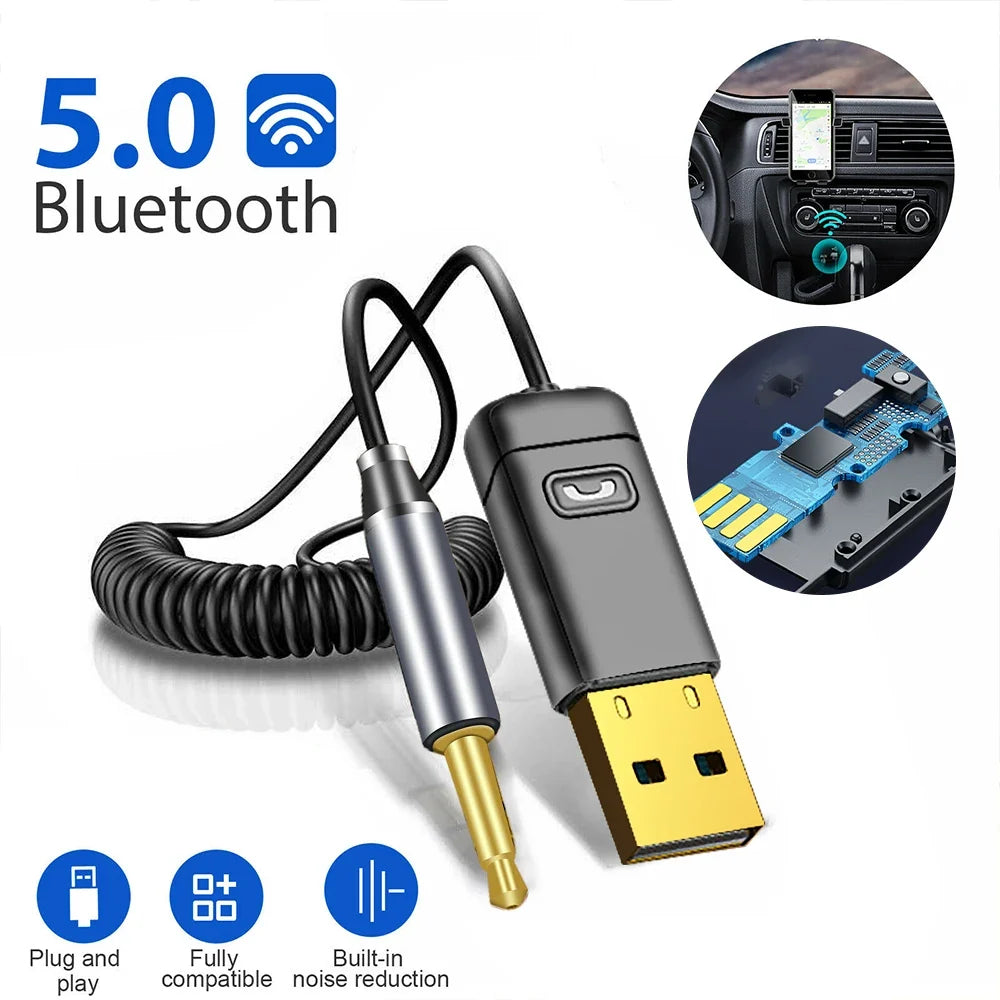


Your car has an AUX port and a stereo from before Bluetooth existed. This receiver plugs into that port so your phone's music, calls and navigation prompts play through the speakers you already have. Pair it once and every drive starts with the phone out of your hand.
Read the full descriptionYour car has an AUX port and a stereo from before Bluetooth existed. This receiver plugs into that port so your phone's music, calls and navigation prompts play through the speakers you already have. Pair it once and every drive starts with the phone out of your hand.
Turn any car with an AUX port into a Bluetooth 5.0 car audio system with hands-free calls and navigation
Your stereo has an AUX port and no Bluetooth, so calls mean fumbling with your phone. Plug in this receiver and music, calls and directions come through your speakers.

The 3.5mm plug uses gold-plated contacts and a brushed metallic silver connector. That pairing gives a firm, low-resistance link at the AUX port, which counts when you plug and unplugged it every day. Pull it straight out when you park and the plug stays solid. If you want to check the cable options for your stereo, the aux bluetooth connector range covers the basics.

The cable is a black spring coil that stretches to reach the dashboard and springs back when you are done. Slack stays out of the console and off the shifter, so the plug stays where you put it. No loose wire hangs across the passenger footwell.

The built-in call button and microphone let you answer without touching your phone. Built-in noise reduction cuts down road hum so your voice comes through clearly. A blue status light confirms receiver mode, so you know the link is live before you pull out.
Plug the USB adapter into a 12V car charger or another USB power source. The receiver powers on immediately.
Push the 3.5mm plug into your stereo's AUX input and pull the spring coil to the dashboard. Set the stereo source to AUX.
A blue light means receiver mode, which is what you need for car audio. A red light means transmitter mode, which is for sending audio to other devices.
Turn on Bluetooth on your phone, choose the receiver from the device list and confirm. Future drives reconnect automatically.
Matte black housing with status light
Matte black, fits a standard car charger port
Gold-plated contacts, metallic silver plug
Light guide for blue and red modes
Yes. Any stereo with a 3.5mm AUX input can use this receiver. Plug the USB end into a power source, connect the 3.5mm plug to the AUX port, and set the stereo to AUX mode. The receiver then acts as a Bluetooth source for your speakers.
The packaging lists it as fully compatible with standard Bluetooth phones, and it uses Bluetooth 5.0. Pair it once from your phone's Bluetooth menu and it reconnects on later drives.
Navigation audio from your phone is routed through the receiver to the car speakers, so directions play through the stereo instead of the phone. Loudness still depends on your phone and stereo volume, so set the car volume once and adjust from there.
A new Bluetooth head unit or car costs hundreds to thousands. This receiver plugs into an AUX port you already have. Unlike an FM transmitter, it does not need a clear radio frequency, so there is no static to chase on a long drive.
The spring-coil cable retracts to keep slack out of the console. Seat the 3.5mm plug firmly in the AUX port and pull it straight out when you park. Pulling at an angle is the most common cause of a loose connection.


 Car Bluetooth AUX Receiver for Calls and Navigation