
$64.90
Free delivery · 7–14 days
480P USB Webcam with Built-In Mic for Skype and Video Calls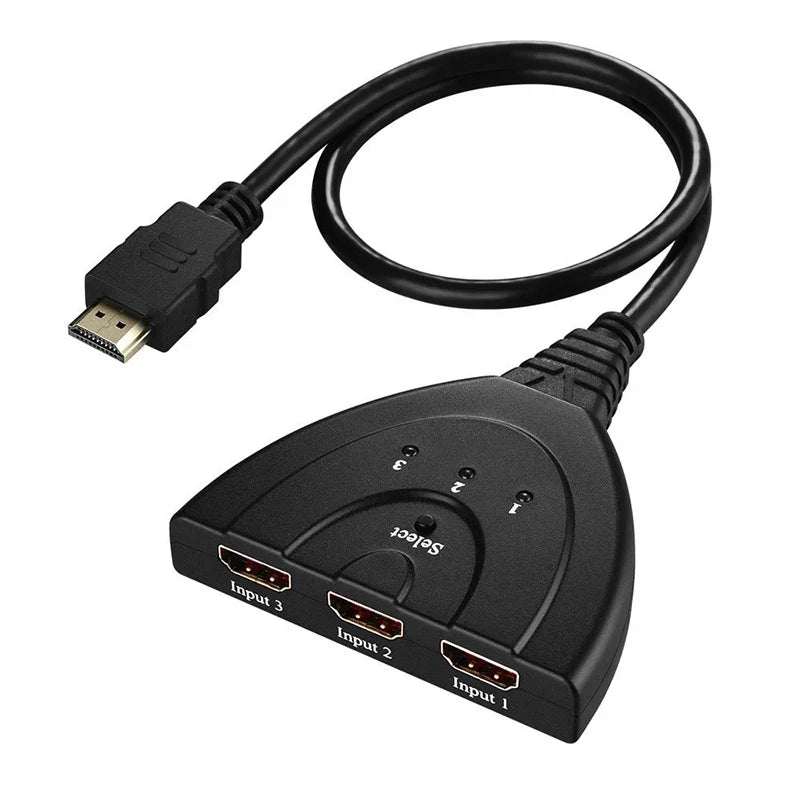


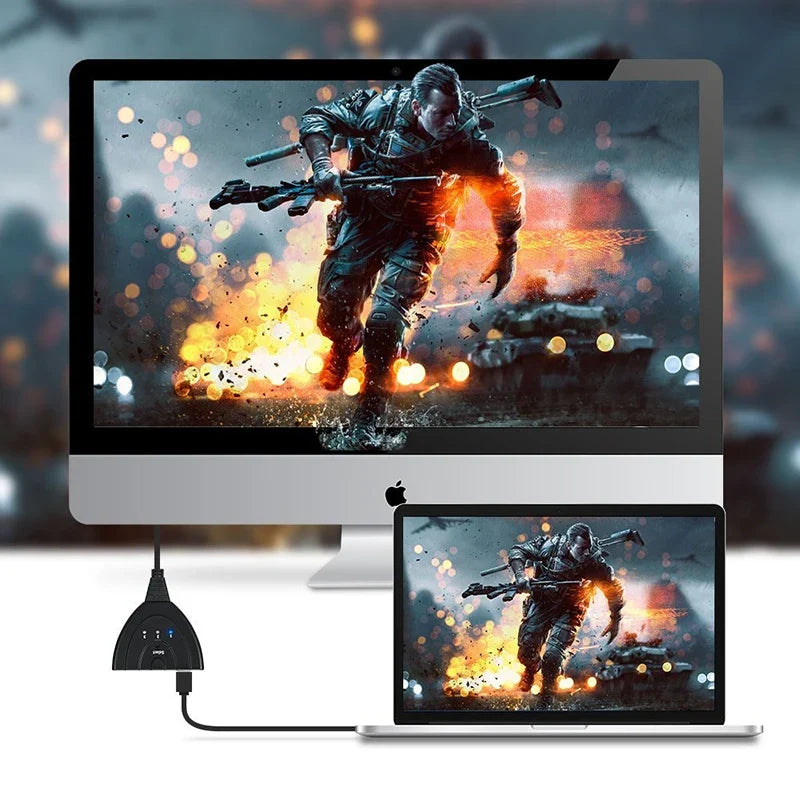

Three game consoles, streaming boxes or media players can stay connected to one TV. The switch shows the active device on its own, and the select button and LED lights handle the rest. Setup takes minutes, and you do not touch the cables again.
Read the full descriptionThree game consoles, streaming boxes or media players can stay connected to one TV. The switch shows the active device on its own, and the select button and LED lights handle the rest. Setup takes minutes, and you do not touch the cables again.
Connect three HDMI devices to one TV with a compact switch that auto-detects the active source or lets you select manually
Before: unplugging and replugging HDMI cables every time the couch changes hands. After: all three devices stay connected, and the switch picks the active one for you.

When one device is on, its picture appears on the TV without touching the switch. If two are on, the last one you connected takes the screen. Press the select button to move to the other input. Both modes work the same way every time, so there is nothing to memorize.

The housing measures 8.1 cm wide and 1.7 cm thick, so it fits on a TV stand without pushing the set forward. Three sources feed a single TV input through a fixed 50 cm output cable. Count the length from the TV's HDMI port to the switch before you order.

The HDMI plugs are gold-plated and sit in a matte black plastic housing with a clean edge. The select button and the three LED lights are on the top surface, so you can see the live input from across the room. Premium materials at this size are what keep the connections stable over years of plugging and unplugging.
Connect your console, streaming box and media player to inputs 1, 2 and 3. Note which device is in which port so the LED lights make sense later.
Plug the fixed 50 cm cable into a free HDMI input on your TV. Never plug it into one of the switch's input ports.
With one device on, the switch detects it and shows its picture. Its LED lights up to confirm the input.
If two devices are on, the last one connected takes the screen. Press the select button to move to the other input.
Matte black housing with select button and LED lights for inputs 1 to 3.
Fixed cable with gold-plated HDMI plug for the TV.

Your TV has two HDMI ports and a console, a streaming box and a media player all want one. So the console comes unplugged to watch a show, and goes back in when game night starts. Every swap means reaching behind the stand and hunting for the right cable.

Plug the three devices into inputs 1 to 3 and run the fixed 50 cm cable to the TV. After that, nothing comes out of the back of the TV again. The switch sends the signal from whichever device is on.

Friday starts with a controller press instead of a cable hunt. Switch to the streaming box on Sunday with the same remote. The LED lights show which input is live, so nobody has to guess what is on screen.
| This switch | Plain passive splitter | Cheap unbranded switch | |
|---|---|---|---|
| Auto-switch to the active device | Yes | No | No |
| Manual select button | Yes | No | Partial |
| LED input indicators | Yes | No | No |
| Gold-plated HDMI connectors | Yes | No | No |
| Fixed output cable to TV | Yes | No | Yes |
Yes, these are the kinds of sources the switch is built for. Plug each one into an input, then power it on or use the select button to pick it.
It is fixed at 50 cm (19.7 in). Measure from your TV's HDMI port to the spot where the switch will sit. If the console sits far from the TV, put the switch closer to the set and run the longer cable to your consoles instead.
Both. A single powered-on device shows up on its own. When several are on, the last one you connected takes the screen, and the select button moves you to the one you want.
The listing names 4K, 2K and 1080p support. Keep the switch between your sources and the TV, and use certified HDMI cables for the inputs, since a weak cable causes more trouble than the switch does.
A splitter cannot choose a source, so every device fights for the screen. This switch picks one, shows which input is live with LED lights, and gives you manual control. For a TV that needs three sources, it saves the cost of a second TV input device and the daily cable swapping.


 3-Port HDMI Switch with Auto-Detect for Game Consoles