3.5mm to RCA AV Cable for Satellite Receiver Setup
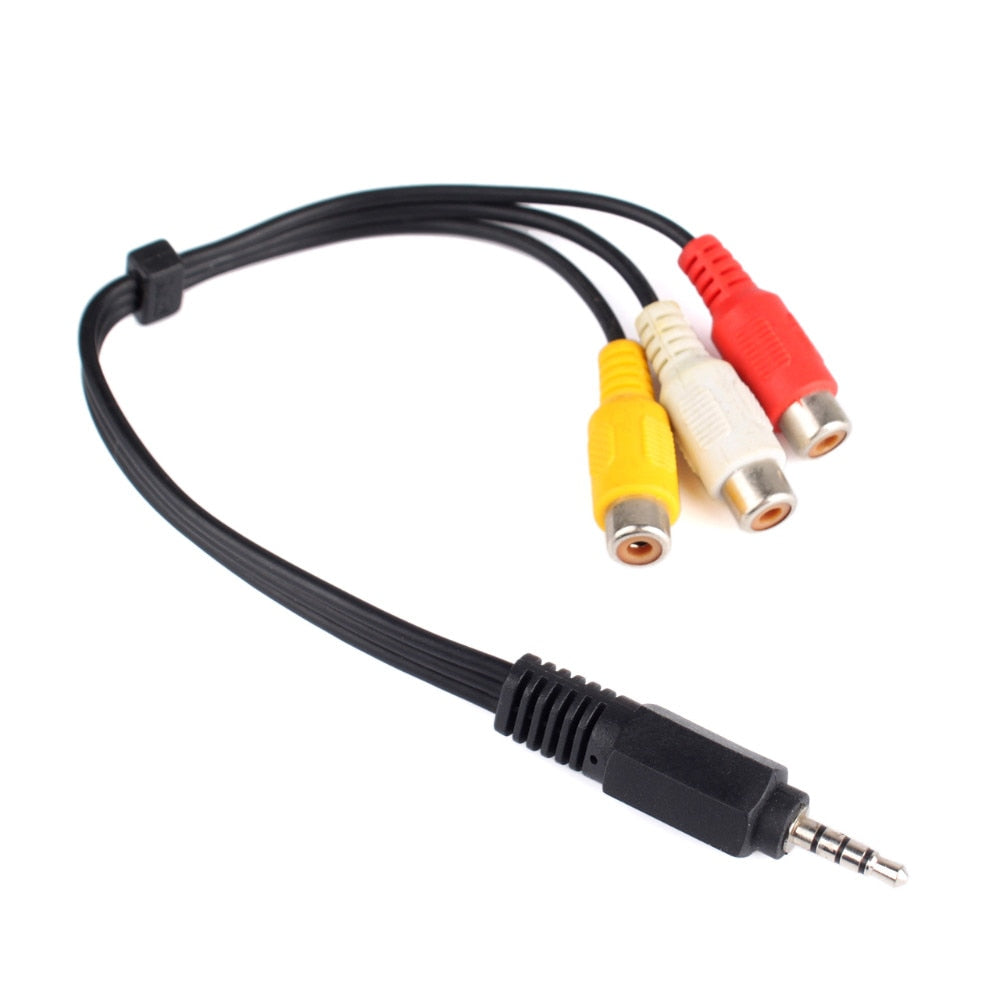


Your satellite box has a 3.5mm AV output and your TV has red, white and yellow inputs. This flat cable connects them in one step, so the older set goes back to showing satellite channels with stereo sound. The yellow, white and red jacks line up with the TV, and the cable lies flat behind...
Read the full descriptionDescription
Your satellite box has a 3.5mm AV output and your TV has red, white and yellow inputs. This flat cable connects them in one step, so the older set goes back to showing satellite channels with stereo sound. The yellow, white and red jacks line up with the TV, and the cable lies flat behind the stand.
Connects a satellite receiver's 3.5mm AV output to a TV's RCA composite inputs
- no RCA inputs on the receiver for connecting to an older TV
- need for correctly colour-coded audio/video connections
- messy or bulky connections
Get your satellite picture on an older TV, colour-matched
Your satellite receiver has no RCA outputs and your TV has no HDMI. Before this cable, you were guessing at plugs; after it, yellow, white and red line up and the picture is on.
Three colours, zero guesswork at the back of the TV
- Colours that match the TV
Yellow carries the video signal, white feeds the left speaker and red feeds the right. Match each plug to the same colour on the TV's AV panel and the sound lands on both sides. The gold-ringed sockets sit firmly on the TV's inputs, and the colours on the cable are bright enough to read from behind the set.
- Flat cable that stays tidy
The ribbon body lies flat behind a TV stand where a round lead would bulge and pull. A cable tie sits near the 3.5mm plug end, so the run stays neat once it is routed. Plug the 3.5mm end into the receiver, then leave the cable tied in place.
Plug it in, pick the input, done
- 1Plug the 3.5mm end into the receiver
Find the AV output on the satellite receiver and push the 3.5mm 4-pole plug in until it clicks home.
- 2Match the three RCA ends to the TV
Connect yellow to the TV's video input, white to left audio and red to right audio. Each colour goes to its matching socket.
- 3Select the AV input on the TV
Switch the TV to its AV or composite input using the remote, then turn on the satellite receiver. If one speaker is silent, check that white and red are not swapped.
- 4Route and tie the cable
Lay the flat cable behind the stand and secure it with the tie near the plug end.
One cable, one tie, ready to use
- 3.5mm to 3RCA AV cable×1
Black flat cable with a 3.5mm 4-pole plug and yellow, white and red RCA female jacks.
- Cable tie×1
Sits near the plug end to keep the flat run tidy behind the TV.
Characteristics
Reviews
Questions and answers
It fits any receiver with a 3.5mm 4-pole AV output and any TV with yellow, white and red composite inputs. Check the back of your receiver for a 3.5mm AV port, and check the TV for three RCA sockets. If both are there, the cable connects them.
Look for a 3.5mm jack labelled AV or video on the receiver. It must be a 4-pole plug that carries video and stereo audio. A standard 3.5mm headphone jack has fewer poles and will not carry the video signal.
No. RCA composite carries a standard-definition signal, so text and fine detail will look softer than HDMI. For an older TV with no HDMI port, the picture is clear and steady. This cable is the way to get satellite on a set that cannot take HDMI, without buying a new TV.
The body is plastic and the sockets are light, so it feels budget up close. Handle it by the connector housing when you unplug it, not by the flat cable. Plugged in once behind a stand, it stays put and does not need to be moved.
Yes. The white RCA jack carries the left channel and the red jack carries the right, so the TV plays stereo sound through both speakers. The yellow jack carries the video.
Similar products
See all 3.5mm to RCA AV Cable for Satellite Receiver Setup