
$45.90
Free delivery · 7–14 days
USB-C OTG Adapter: Use USB Flash Drives on Your Phone



Your phone can read a USB drive once it has the right port. This compact USB-C adapter adds a USB 3.0 port, so files copy in seconds and a wired keyboard or mouse works at your desk. Slip it in a pocket and the next file you need opens on your phone.
Read the full descriptionYour phone can read a USB drive once it has the right port. This compact USB-C adapter adds a USB 3.0 port, so files copy in seconds and a wired keyboard or mouse works at your desk. Slip it in a pocket and the next file you need opens on your phone.
Plug in a USB flash drive, keyboard or mouse directly to your phone or tablet with fast USB 3.0 transfer
Your phone is full and the file you need is on a USB stick. This compact adapter gives your phone a USB 3.0 port so you can move files in minutes.

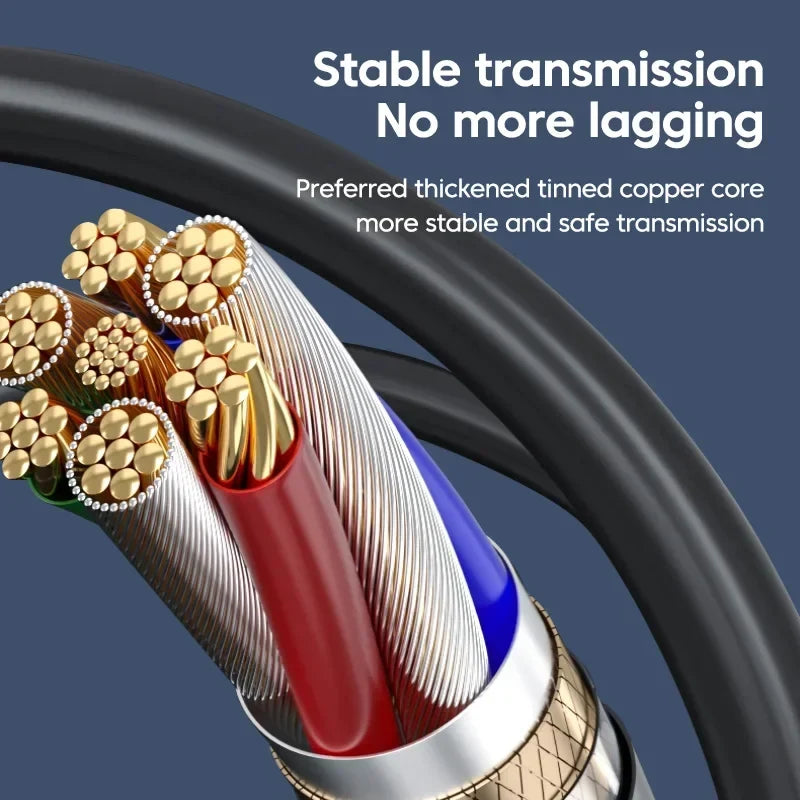
Tinned copper conductors run inside a thickened braided shield. Thin bare cables stutter on large copies. This build holds the signal steady from the first byte to the last.

The USB-A end takes a flash drive, keyboard or mouse. The blue insert marks the USB 3.0 port, so a USB 3.0 drive gets the speed it was built for.

The connector is a slim matte grey body on a short, flexible cable. It slides into a jacket pocket or a laptop sleeve without adding bulk to your bag.
Connect the USB-C plug to your phone or tablet's charging port.
Plug a USB flash drive, keyboard or mouse into the USB-A port. Use the blue insert for USB 3.0 drives.
Some phones need a moment or a file manager app to detect the drive. Confirm it appears before you start copying.
Wait for the copy to finish, then eject the drive from your file manager before you unplug it.
A deadline file is sitting on a USB stick, and the phone is the only device in your hand. Cloud uploads eat data, a laptop is across the room, and your phone cannot read the drive at all.
The adapter plugs into your phone's USB-C port and gives it a USB-A female port with a blue USB 3.0 insert. Drop in the drive, open your file manager, and the files show up where they should be.
A tinned copper core and braided shielding keep the connection steady while large files copy. The same adapter takes a wired keyboard or mouse at a desk, so one short cable covers the desk and the commute.
| This adapter | Basic OTG cable | |
|---|---|---|
| Braided shielding | — | |
| Tinned copper core | Partial | |
| USB 3.0 port with blue insert | Partial | |
| Matte metallic connector | — |
It works with any phone or tablet that supports USB OTG host mode, which is the feature the adapter relies on. Check your device settings for USB OTG support before you buy. If a drive does not appear on its own, open a file manager app to look for it.
The port is USB 3.0, and the blue insert marks it. Your transfer speed still depends on the drive and on what your phone supports. A USB 3.0 drive gets the fastest result, while a plain USB 2.0 stick copies at its own pace.
The adapter has one USB-A port, so you connect one device at a time. Swap between a drive, a keyboard or a mouse as you need them.
You pay for the parts that keep a copy steady: a tinned copper core, braided shielding and a USB 3.0 port. A large file copied from the drive takes seconds, while a cloud upload burns data and time you do not get back.
The cable is short so the adapter stays compact in a pocket. Plan on the drive sitting close to the phone, which works well on a desk stand.


 USB-C OTG Adapter: Plug In USB 3.0 Drives on Your Phone