
$76.90
Free delivery · 7–14 days
Bluetooth 5.0 Car Adapter: Turn Any AUX Stereo Wireless



Old stereos still sound good, they just cannot take a Bluetooth signal. This small metal adapter fixes that in either direction, so your phone can stream into the stereo or TV sound can go to your own headphones. It also takes handsfree calls through the car speakers.
Read the full descriptionOld stereos still sound good, they just cannot take a Bluetooth signal. This small metal adapter fixes that in either direction, so your phone can stream into the stereo or TV sound can go to your own headphones. It also takes handsfree calls through the car speakers.
One Bluetooth 5.3 adapter that works as both receiver and transmitter, turning wired audio wireless
Your old car or home stereo still sounds fine but can't talk to your phone or your headphones. One small metal adapter makes it Bluetooth 5.3 in either direction, so you can stream, take calls, or watch TV without the cable.

Slide the switch to RX and the unit takes audio from your phone and plays it through a wired stereo, speaker or amplifier. Slide to TX and the same unit sends TV or device sound to Bluetooth headphones. The RX and TX lights show which mode is active, so you can check before you pair.

The built-in microphone takes calls through the stereo speakers, so you can answer without holding the phone. Play, pause and track skip buttons sit on the unit for the rest of the drive.

The 3.5mm plug is metal and the edges are brushed silver, so the unit feels solid in the hand and seats firmly in the jack. The multifunction button has a glowing blue LED ring. Inside, the Bluetooth 5.3 chip is what keeps the link steady and low in delay.
Charge the unit through the mini-USB port before the first session. It needs a charge to run.
Connect the metal plug to the headphone or line-out jack on your stereo or TV. Use the headphone or line-out jack, not a microphone port.
Use RX for an old stereo or speaker that needs a Bluetooth input. Use TX to send TV sound to your headphones. Confirm the RX or TX light before you pair.
Open the Bluetooth menu on your phone or headphones, select the unit or your headphones, and play a track.
If the stereo has a 3.5mm input or a headphone-style line out, the unit plugs straight in. For RCA-only gear, add a set of car audio rca cables to bridge the connection. Check the jack on your stereo first, then set RX and pair your phone.
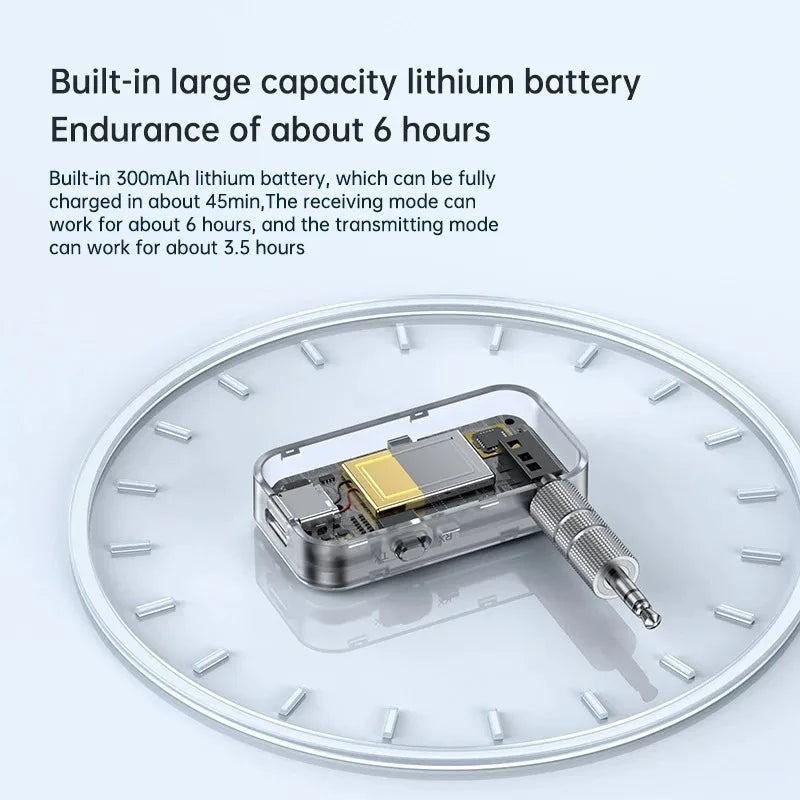
It charges through a mini-USB port and needs a charge before it will run. Charge it fully before the first session and keep it topped up if you use it often.
The unit is built around Bluetooth 5.3 with low delay and a steadier connection, which keeps the sound close to the picture. Bluetooth audio can still trail the picture on some TVs, so test with your own headphones before a long film.
Cheap dongles often drop out or lag, and FM transmitters add static. The metal shell, the metal 3.5mm plug and a stable Bluetooth 5.3 link keep the signal steady day to day. Replacing a head unit or a TV costs far more than this adapter, and it wastes a stereo that still works. If you are weighing a full head unit swap, compare the bluetooth car stereo options first.
Yes. The built-in microphone takes calls through the stereo speakers, and the play, pause and track skip buttons sit on the unit.


 Bluetooth 5.3 Receiver & Transmitter for Old Stereos