
$59.90
Free delivery · 7–14 days
Bluetooth Audio Transmitter & Receiver Adapter


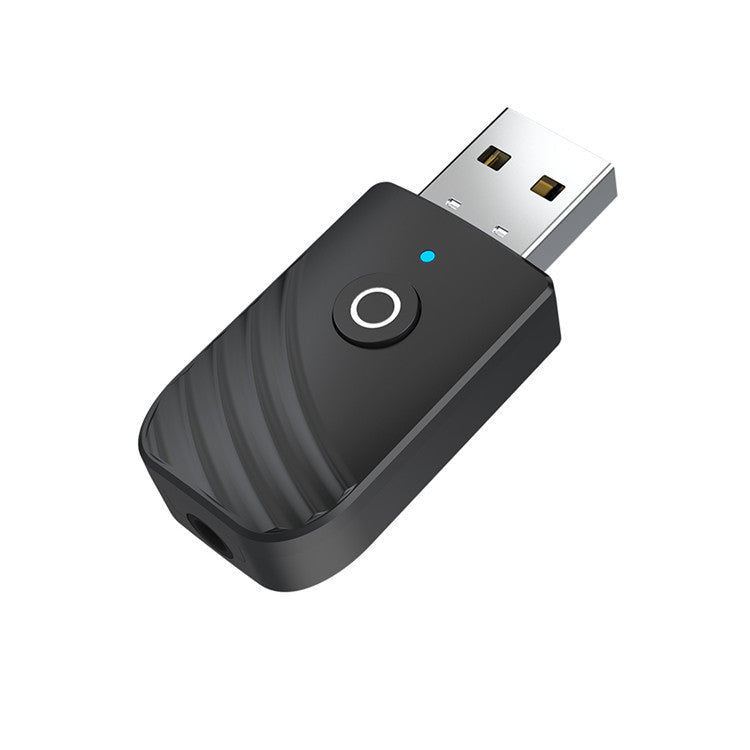
Your car stereo can take phone audio with no tangled aux cable, and your TV can send sound to wireless headphones so the room stays quiet. One matte black USB adapter does both, switched with a single press. The blue or red light shows which direction it is running.
Read the full descriptionYour car stereo can take phone audio with no tangled aux cable, and your TV can send sound to wireless headphones so the room stays quiet. One matte black USB adapter does both, switched with a single press. The blue or red light shows which direction it is running.
One small USB adapter turns any AUX or non-Bluetooth device into a Bluetooth receiver or transmitter
Stop running cables from your phone to an old stereo or from the TV to your headphones. One USB adapter turns it into a Bluetooth receiver or transmitter in seconds.
The same USB adapter receives Bluetooth into an older stereo, or sends audio out from a TV or stereo to wireless headphones and speakers. One switch button picks the direction, so you do not need two gadgets for two problems.
A blue flash means receive and a red flash means transmit. You read the direction from the light before you pair anything, so there is no guessing in a parked car or behind the TV stand.
Push the USB-A plug into a port, connect the 3.5mm AUX output to the device, and you are running. There is no installation, no driver to configure and no head unit to replace.
Push the glossy metal plug into a USB port in your car or behind the TV. The adapter is Plug and Play, so there is nothing to install.
Each press toggles between receive and transmit. Choose the mode before you pair anything.
A blue flash means receive, so your phone streams into the stereo. A red flash means transmit, so the TV or stereo sends audio to your headphones or speaker.
Turn on Bluetooth on your phone, headphones or speaker and connect. Bluetooth 5.0 handles the link from there.
Yes, that is the job it was built for. The adapter sits in a free USB port and feeds the stereo's 3.5mm AUX input. Your phone pairs with the adapter over Bluetooth, and the stereo plays the audio like any other AUX source. If you would rather compare options, the car adaptor charger range covers the same port.
Set the adapter to transmit mode with the red light, connect its 3.5mm port to the TV's audio output, then pair your headphones with the adapter. The headphones do not need a cable, and the TV does not need Bluetooth of its own.
The LED tells you. Blue flashing is receive, red flashing is transmit. One press of the switch changes the mode, so if the light is the wrong colour, press once more.
No. It is Plug and Play. Plug it in, choose the mode with the switch, then pair your phone, headphones or speaker over Bluetooth like any other device.
A factory Bluetooth system is wired into the stereo, so it will sound more integrated. This adapter gives an AUX-only stereo or TV a wireless link for a fraction of the cost of a new head unit, with no installation. Sound quality depends on your source and the stereo's own amplifier. For headphones built around Bluetooth from day one, see wireless earbuds.


 Bluetooth 5.0 Car Adapter: Turn Any AUX Stereo Wireless