
$42.90
Free delivery · 7–14 days
Compact Wireless Ergonomic Mouse, 2.4GHz USB Receiver


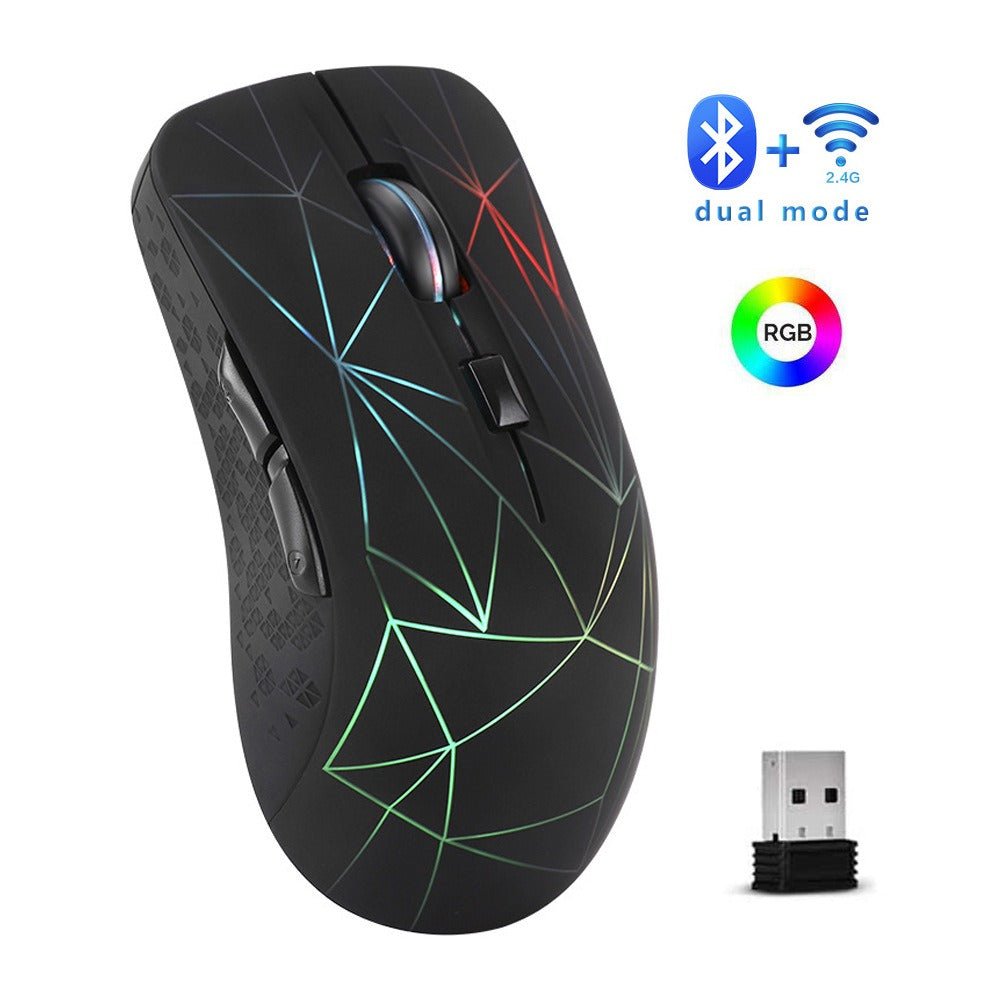
Click without the noise, light up the desk, and skip the battery drawer entirely. This mouse charges over USB and connects through Bluetooth or the included 2.4G receiver, so it works with the laptop you already own. The sculpted shape and textured side grip keep long sessions comfortable.
Read the full descriptionClick without the noise, light up the desk, and skip the battery drawer entirely. This mouse charges over USB and connects through Bluetooth or the included 2.4G receiver, so it works with the laptop you already own. The sculpted shape and textured side grip keep long sessions comfortable.
Dual-mode silent RGB wireless mouse that connects via Bluetooth or 2.4G and recharges without batteries
Stop digging for AA batteries and flinching at every click. Charge it over USB, pair it over Bluetooth or 2.4G, and work in peace.

The silent click buttons keep the noise down in offices, libraries, and shared rooms. Each press is soft and even, so the person across the desk does not hear your work session.

The rechargeable battery tops up over the included charging cable. Plug it into any USB port overnight and the mouse is ready in the morning, with no AA cells to buy or hunt for mid-deadline.

Switch between Bluetooth and the 2.4G USB receiver to pair with almost any laptop. Older machines without Bluetooth get the receiver, newer ones skip the dongle. If you already shop for a best wireless mice lineup, this one covers both connection types in a single purchase.
Connect the included charging cable to the mouse and any USB port. Let it top up before first use.
Use Bluetooth for laptops that have it. For laptops without Bluetooth, set the mode switch to 2.4G.
For Bluetooth, pair the mouse from your laptop settings. For 2.4G, plug the USB receiver into a free port and the mouse connects straight away.
Matte black soft-touch shell with RGB light lines and a built-in rechargeable battery
For laptops without Bluetooth, or when you want a stable link
Tops up the built-in battery from any USB port
Yes. Plug the 2.4G USB receiver into any free USB port, set the mode switch to 2.4G, and the mouse connects without any driver setup. Bluetooth is there for laptops that have it, so you keep a free port.
The light draws more power than a dark mouse, so the battery needs a charge sooner when the RGB runs at full brightness all day. Dim it or switch it off during long sessions and the charge lasts longer between top-ups.
Connect the included charging cable to the mouse and a USB port. There are no AA cells to swap at any point. Charge it overnight and it is ready for the next working day.
The shell is sculpted with a textured grip panel on the side, and the soft-touch matte finish keeps your palm from sliding. It suits most hand sizes, although a very large hand may find it a little small.
Bluetooth connects straight to a laptop that has it built in, so no port is used. 2.4G uses the included USB receiver, which suits older laptops or any machine where Bluetooth is off or missing.
A basic mouse usually means a battery drawer, loud clicks, and a flat shape. This one replaces disposable AA cells with a built-in battery, adds quiet clicks and an ergonomic shape, and brings RGB light to the desk for the price of a few battery packs saved over time.


 Silent Rechargeable Wireless Mouse with Bluetooth & RGB