
$46.90
Free delivery · 7–14 days
4-in-1 SD and TF Card Reader for iPhone, Android & PC


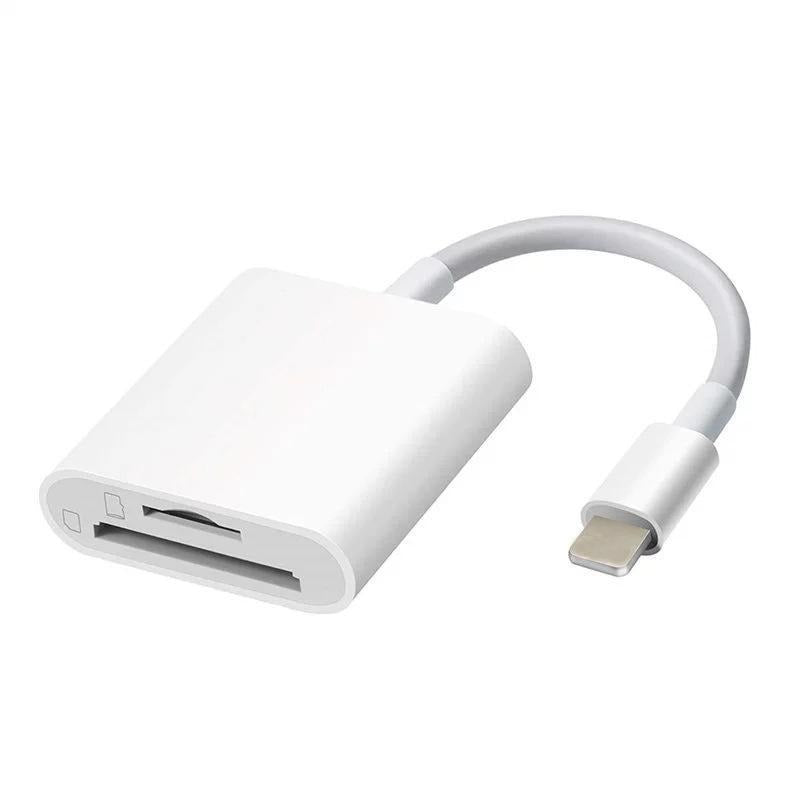
Empty a camera card onto your iPhone without a laptop or an app. This white 2-in-1 reader takes full-size SD and microSD (TF) cards and works plug and play, so photos and videos land in your Photos app as soon as you plug in.
Read the full descriptionEmpty a camera card onto your iPhone without a laptop or an app. This white 2-in-1 reader takes full-size SD and microSD (TF) cards and works plug and play, so photos and videos land in your Photos app as soon as you plug in.
Plug-and-play SD and TF card reader that transfers photos straight to your phone with no app
Before: your storage is full and your photos are stuck on an SD or microSD card. After: plug in a small white reader and the shots appear in your Photos app, with no app to install.

One reader takes a full-size SD card and a TF (microSD) card, so you stop packing two readers for one trip. Slide the card into the slot that matches it and the reader does the rest.

Plug it into the charging port and the card's contents appear in the Photos app. Nothing to download, no account to create, and no setup screen to click through.

The reader comes with a Lightning connector or a USB-C connector. Pick the one that matches your phone's port. The silver-tone tip and short flexible cable keep it tidy in a pocket or camera bag.
Slide a full-size SD card into the SD slot or a microSD card into the TF slot. Each slot is marked on the body, so the right card goes in the right place.
Press the connector into your phone's port until it seats. No setup screen appears, so the phone is ready to read the card straight away.
Open the Photos app and the card's photos and videos show up in a grid. Wait for the files to appear before you unplug the reader.
One white body with an SD slot and a TF (microSD) slot
Keeps the reader close to the phone port and bends easily
Choose the version that matches your phone's port
It comes in both versions. The Lightning version fits iPhones with a Lightning port and the USB-C version fits iPhones with USB-C. The two connectors are not interchangeable, so check your port before you order.
Yes. The body has a full-size SD slot and a TF slot for microSD cards, so one reader covers both card sizes from cameras, drones and action cameras. Memory cards are sold separately.
No. The reader is plug and play and there is no app to install. Plug it in, open the Photos app, and the photos and videos from the card show up there.
If the card is a full-size SD or a microSD, yes. Drone and action cameras usually store footage on microSD, which goes in the TF slot. Insert the card, plug the reader in and import the clips.
The cable is short on purpose. It keeps the reader close to the phone so the pair stays compact in a pocket or camera bag. The cable is also flexible, so you can angle the reader while it connects.
The body is glossy white plastic with a silver-tone connector tip, and it is light enough to carry every day. It does one job, so there is nothing extra to pack or lose.


 SD and microSD Card Reader for iPhone, No App Needed