
$54.90
Free delivery · 7–14 days
Gaming Headset Replacement Cable with Volume Control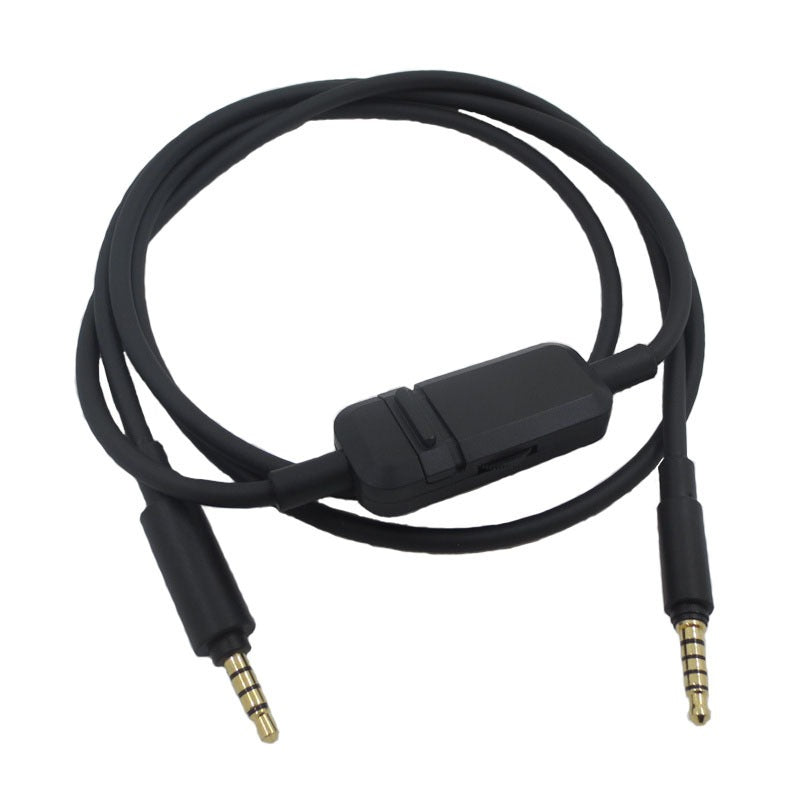


Mute the mic, turn the volume down or pause your audio without reaching for the device. This replacement cable puts those controls on the cord, so you stay in the match or the call. Built with a 4-pole 3.5mm TRRS plug and gold-plated tips for Baiya MMX300II-style headsets.
Read the full descriptionMute the mic, turn the volume down or pause your audio without reaching for the device. This replacement cable puts those controls on the cord, so you stay in the match or the call. Built with a 4-pole 3.5mm TRRS plug and gold-plated tips for Baiya MMX300II-style headsets.
Replacement headset cable with built-in mic on/off, volume and pause/play controls
Stop fumbling for your phone mid-match. This replacement cable puts mic on/off, volume and pause at your fingertips.

The mic on/off switch sits on the inline module, so you silence yourself during a callout or a noisy moment in chat. Flip it back on before you speak. No unlocking a phone and no hunting for a tab on your laptop.

The pulley volume controller rolls under your thumb and sets the level right on the cord. It is a small wheel, so you will find the sweet spot in a few sessions. Once you do, you stop reaching for the volume rocker on the console or phone.

The 4-pole 3.5mm TRRS plugs carry mic and audio through one connector, with gold-plated tips that sit firmly in the jack. The cable is rubber-coated, so it resists the knocks and tugs of daily use. Pull by the plug body and it keeps its shape for longer.
Confirm your headset uses a 4-pole 3.5mm TRRS connector before you start.
Grip the plug body and pull straight out of the jack. Do not pull on the wire.
Align the gold-plated 4-pole plug with the jack so it goes in straight.
Press until the plug seats fully, then take a moment to confirm it sits snug.
Toggle the mic switch, roll the pulley for volume, and press pause/play to confirm each one responds.

The mic goes dead in the middle of a callout, and your teammates hear nothing. You pull the headset off, check the plug, and wonder whether the cord or the mic is to blame. The original cable is often hard to find, and generic replacements leave you reaching for your phone to mute or turn anything down.
The inline module sits along the cord with a mic on/off switch, a pulley volume wheel and a pause/play button. Your thumb finds them without looking down. You stay on the match or the call, and the device stays in your pocket.

Plug the 4-pole 3.5mm TRRS connector into the headset jack, check the mic switch and volume, and you are back in the session. The rubber-coated cable lies flat on the desk and holds up to daily plugging and unplugging.
| This cable | Plain replacement cable | |
|---|---|---|
| Inline mic on/off switch | Yes | No |
| Inline volume control | Yes | No |
| Pause/play on the cable | Yes | No |
| 4-pole TRRS plug | Yes | Varies |
| Gold-plated plug tips | Yes | Varies |
| Rubber-coated cable | Yes | Varies |
It is built for Baiya MMX300II-style headsets with a 4-pole 3.5mm TRRS plug. Check that your headset uses the same plug type before you order, since TRRS wiring differs between brands.
The mic switch works on any device that reads the 4-pole TRRS mic line through the headset jack. Toggle it and watch the mic indicator on your device to confirm the mute state before a session.
A 4-pole 3.5mm TRRS plug fits any 3.5mm jack that handles a headset with a mic. If your device has a separate mic and headphone jack, use the port that carries both.
A plain cable only carries audio, so the mic and volume live on the device. This cable moves mic on/off, volume and pause/play onto the cord. For the price of a basic replacement, you get the controls you would otherwise reach for mid-match. Compare that with buying a new headset when only the cable has failed, and the swap pays for itself quickly. You can also keep a spare in a drawer for less than a new headset.
The cable is rubber-coated and the plugs are gold-plated, which helps it handle routine plugging and bending. Wrap it loosely, avoid sharp creases, and pull by the plug body to protect the solder joints.


 Replacement Headset Cable With Mic and Volume Control